

AIX删除多余的默认网关
AIX删除多余的默认网关
系统环境:
操作系统:AIX 5.3.8
Oracle: Oracle 10gR2
案例分析:
在AIX系统上有多个默认网关,在安装RAC时,导致网络环境检测错误,无法安装RAC.
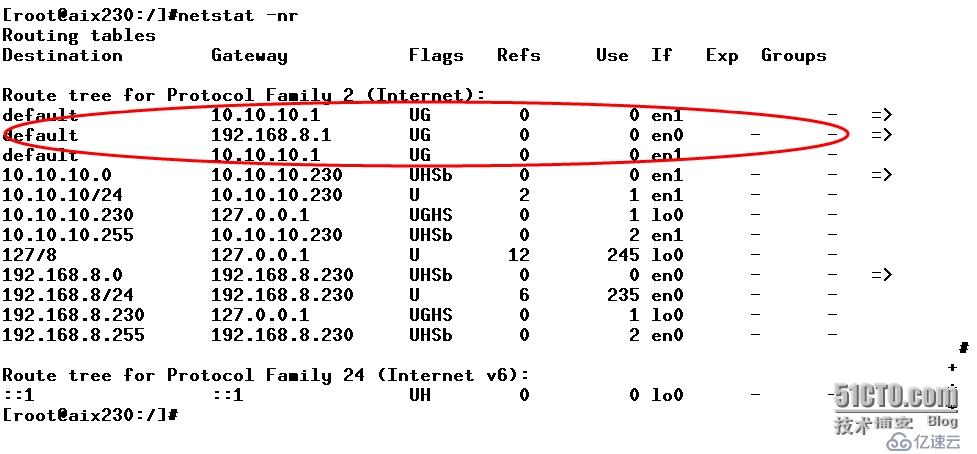
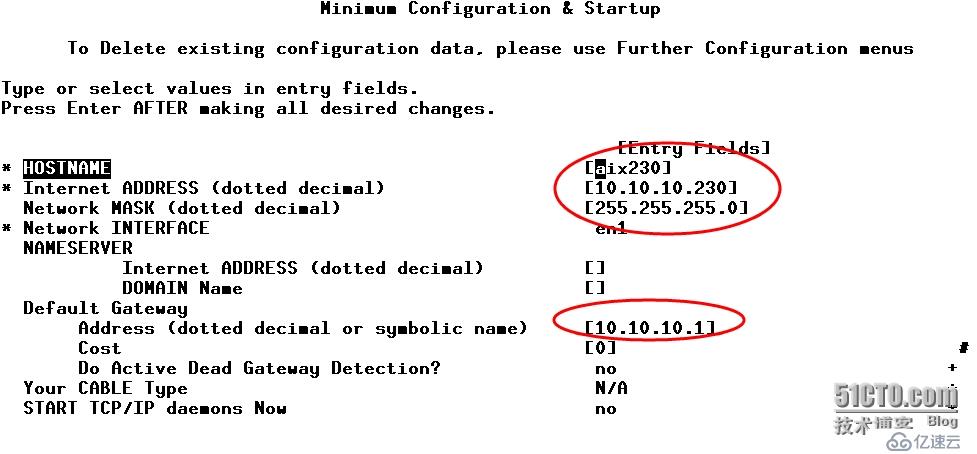
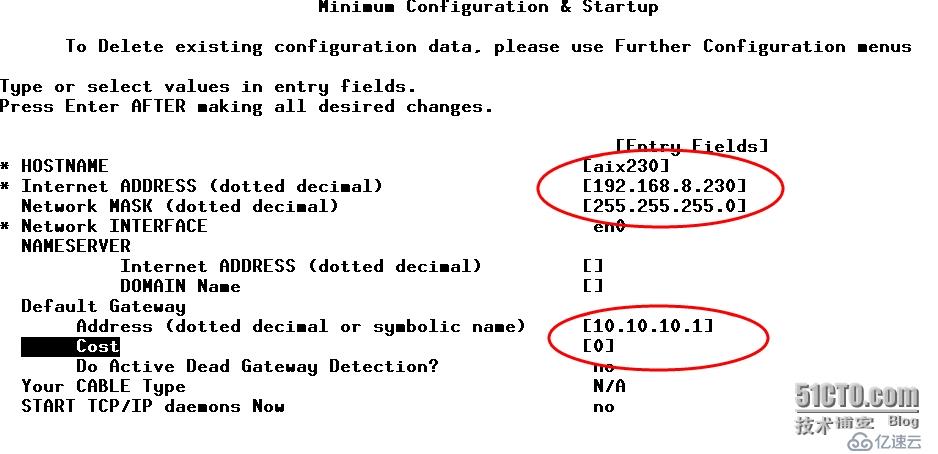
通过smit和route delete删除,系统在重启后又回到原来的状态!
解决方案:
1、查看当前默认网关
[root@aix230:/]#netstat -nr
Routing tables
Destination        Gateway           Flags   Refs     Use  If   Exp  Groups
Route tree for Protocol Family 2 (Internet):
default            192.168.8.1       UG        0         0 en0      -      -
default            10.10.10.1            UG        0         0 en1      -      -
default            10.10.10.1          UG        0         0 en1      -      -
10.10.10.0         10.10.10.230      UHSb      0         0 en1      -      -   =>
10.10.10/24        10.10.10.230      U         0         1 en1      -      -
10.10.10.230       127.0.0.1         UGHS      0         1 lo0      -      -
10.10.10.255       10.10.10.230      UHSb      0         4 en1      -      -
127/8              127.0.0.1         U        13       247 lo0      -      -
192.168.8.0        192.168.8.230     UHSb      0         0 en0      -      -   =>
192.168.8/24       192.168.8.230     U         4        42 en0      -      -
192.168.8.230      127.0.0.1         UGHS      0         1 lo0      -      -
192.168.8.255      192.168.8.230     UHSb      0         4 en0      -      -
Route tree for Protocol Family 24 (Internet v6):
::1                ::1               UH        0         0 lo0      -      -
2、查看ODM信息
[root@aix230:/]#lsattr -El inet0
authm 65536 Authentication Methods True
bootup_option no Use BSD-style Network Configuration True
gateway Gateway True
hostname aix230 Host Name True
rout6 IPv6 Route True
route net,-hopcount,0,,0,192.168.8.1 Route True
route net,-hopcount,0,,0,10.10.10.1 Route True
route net,-hopcount,2,,0,10.10.10.1 Route True
[root@aix230:/]#odmget -q "name=inet0" CuAt
CuAt:
        name = "inet0"
        attribute = "hostname"
        value = "aix230"
        type = "R"
        generic = "DU"
        rep = "s"
        nls_index = 24
CuAt:
        name = "inet0"
        attribute = "route"
        value = "net,-hopcount,0,,0,10.10.10.1"
        type = "R"
        generic = "DU"
        rep = "s"
        nls_index = 0
CuAt:
        name = "inet0"
        attribute = "route"
        value = "net,-hopcount,0,,0,192.168.8.1"
        type = "R"
        generic = "DU"
        rep = "s"
        nls_index = 0
CuAt:
        name = "inet0"
        attribute = "route"
        value = "net,-hopcount,2,,0,10.10.10.1"
        type = "R"
        generic = "DU"
        rep = "s"
        nls_index = 0
3、逐条删除没用的默认路由
[root@aix230:/]#chdev -l inet0 -a delroute="net,-hopcount,2,,0,10.10.10.1"
inet0 changed
4.确认生效
[root@aix230:/]#odmget -q "name=inet0" CuAt
CuAt:
        name = "inet0"
        attribute = "hostname"
        value = "aix230"
        type = "R"
        generic = "DU"
        rep = "s"
        nls_index = 24
CuAt:
        name = "inet0"
        attribute = "route"
        value = "net,-hopcount,0,,0,192.168.8.1"
        type = "R"
        generic = "DU"
        rep = "s"
        nls_index = 0
[root@aix230:/]#netstat -nr
Routing tables
Destination        Gateway           Flags   Refs     Use  If   Exp  Groups
Route tree for Protocol Family 2 (Internet):
default            192.168.8.1       UG        0         0 en0      -      -
10.10.10.0         10.10.10.230      UHSb      0         0 en1      -      -   =>
10.10.10/24        10.10.10.230      U         0         1 en1      -      -
10.10.10.230       127.0.0.1         UGHS      0         1 lo0      -      -
10.10.10.255       10.10.10.230      UHSb      0         4 en1      -      -
127/8              127.0.0.1         U        13       247 lo0      -      -
192.168.8.0        192.168.8.230     UHSb      0         0 en0      -      -   =>
192.168.8/24       192.168.8.230     U         4        42 en0      -      -
192.168.8.230      127.0.0.1         UGHS      0         1 lo0      -      -
192.168.8.255      192.168.8.230     UHSb      0         4 en0      -      -
Route tree for Protocol Family 24 (Internet v6):
::1                ::1               UH        0         0 lo0      -      -
@系统在重启后,不再出现多个default gw的现象,至此,问题得到解决!
上一篇:sqoop工具的安装和部署