

怎么部署EM Cloud Control Oracle12
admin
2023-02-07 14:00:02
0次
[root@emcc ~]# yum install -y glibc-devel.i686 [root@emcc ~]# su - oracle [oracle@emcc ~]$ emca -deconfig dbcontrol db -repos drop -SYS_PWD oracle -SYSMAN_PWD oracle STARTED EMCA at May 30, 2019 12:37:38 PM EM Configuration Assistant, Version 11.2.0.3.0 Production Copyright (c) 2003, 2011, Oracle. All rights reserved. Enter the following information: Database SID: emcc Listener port number: 1521 ---------------------------------------------------------------------- WARNING : While repository is dropped the database will be put in quiesce mode. ---------------------------------------------------------------------- Do you wish to continue? [yes(Y)/no(N)]: yes May 30, 2019 12:37:48 PM oracle.sysman.emcp.EMConfig perform INFO: This operation is being logged at /u01/app/oracle/cfgtoollogs/emca/emcc/emca_2019_05_30_12_37_38.log. May 30, 2019 12:37:48 PM oracle.sysman.emcp.util.GeneralUtil initSQLEngineLoacly WARNING: ORA-28000: the account is locked May 30, 2019 12:37:48 PM oracle.sysman.emcp.ParamsManager checkListenerStatusForDBControl WARNING: Error initializing SQL connection. SQL operations cannot be performed May 30, 2019 12:37:48 PM oracle.sysman.emcp.EMDBPreConfig performDeconfiguration WARNING: EM is not configured for this database. No EM-specific actions can be performed. Some of the possible reasons may be: 1) EM is configured with different hostname then physical host. Set environment variable ORACLE_HOSTNAME=and re-run EMCA script 2) ORACLE_HOSTNAME is set. Unset it and re-run EMCA script May 30, 2019 12:37:48 PM oracle.sysman.emcp.EMReposConfig invoke INFO: Dropping the EM repository (this may take a while) ... May 30, 2019 12:38:47 PM oracle.sysman.emcp.EMReposConfig invoke INFO: Repository successfully dropped Enterprise Manager configuration completed successfully FINISHED EMCA at May 30, 2019 12:38:47 PM [oracle@emcc ~]$ sqlplus / as sysdba SQL> alter system set processes=300 scope=spfile; System altered. SQL>alter system set session_cached_cursors=200 scope=spfile; System altered. SQL> alter system set job_queue_processes=20 scope=spfile; System altered. [oracle@emcc ~]$ mkdir -p /u01/app/oracle/Middleware [oracle@emcc ~]$ mkdir -p /u01/app/oracle/agent [oracle@emcc ~]$ unzip em12105_linux64_disk1.zip [oracle@emcc ~]$ unzip em12105_linux64_disk2.zip [oracle@emcc ~]$ unzip em12105_linux64_disk3.zip [oracle@emcc ~]$ ./runInstaller
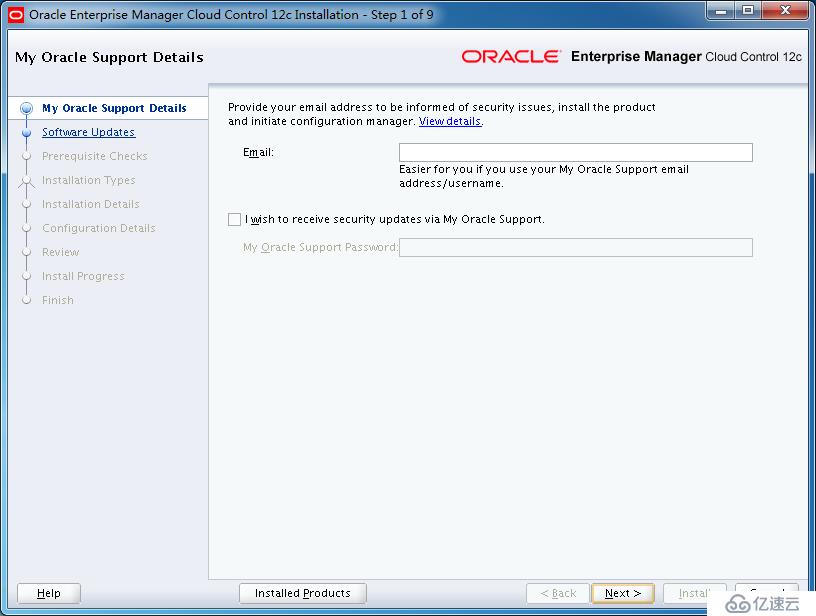
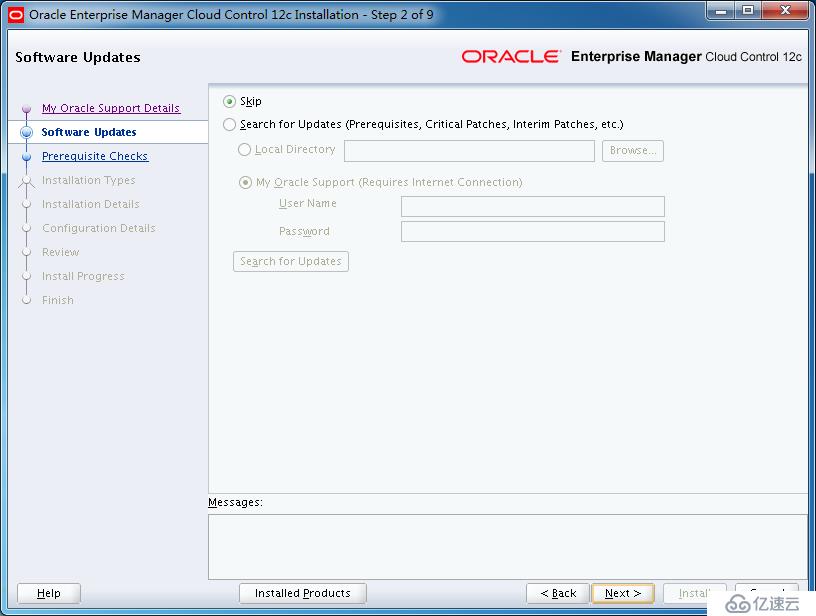
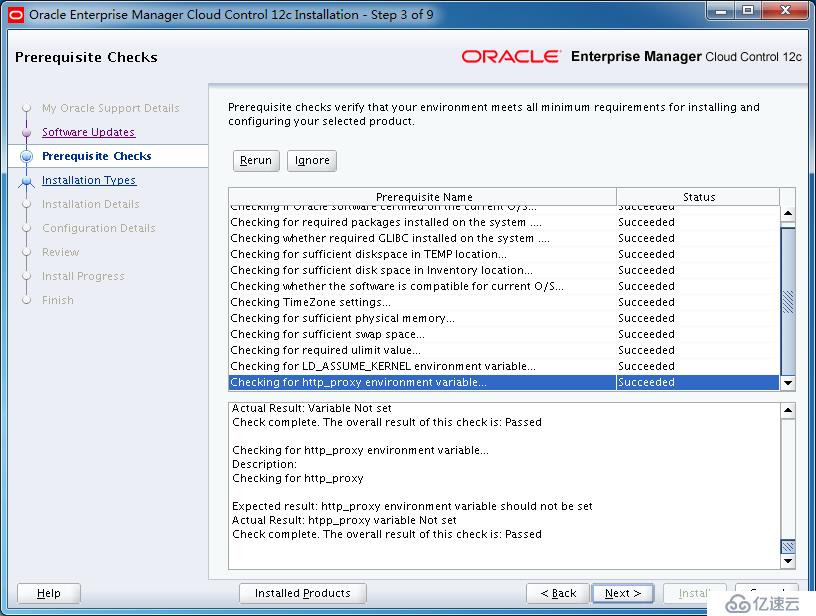
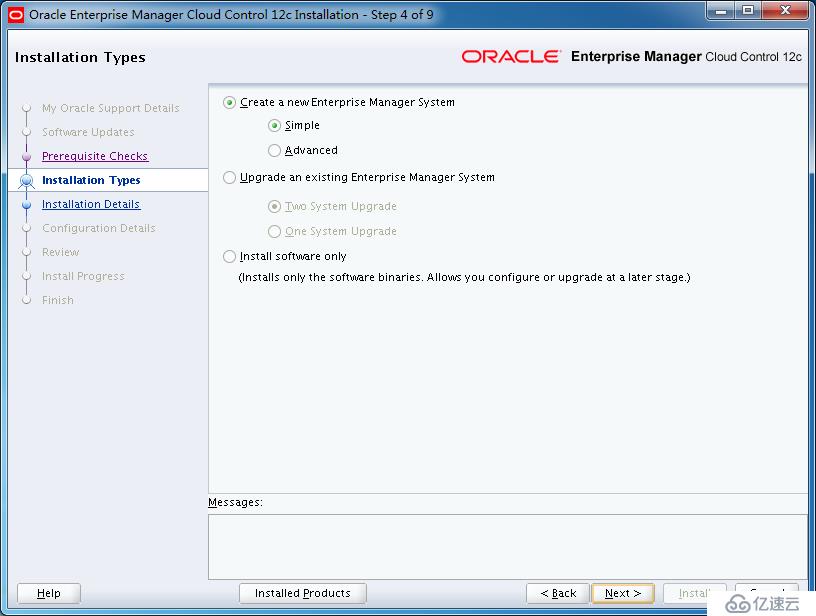
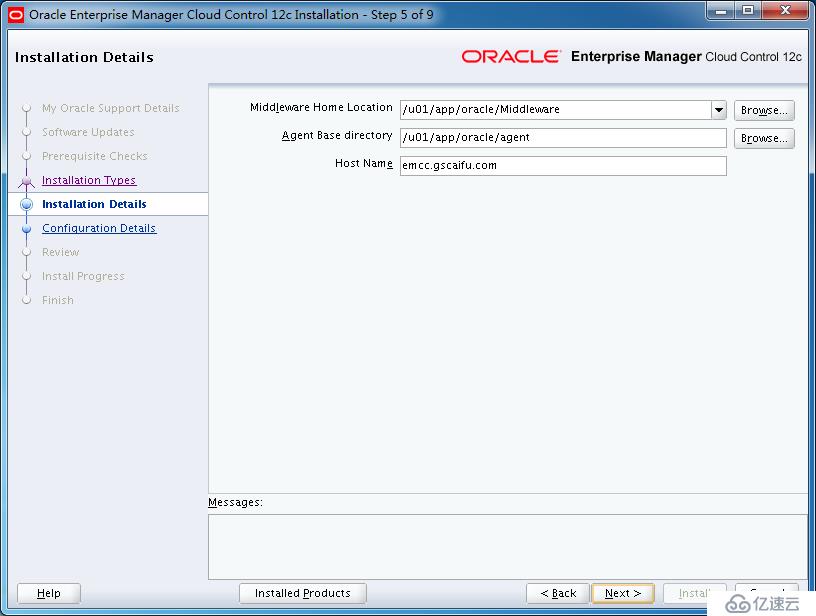
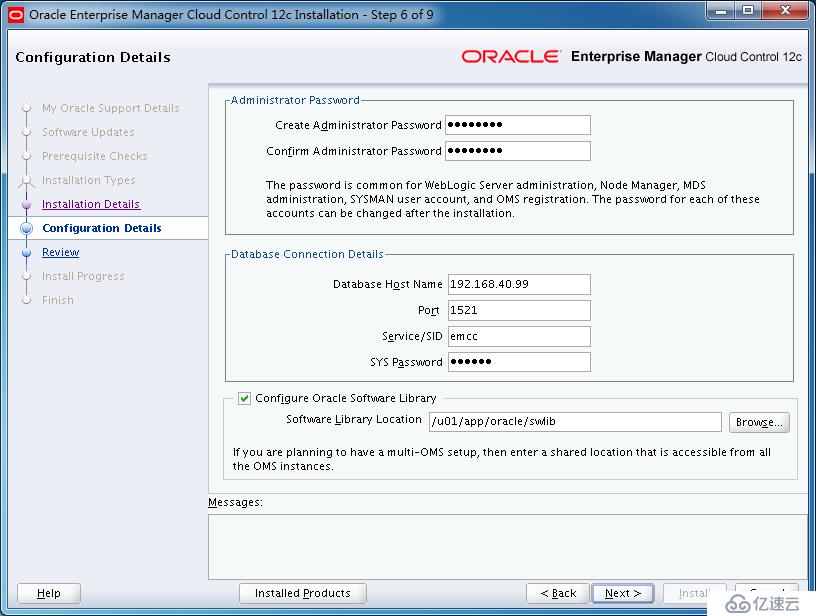
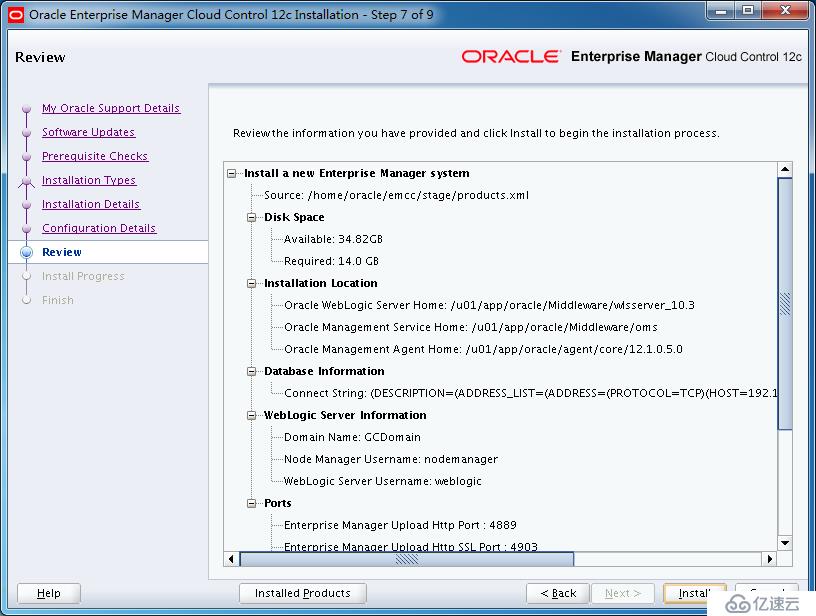
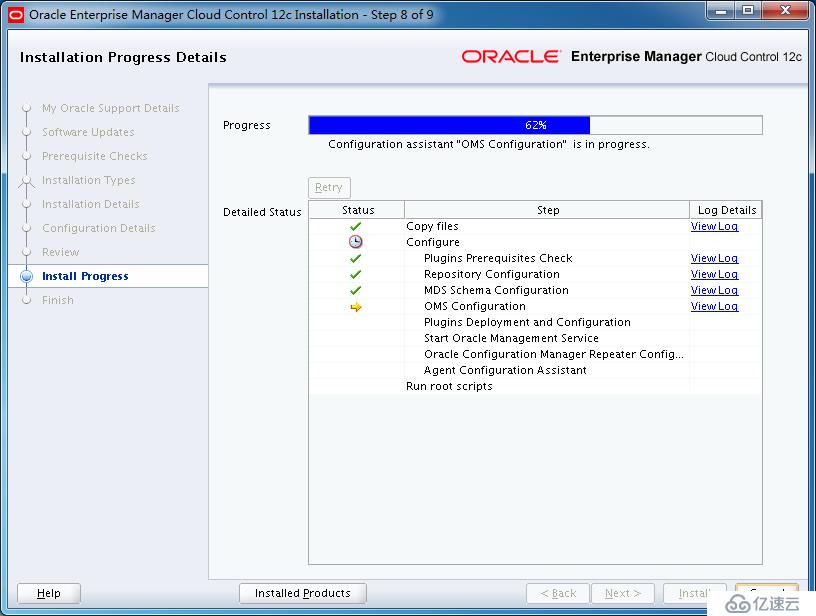
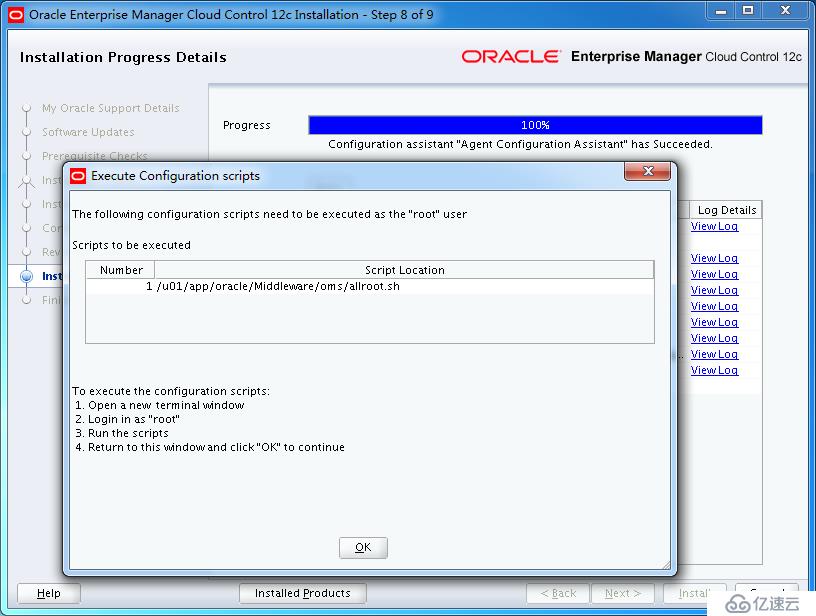
[root@emcc ~]# /u01/app/oracle/Middleware/oms/allroot.sh

Starting to execute allroot.sh .........

Starting to execute /u01/app/oracle/Middleware/oms/root.sh ......
Running Oracle 11g root.sh script...

The following environment variables are set as:
    ORACLE_OWNER= oracle
    ORACLE_HOME=  /u01/app/oracle/Middleware/oms

Enter the full pathname of the local bin directory: [/usr/local/bin]:
The file "dbhome" already exists in /usr/local/bin.  Overwrite it? (y/n)
[n]:
The file "oraenv" already exists in /usr/local/bin.  Overwrite it? (y/n)
[n]:
The file "coraenv" already exists in /usr/local/bin.  Overwrite it? (y/n)
[n]:

Entries will be added to the /etc/oratab file as needed by
Database Configuration Assistant when a database is created
Finished running generic part of root.sh script.
Now product-specific root actions will be performed.
/etc exist

Creating /etc/oragchomelist file...
/u01/app/oracle/Middleware/oms
Finished execution of  /u01/app/oracle/Middleware/oms/root.sh ......


Starting to execute /u01/app/oracle/agent/core/12.1.0.5.0/root.sh ......
Finished product-specific root actions.
/etc exist
Finished execution of  /u01/app/oracle/agent/core/12.1.0.5.0/root.sh ......
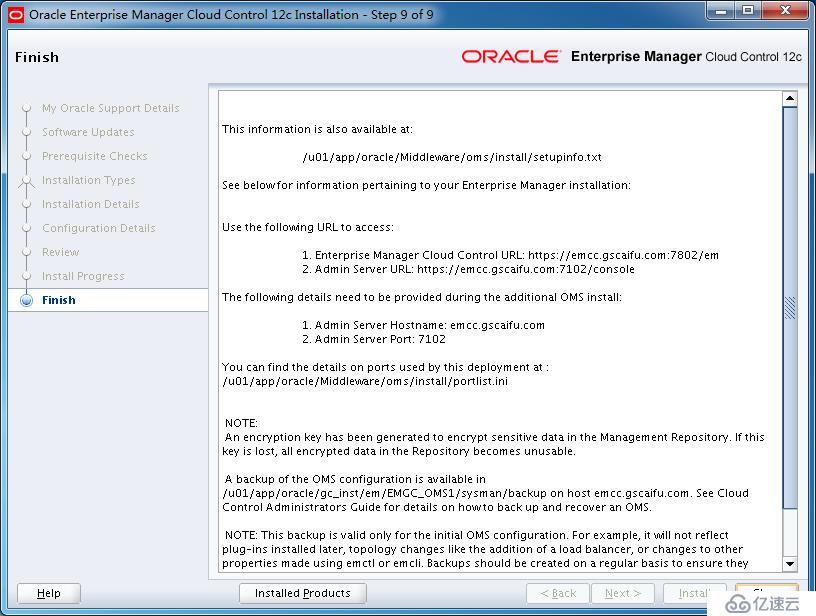
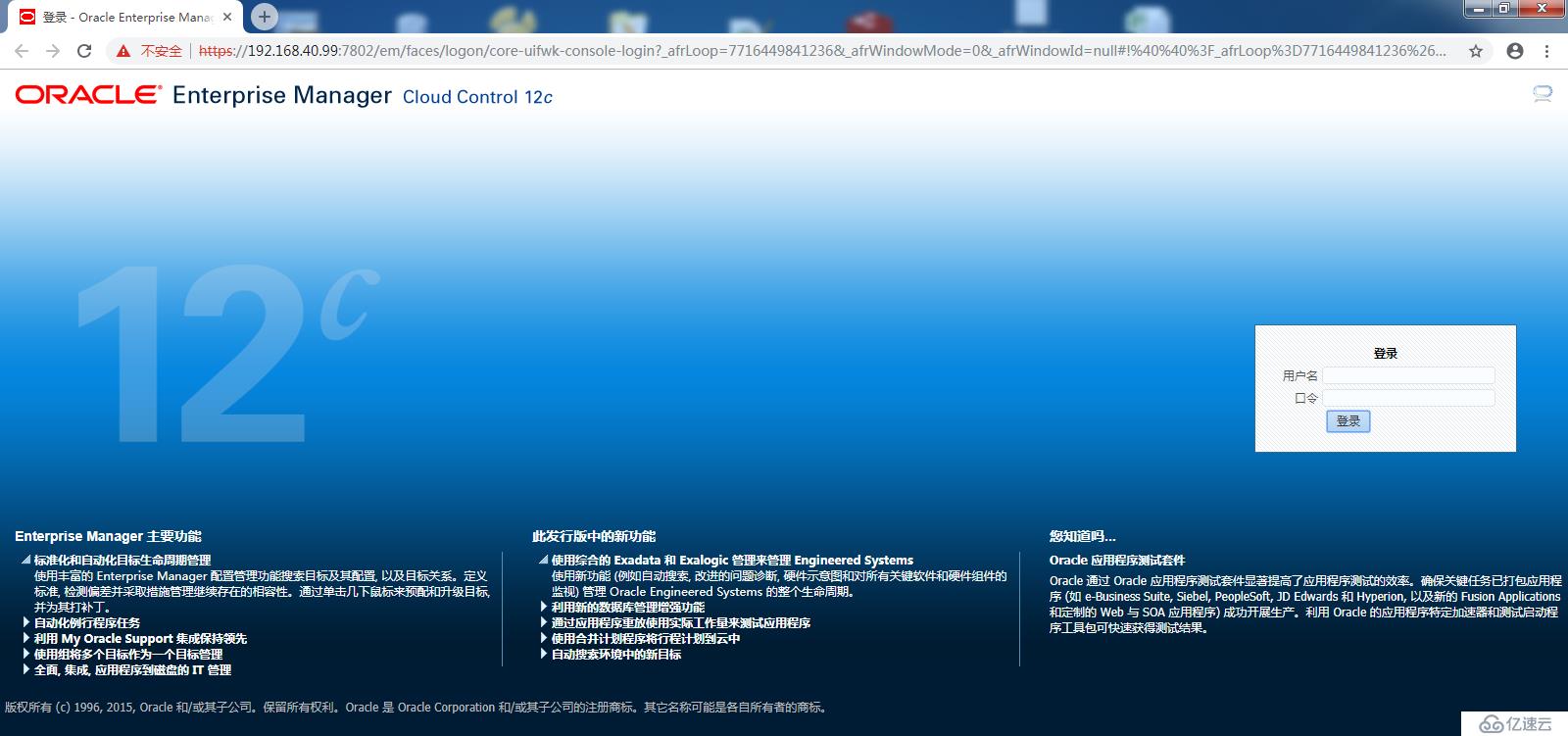
https://192.168.40.99:7802/em
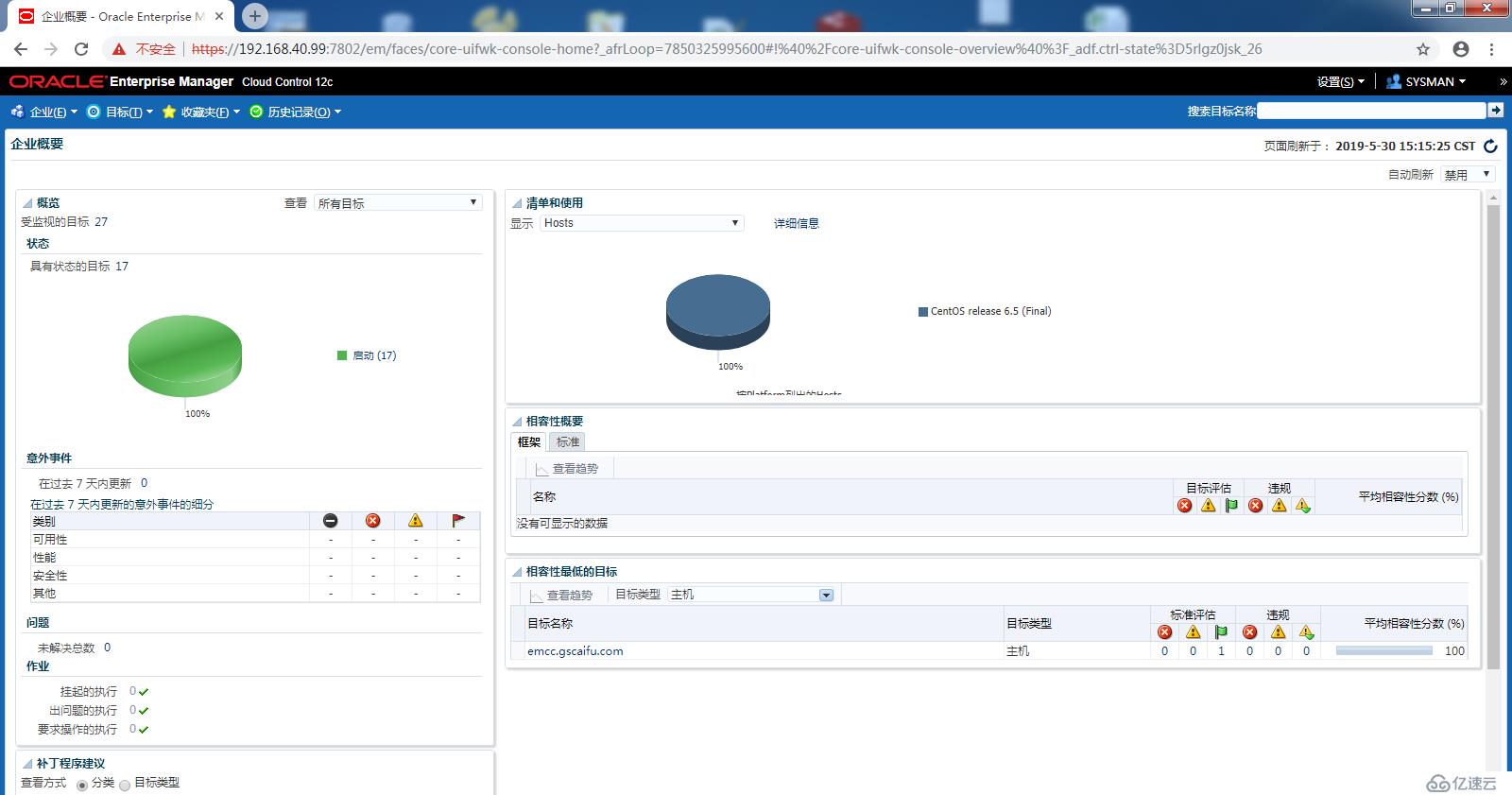
[root@emcc ~]# vi /etc/oragchomelist
# /u01/app/oracle/Middleware/oms
# /u01/app/oracle/agent/core/12.1.0.5.0:/u01/app/oracle/agent/agent_inst

[oracle@emcc ~]$ cd /u01/app/oracle/Middleware/oms/bin
[oracle@emcc bin]$ ./emctl status oms
Oracle Enterprise Manager Cloud Control 12c Release 5
Copyright (c) 1996, 2015 Oracle Corporation.  All rights reserved.
WebTier is Up
Oracle Management Server is Up

[oracle@emcc ~]$ cd /u01/app/oracle/agent/core/12.1.0.5.0/bin
[oracle@emcc bin]$ ./emctl status agent
Oracle Enterprise Manager Cloud Control 12c Release 5
Copyright (c) 1996, 2015 Oracle Corporation.  All rights reserved.
---------------------------------------------------------------
Agent Version          : 12.1.0.5.0
OMS Version            : 12.1.0.5.0
Protocol Version       : 12.1.0.1.0
Agent Home             : /u01/app/oracle/agent/agent_inst
Agent Log Directory    : /u01/app/oracle/agent/agent_inst/sysman/log
Agent Binaries         : /u01/app/oracle/agent/core/12.1.0.5.0
Agent Process ID       : 15941
Parent Process ID      : 15897
Agent URL              : https://emcc.gscaifu.com:3872/emd/main/
Local Agent URL in NAT : https://emcc.gscaifu.com:3872/emd/main/
Repository URL         : https://emcc.gscaifu.com:4903/empbs/upload
Started at             : 2019-05-30 15:01:23
Started by user        : oracle
Operating System       : Linux version 2.6.32-431.el6.x86_64 (amd64)
Last Reload            : (none)
Last successful upload                       : 2019-05-30 15:23:48
Last attempted upload                        : 2019-05-30 15:23:48
Total Megabytes of XML files uploaded so far : 1.25
Number of XML files pending upload           : 0
Size of XML files pending upload(MB)         : 0
Available disk space on upload filesystem    : 25.47%
Collection Status                            : Collections enabled
Heartbeat Status                             : Ok
Last attempted heartbeat to OMS              : 2019-05-30 15:27:37
Last successful heartbeat to OMS             : 2019-05-30 15:27:37
Next scheduled heartbeat to OMS              : 2019-05-30 15:28:37

---------------------------------------------------------------
Agent is Running and Ready
下一篇:redis集群
相关内容
热门资讯
空调连续工作多久需要停机休息
空调连续工作的时间取决于多个因素,包括空调的型号、功率、使用环境和维护情况等。一般来说,空调可以连续...
空调哪个符号是除湿的
空调除湿功能通常用一个水滴形状的符号表示。不同品牌和型号的空调遥控器可能会有所差异,但一般来说,除湿...
格力空调多长时间加一次氟利昂
1、一般情况下,空调对氟利昂的使用量是非常小的,所以在空调使用了四年左右的时候再考虑加也没问题。2、...
空调用多长时间需要加氟一次
一般情况下是五年。当出现以下这几种情况时,空调才需要加氟。1、空调的室内机和室外机各有两个接口,当接...
格调生活·C标思享荟:卡萨帝在...
9月12日的郑州龙湖金融岛,夜风轻拂,灯光璀璨。“C标时刻共传奇——卡萨帝思享荟暨20周年品牌盛典郑...
品牌价值破千亿、高端份额持续领...
9月12日,“C标时刻共传奇——卡萨帝思享荟暨20周年品牌盛典郑州站”在郑州龙湖金融岛举办。2026...
空调主板坏了修800还是换新的
空调主板坏了是修还是换新,需要考虑多个因素,以下是一些建议:1. 维修成本:如果维修费用较低,比如 ...
空调开多久需要休息多长时间
问题:空调开多久需要休息多长时间回答:1、在使用空调的过程中,一般空调开7~8个小时左右需要休息2~...
中央空调多长时间清洗一次
1、一般空调开机前清洗一次即可,空调开机中间时段再清洗一次,空调关机时清洗一次,这样比较合理。2、空...
中央空调氟利昂多久加一次
看空调制热和制冷程度,很多人的观点认为氟利昂必须一年放一次,其实这个观点是错误的,理解上面有点偏差,...