

NETCONF配置CISCO XE(csr1000v)初体验
1、有用的链接
Model Driven Network Automation with IOS-XE
https://www.ciscolive.com/c/dam/r/ciscolive/emea/docs/2018/pdf/LTRCRT-2700.pdf
Configure NETCONF/YANG and Validate Example for Cisco IOS XE 16.x Platforms
https://www.cisco.com/c/en/us/support/docs/storage-networking/management/200933-YANG-NETCONF-Configuration-Validation.html
Programmability Configuration Guide, Cisco IOS XE Everest 16.6.x
https://www.cisco.com/c/en/us/td/docs/ios-xml/ios/prog/configuration/166/b_166_programmability_cg/configuring_yang_datamodel.html
yang-explorer
https://github.com/CiscoDevNet/yang-explorer
YangModels
https://github.com/YangModels
2、安装yang-explorer
准备:
MAC、Linux(不支持windows)
python 2.7
pip软件管理器
浏览器带flash plugin(推荐chrome)
//pip install --upgrade pip
//yum install python-virtualenv
//yum install graphviz
a、更改pip源
mkdir ~/.pip
vi ~/.pip/pip.conf
[global]
index-url = https://pypi.tuna.tsinghua.edu.cn/simple
[install]
trusted-host = mirrors.aliyun.com
yum install python2-pip python-virtualenv graphviz -y
依赖组件:
yum install libxml2-devel libxslt-devel python-devel zlib-devel gcc git -y
git clone https://github.com/CiscoDevNet/yang-explorer.git
b、安装
cd yang-explorer/
bash setup.sh
省略。。。。。。。
Successfully built ydk-models-cisco-ios-xr
Installing collected packages: ydk-models-cisco-ios-xr
Successfully installed ydk-models-cisco-ios-xr-6.2.1
Installing dependencies .. done
Setting up initial database ..
Warning: Setting up database as root, this is not recommended.
Alternatively you can re-run this script as non-root
to setup database without root privilege.
Do you want to continue as root ? (n/N) y //初始化数据库
Creating data directories ..
Creating database ..
Operations to perform:
Synchronize unmigrated apps: staticfiles, messages, explorer
Apply all migrations: admin, contenttypes, auth, sessions
Synchronizing apps without migrations:
Creating tables...
Creating table explorer_collection
Creating table explorer_userprofile
Creating table explorer_deviceprofile
Running deferred SQL...
Installing custom SQL...
Running migrations:
Rendering model states... DONE
Applying contenttypes.0001_initial... OK
Applying auth.0001_initial... OK
Applying admin.0001_initial... OK
Applying contenttypes.0002_remove_content_type_name... OK
Applying auth.0002_alter_permission_name_max_length... OK
Applying auth.0003_alter_user_email_max_length... OK
Applying auth.0004_alter_user_username_opts... OK
Applying auth.0005_alter_user_last_login_null... OK
Applying auth.0006_require_contenttypes_0002... OK
Applying sessions.0001_initial... OK
Creating default users ..
Copying default models ..
Setup completed..
Use start.sh to start yang-explorer server
安装完成。
c、修改配置文件并运行yang-exporer
[root@desk yang-explorer]# cd server/static/
[root@desk static]# vi YangExplorer.html
var swfVersionStr = "16.0.0";
// To use express install, set to playerProductInstall.swf, otherwise the empty string.
var xiSwfUrlStr = "expressInstall.swf";
var flashvars = {};
flashvars.host = '192.168.0.87'; //修改监听地址和端口
flashvars.port = '8088';
[root@desk static]# cd ..
[root@desk server]# cd ..
[root@desk yang-explorer]# vi start.sh
#!/usr/bin/env bash
HOST='192.168.0.87'
PORT='8088'
# set timeout value for ncclient
export NCCLIENT_TIMEOUT=90
[root@desk yang-explorer]# ls
default-models docs env.sh LICENSE README.md requirements.txt server setup.sh start.sh v YangExplorer
[root@desk yang-explorer]# ./start.sh
Activating virtualenv ..
Starting YangExplorer server ..
Use http://192.168.0.87:8088/static/YangExplorer.html
Performing system checks...
System check identified no issues (0 silenced).
July 17, 2019 - 15:22:46
Django version 1.8.3, using settings 'server.settings'
Starting development server at http://192.168.0.87:8088/
Quit the server with CONTROL-C.
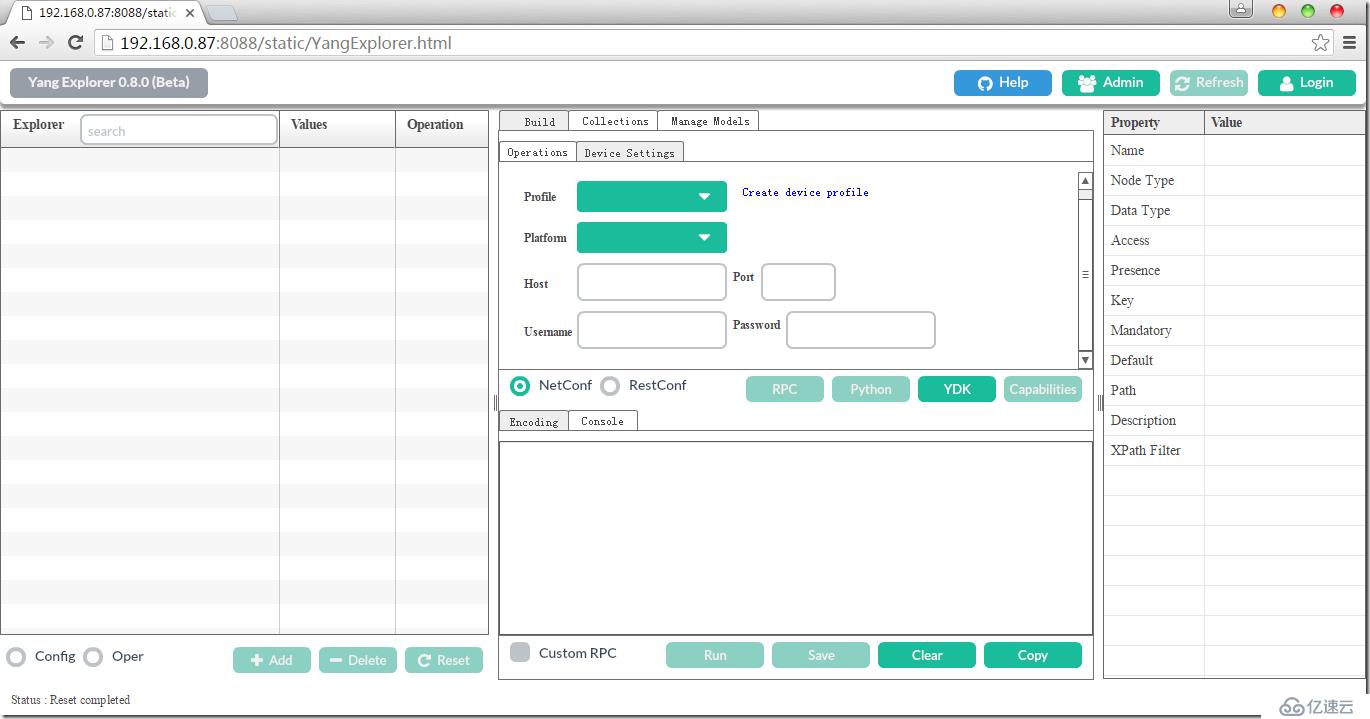
打开浏览器:
http://192.168.0.87:8088/static/YangExplorer.html
3、导入YangModels
点击Login
username:guest
password:guess
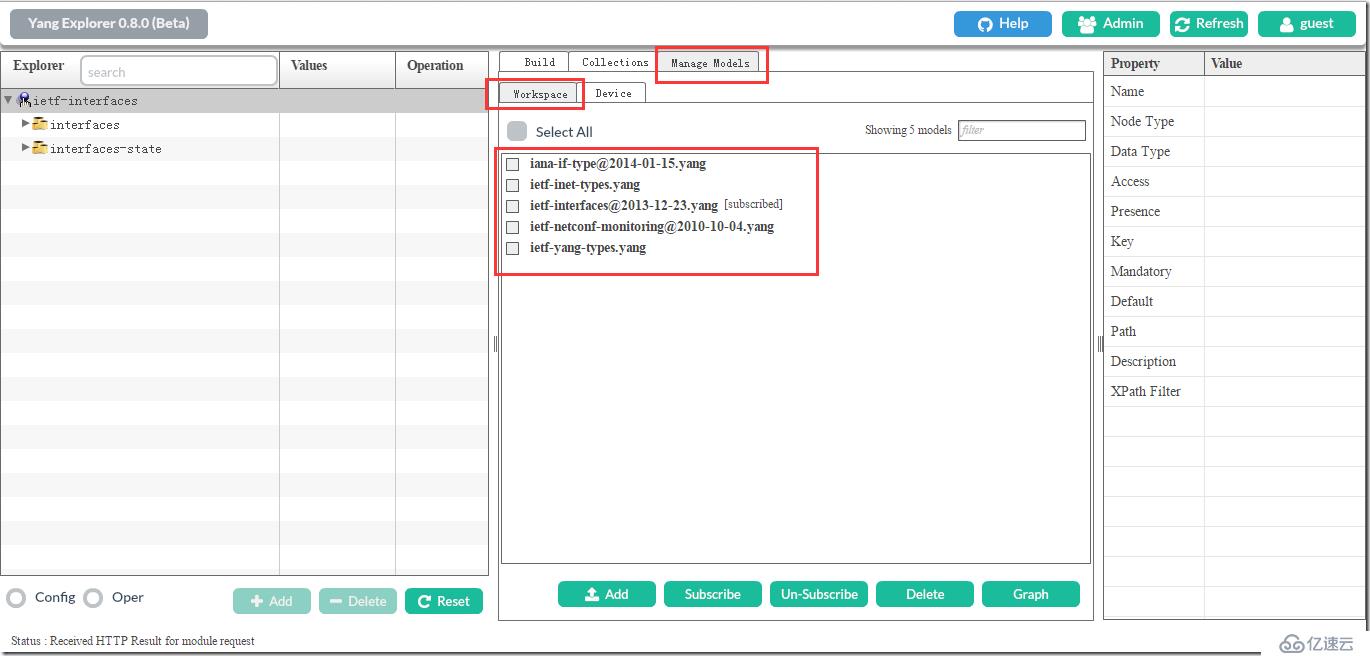
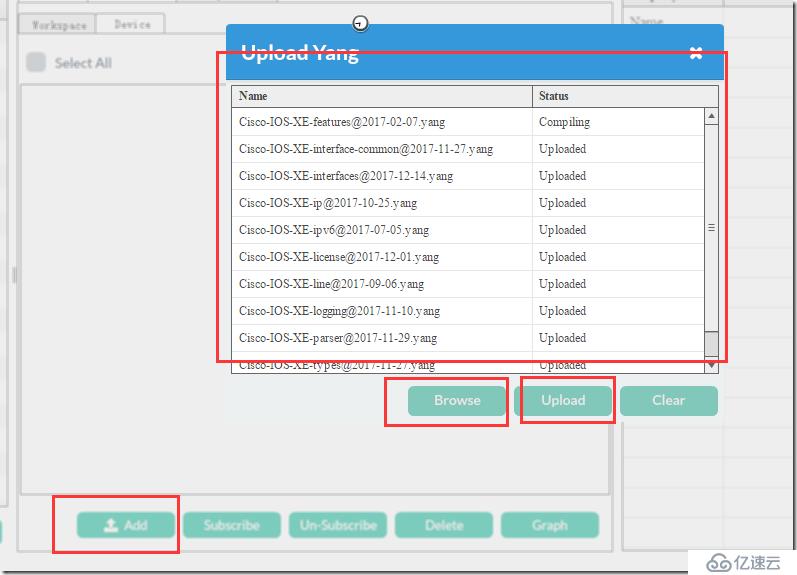
Subscript
4、配置XE路由器
XE3(config)#netconf-yang //主要配置
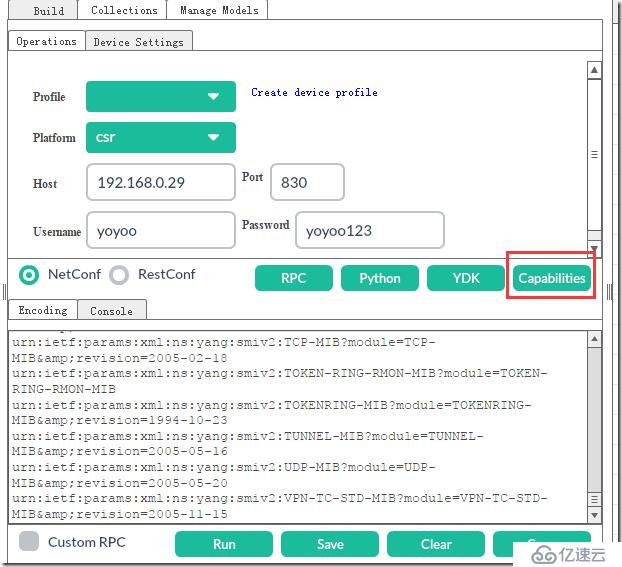
Cisco-IOS-XE-native----->native --->interface --->GigabitEthernet name
ip---->address-choice
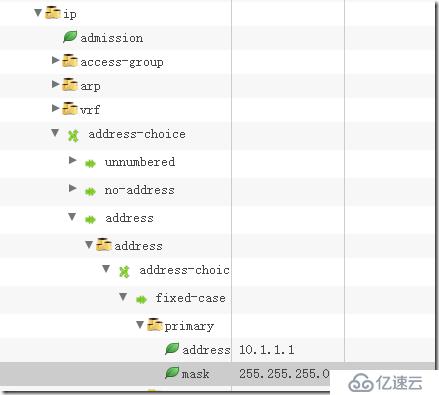
检查
XE3#sh ip inter b
Interface IP-Address OK? Method Status Protocol
GigabitEthernet1 192.168.0.29 YES DHCP up up
GigabitEthernet2 10.1.1.1 YES other administratively down down
GigabitEthernet3 unassigned YES unset administratively down down
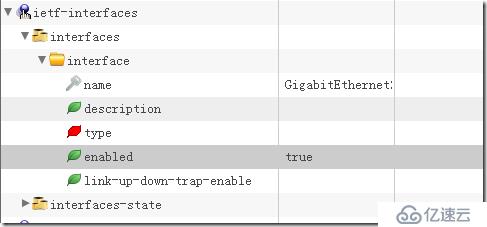
XE3#sh ip inter b
Interface IP-Address OK? Method Status Protocol
GigabitEthernet1 192.168.0.29 YES DHCP up up
GigabitEthernet2 10.1.1.1 YES other up up
GigabitEthernet3 unassigned YES unset administratively down down
产生python文件:
"""
Netconf python example by yang-explorer (https://github.com/CiscoDevNet/yang-explorer)
Installing python dependencies:
> pip install lxml ncclient
Running script: (save as example.py)
> python example.py -a 192.168.0.29 -u yoyoo -p yoyoo123 --port 830 //执行python的方法
"""
import lxml.etree as ET
from argparse import ArgumentParser
from ncclient import manager
from ncclient.operations import RPCError
payload = """
10.1.1.1
"""
if __name__ == '__main__':
parser = ArgumentParser(description='Usage:')
# script arguments
parser.add_argument('-a', '--host', type=str, required=True,
help="Device IP address or Hostname")
parser.add_argument('-u', '--username', type=str, required=True,
help="Device Username (netconf agent username)")
parser.add_argument('-p', '--password', type=str, required=True,
help="Device Password (netconf agent password)")
parser.add_argument('--port', type=int, default=830,
help="Netconf agent port")
args = parser.parse_args()
# connect to netconf agent
with manager.connect(host=args.host,
port=args.port,
username=args.username,
password=args.password,
timeout=90,
hostkey_verify=False,
device_params={'name': 'csr'}) as m:
# execute netconf operation
try:
response = m.edit_config(target='running', config=payload).xml
data = ET.fromstring(response)
except RPCError as e:
data = e._raw
# beautify output
print(ET.tostring(data, pretty_print=True))
上一篇:华为交换机/路由器用户名密码配置
下一篇:Radius无线动态VLAN配置