

lamp+xcache完成指定服务
(1) CentOS 7, apm+xcache, rpm包, php module;
a) 一个虚拟主机提供phpMyAdmin,另一个虚拟主机提供wordpress;
b) 为phpMyAdmim提供https服务;
(2) CentOS 7, amp + xcache, rpm包,php-fpm;
a) httpd, php, mariadb分别部署在一个单独的主机上;
b) 一个虚拟主机提供phpMyAdmin,另一个虚拟主机提供wordpress;
c) 为phpMyAdmim提供https服务;
(3) CentOS 7, amp + xcache,编译安装,php-fpm;
a) 分别深度:httpd, php,mariadb分别部署在一个单独的主机上,以及都在同一主机;
b) 一个虚拟主机提供phpMyAdmin,另一个虚拟主机提供wordpress;
c) 为phpMyAdmim提供https服务;
(4) 对以上所有部署做压力测试,并对比测试结果,写出测试报告;
依次安装mariadb数据库, httpd服务,php-xcache服务
yum install mariadb-service
vim /etc/my.conf
在[mysql]
innodb_file_per_table = ON
skip_name_resolve = ON
重启服务后,检查进程和端口运行
systemctl reatart mariadb.service
ps aux
ss -ntl
检查数据库是否可以使用
$mysql
安装httpd服务以及依赖包
yum install http php php-gd php-mysql php-mbstringphp-xml
默认配置就可以达到我们所需要求
重启服务
sysctemctl restart httpd.service
查看服务是否运行,端口是否打开
Ps aux
ss -ntl
检测httpd服务是否能被解析
vim /var/www/html/index.php
Phpinfo();
?>
检测mysql数据库是否能被解析
$vim /var/www/html/index.php
$conn =mysql_connect(‘127.0.0.1’,’root’,’’);
if($conn)
echo"ok";
else
echo"failure";
mysql_close();
?>
安装php-xccahe
yum install php-xcache
编辑配置文件
vim /etc/httpd/xcache.ini
重新加载服务
systemctl httpd reload
检测是否能解析
vim /var/www/hmtl/index.php
phpinfo();
?>
完成amp安装后,在创建基于ip地址的虚拟机
ip addr add 172.16.55.8/16 dev eno16777736
ip a l
其中172.16.55.7提供WordPress
编辑虚拟主机172.16.55.7的配置文件
vim /etc/httpd/conf.d/vhost1.conf
下载WordPress.zip安装包,并解压
将解压后的安装包移动到/data/vhosts/www1/目录下
将wp-config-sample.php 改名为wp-config.php
在创建wpdb数据库
#mysql>GRANT ALL ON wpdb.* TO 'wpuser'@'172.16.%.$' IDENTIFIED BY 'wppass';
#mysql>CREATE DATABASE wpdb;
#mysql>exit;
在编辑WordPress的配置文件
vim wp-config.php
将数据库文件信息填在对应的位置
NAME wpdb
USER wpuser
PASSWORD wppass
HOST 172.16.55.7
vim /data/vhosts/www1/index.php
phpinfo();
?>
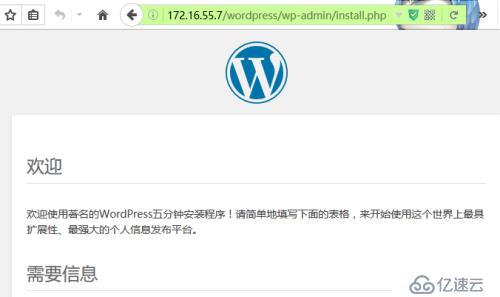
在重启服务,浏览器172.16.55.7
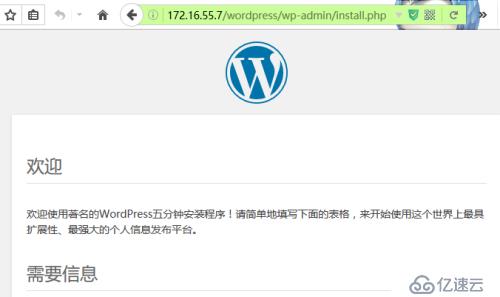
在172.16.55.8上面提供phpMyAdmin服务
vim /etc/httpd/conf.d/vhost2.conf
安装phpMyAdmin
yum install phpMyAdmin
编辑其配置文件
vim /etc/httpd/conf.d/phpMyAdmin
将Apache [2.4]下的
Require ip 172.16
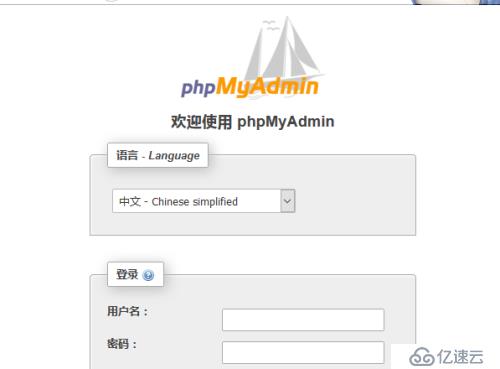
(b)
yum install mod_ssl
172.16.55.6 CA
cd /etc/pki/CA
(umask 077;openssl genrsa -out private/cakey.pem 2048 )
openssl req -new -x509 -key private/cakesy.pem -outcacert.pem
[CN Beijing Beijing magedu opsmagedu.com @admin.com]
/etc/httpd/ssl
(umask 077;openssl genrsa -out private/httpd.key 1024)
openssl req -new -key httpd.key -out httpd.csr
scp httpd.csr 172.16.55.6:/tmp
[CA]
openssl ca -in /tmp/httpd.csr -out/etc/pki/certs/httpd.crt
scp certs/httpd.crt 172.16.55.7:/etc/httpd/ssl
vim /etc/httpd/conf.d/ssl.conf
ServerName www2.magedu.com:443
DocumentRoot "/data/vhosts/www2"
ServerName www2.mageducom/phpmyadmin/:443
SSLCertifcateFile /etc/httpd/ssl/httpd.crt
SSLCertifcateKeyFile /etc/httpd/ssl/httpd.key
systemctl httpd reload
ss -ntl
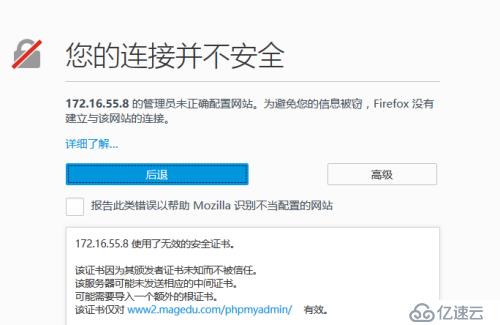
172.16.55.11 http
172.16.55.12 php-fpm
172.16.55.13 mariadb
yum-y instal httpd
vim /etc/httpd/conf.d/vhost1.conf
ServerName www1.magedu.com
DocumentRoot "/data/vhost/www1"
ProxyRequests on
DirectoryIndex index.php
ProxyPassMatch ^/(.*\.php)$ fcgi://172.16.55.12:9000/data/vhost/www1/$1
Options None
AllowOverride None
Require all granted
vim /etc/httpd/conf.d/vhost2.conf
ServerName www2.magedu.com
DocumentRoot "/data/vhost/www2"
ProxyRequests on
DirectoryIndex index.php
ProxyPassMatch ^/(.*\.php)$ fcgi://172.16.55.12:9000/data/vhost/www2/$1
Options None
AllowOverride None
Require all granted
vim /etc/resolv.conf
DNS=172.16.55.11
nameserver 172.16.0.1
vim /etc/hosts
172.16.55.11 www1.magedu.com www2.magedu.com
mkdir -pv /data/vhost/www{1,2}
vim /data/vhost/www1/index.html
http111111
vim /data/vhost/www2/index.html
http222222
########172.16.55.12#########
yuminstall php-fpm
vim /etc/php-fpm.d/www.conf
listen = 172.16.55.12:9000
listen.allowed_clients = 172.16.55.12
mkdir-pv /data/vhost/www{1,2}
vim /data/vhost/www1/index.php
php
$conn = mysql_connect('172.16.55.13','wpuser','wppass');
if($conn)
echo "OK";
else
echo "Failure";
phpinfo();
?>
unzipwordpress-4.3.1-zh_CN.zip
mv wordpress /data/vhost/www1
cd /data/vhost/www1/wordpress/
mv wp-config-sample.php wp-config.php
vim wp-config.php
define('DB_NAME', 'wpdb');
define('DB_USER', 'wpuser');
define('DB_PASSWORD', 'wppass');
define('DB_HOST', '172.16.55.13');
unzip phpMyAdmin-4.4.14.1-all-languages.zip
mv phpMyAdmin-4.4.14.1-all-languages /data/vhost/www2/
cd /data/vhost/www2/
ln -s phpMyAdmin-4.4.14.1languages myadmin
cd myadmin/
ln -s config.sample.inc.php config.inc.php
openssl rand -base64 10
vim config.inc.php
$cfg['blowfish_secret'] = '4pnJU4R8p4WaQxD'; /* YOU MUST FILL IN THIS FOR COOKIE AUTH! */
/*
* Servers configuration
*/
$i = 0;
/*
* First server
*/
$i++;
/* Authentication type */
$cfg['Servers'][$i]['auth_type'] = 'cookie';
/* Server parameters */
$cfg['Servers'][$i]['host'] = '172.16.55.13';
$cfg['Servers'][$i]['connect_type'] = 'tcp';
$cfg['Servers'][$i]['compress'] = false;
$cfg['Servers'][$i]['AllowNoPassword'] = false;
######172.16.55.13###########
yuminstall mariadb-server
systemctlstart mariadb.service
mysql> GRANT ALL ONwpdb.* TO 'wpuser'@'172.16.%.%' IDENTIFIED BY 'wppass';
mysql> CREATE DATABASE wpdb;
172.16.55.12
cd /etc/pki/CA/
(umask 077; openssl genrsa-out private/cakey.pem 2048)
openssl req -new -x509 -key private/cakey.pem -out cacert.pem
CN
beijing
beijing
magedu
ops
ca.magedu.com
mageedu@admin.com
touch index.txt
echo 01 > serial
172.55.16.11
yuminstall mod_ssl
mkdirssl
cdssl
(umask 077; openssl genrsa -out httpd.key 1024)
openssl req -new -key httpd.key -out httpd.csr
CN
beijing
beijing
magedu
ops
www2.magedu.com
magedu@admin.com
scp httpd.csr 172.16.55.12:/tmp
openssl ca -in /tmp/httpd.csr -out /etc/pki/CA/certs/httpd.crt
scp certs/httpd.crt 172.16.55.11:/etc/httpd/ssl/
vim /etc/httpd/conf.d/ssl.conf
DocumentRoot "/data/vhost/www2/myadmin"
ServerName www2.magedu.com:443
SSLCertificateFile /etc/httpd/ssl/httpd.crt
SSLCertificateKeyFile /etc/httpd/ssl/httpd.key
ProxyPassMatch ^/(.*\.php)$ fcgi://172.16.55.12:9000/data/vhost/www2/$1
openssl s_client -connect 172.16.55.11:443 -CAfile /etc/pki/CA/cacert.pem
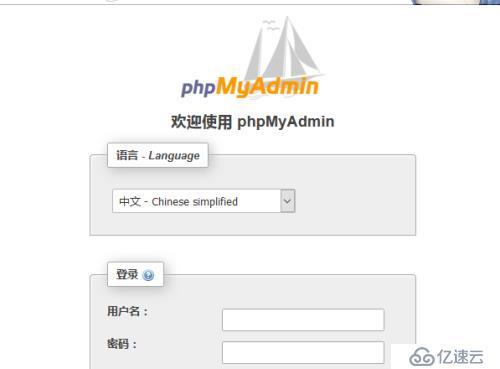
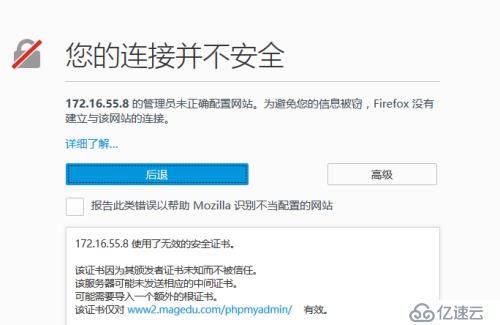
ab -c 100 -n 1000 http://www1.magedu.com/data/vhost/www1/index.html 静态数据
Time per request: 22.433 [ms] (mean) Time per request: 0.231 [ms] (mean, across all concurrent requests)
Transfer rate: 1855.00 [Kbytes/sec] received
上一篇:MySQL数据库引擎和索引
下一篇:sqlserver 获取当前时间