

CentOS 7 一步一步搭建LAMP
admin
2023-05-18 21:22:47
0次
一、准备环境
1、系统版本
[root@Webserver01 ~]# cat /proc/version
Linux version 3.10.0-514.16.1.el7.x86_64
2、关防火墙
[root@Webserver01 ~]# systemctl disable firewalld
3、准备yum源
[root@Webserver01 ~]# rpm -ivh http://dl.fedoraproject.org/pub/epel/7/x86_64/e/epel-release-7-5.noarch.rpm
或
[root@Webserver01 ~]# rpm -ivh http://mirrors.aliyun.com/epel/epel-release-latest-7.noarch.rpm
4、安装基础工具
[root@Webserver01 ~]# yum install -y net-tools vim lrzsz tree screen lsof tcpdump nc nmap
5、关掉SELINUX
[root@Webserver01 ~]# vim /etc/sysconfig/selinux
SELINUX=disabled
6、更新并重启
[root@Webserver01 ~]# yum update -y && reboot
二、开始安装LAMP组建
LAMP至少需要以下组建:
httpd (提供 Apache 主程序)
mysql (MySQL 客戶端程序)
mysql-server (MySQL 服务器程序)
php (PHP 主程序含给 apache 使用的模块)
php-devel (PHP 的开发工具,这个与PHP 外挂的加速软件有关)
php-mysql (提供给PHP 程序读取 MySQL 资料库的模块)
可以用以下命令一次安装;
[root@Webserver01 ~]# yum install httpd mysql mysql-server php php-mysql
为了看的更详细,我们一个一个安装
1、利用yum命令安装Apache
[root@Webserver01 ~]# yum -y install httpd
启动httpd并且设置为开机启动
[root@Webserver01 ~]# systemctl start httpd.service
[root@Webserver01 ~]# systemctl enable httpd.service
输入网址,查看测试页
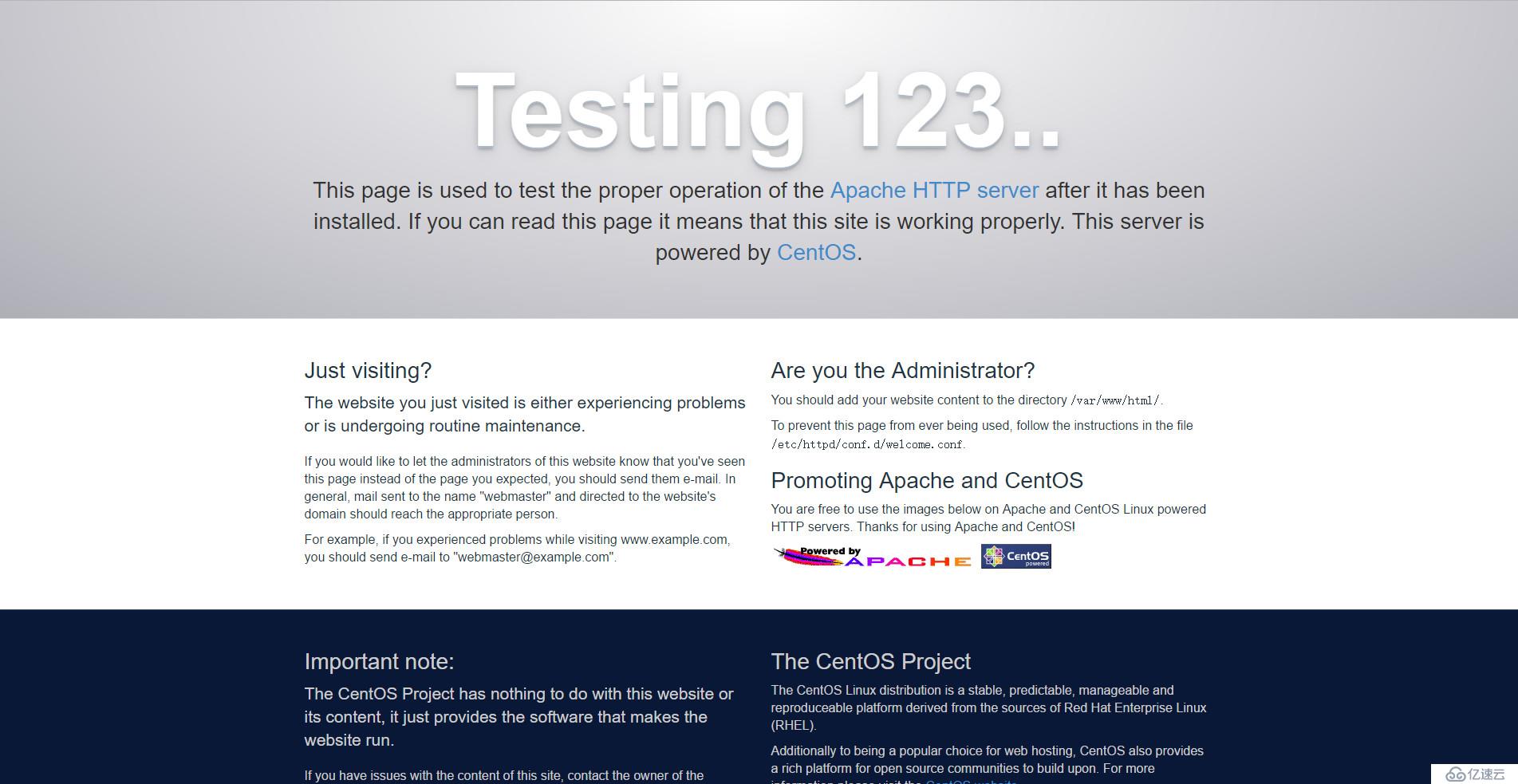
2、安装Mariadb
利用yum命令进行安装,并且配置开机启动同样还是利用yum命令进行安装,并且配置开机启动
[root@Webserver01 ~]# yum -y install mariadb-server mariadb
[root@Webserver01 ~]# systemctl start mariadb.service
[root@Webserver01 ~]# systemctl enable mariadb.service
配置root密码
[root@Webserver01 ~]# mysql_secure_installation
安装过程中会有几个选项,大家根据自己的需要进行配置就好了
Enter current password for root (enter for none):(输入原始root密码,若无enter)
OK, successfully used password, moving on...
Setting the root password ensures that nobody can log into the MariaDB
root user without the proper authorisation.
Set root password? [Y/n] (是否设置root密码)
New password:
Re-enter new password:
Password updated successfully!
Reloading privilege tables..
 ... Success!
Remove anonymous users? [Y/n] (是否移除匿名用户)
 ... Success!
Disallow root login remotely? [Y/n] (是否禁止远程root登陆)
 ... skipping.
Remove test database and access to it? [Y/n] (是否删除测试数据库)
Reload privilege tables now? [Y/n] (重新载入)
 ... Success!
Cleaning up...
All done!  If you've completed all of the above steps, your MariaDB
installation should now be secure.
Thanks for using MariaDB!
登录数据库测试一下
[root@Webserver01 ~]# mysql -u root -p
Enter password:
Welcome to the MariaDB monitor.  Commands end with ; or \g.
Your MariaDB connection id is 13
Server version: 5.5.52-MariaDB MariaDB Server
Copyright (c) 2000, 2016, Oracle, MariaDB Corporation Ab and others.
Type 'help;' or '\h' for help. Type '\c' to clear the current input statement.
MariaDB [(none)]> show databases;
+--------------------+
| Database           |
+--------------------+
| information_schema |
| mysql              |
| performance_schema |
+--------------------+
3 rows in set (0.00 sec)
MariaDB [(none)]> exit
Bye
3、安装PHP
[root@Webserver01 ~]# yum -y install php
安装所需组件
[root@Webserver01 ~]# yum -y install php-mysql php-gd php-ldap php-odbc php-pear php-xml php-xmlrpc php-mbstring php-snmp php-soap curl curl-devel
启动服务并设置开机自动启动
[root@Webserver01 ~]# systemctl start httpd.service
[root@Webserver01 ~]# systemctl enable httpd.service
查看80端口和3306端口是否处于监听状态:
[root@Webserver01 ~]# netstat -ntlp
测试php是否正常工作
编辑/etc/httpd/conf/httpd.conf文件,在DirectoryIndex后面填写index.php,定义默认主页为index.php
[root@Webserver01 ~]# vim /etc/httpd/conf/httpd.conf
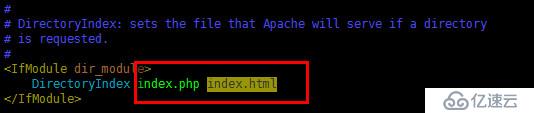
重载httpd配置文件
[root@Webserver01 ~]# systemctl reload httpd.service
[root@Webserver01 ~]# vim /var/www/html/index.php
制作默认主页/var/www/html/index.php,编写如下内容
This is new Web !
重启httpd服务
[root@Webserver01 ~]# systemctl restart httpd.service
好了,该验证最后是否成功了
打开网址 http://x.x.x.x/info.php 进行查看
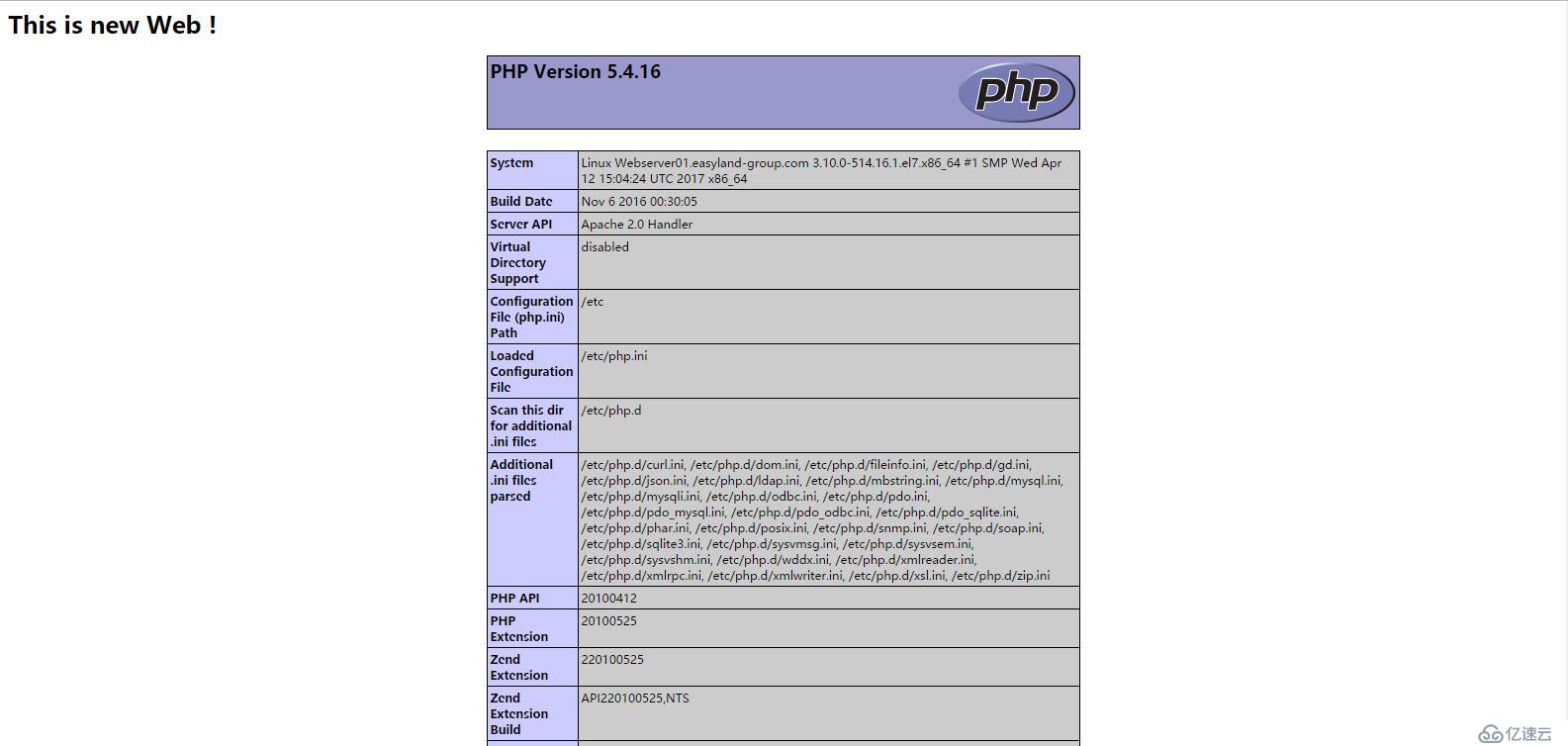
看到这个页面,我们就可以收工了,LAMP环境搭建结束!
相关内容
热门资讯
道德有污就一定没有科研成果吗?
在很多人眼里只要是道德有亏的人,是不可能做出真正的科研成就的,可翻遍百年科学史就会发现,人性的复杂远...
全球核能发电创纪录,“增长几乎...
全球核电发电量迎来历史最高点,中国成为最关键的变量。美国《福布斯》杂志8月2日报道称,2025年全球...
同样标99新到手却天差地别,买...
同样标99新到手却天差地别,买二手爱回收和转转哪个质检靠谱? 上个月朋友在转转入手了一台标注"99新...
贾跃亭:FF EAI机器人7月...
【CNMO科技消息】8月3日,Faraday Future创始人贾跃亭发布周报,宣布公司正式启动"B...
如何深入理解引力波的效应?《张...
为什么在 TT 坐标系中,自由测试粒子的坐标位置可以保持不变,而粒子之间的实际距离却会随引力波发生变...
手机不好卖,高通、联发科芯片出...
(文/汤普济 编辑/吕栋) 近日,市场调研机构Counterpoint Research发布《全球智...
获奖之后,王虹最想感谢的人
程浅 发自 凹非寺 量子位 | 公众号 QbitAI 上周的国际数学家大会现场。2026年菲尔兹奖得...
数字孪生订制厂家诚信度排名 业...
随着工业制造、智慧园区、能源化工、市政管网等领域数字化转型需求持续释放,数字孪生定制服务的市场供给主...
一家人搬进新房全家身体不适,甲...
为了孩子读书,上海顾先生一家搬进新租的“精装房”,结果没住满一周,头晕、喉咙痛全来了。自费检测后,结...
外媒:巴基斯坦一警局附近发生“...
【环球网报道 记者 张江平】综合巴基斯坦联合通讯社等媒体8月2日报道,对于该国开伯尔-普什图省一警局...