

oracle 10g rac环境升级到10.2.0.5
升级oracle rac环境,以前是oracle 是10.2.0.1版本,现在要10.2.0.5的版本.首先必须安装oracle cluster集群软件,然后下载oracle 10.2.0.5软件包进行打补丁.
oracle cluster安装地址:http://tongcheng.blog.51cto.com/6214144/1872157
oracle database安装地址:http://tongcheng.blog.51cto.com/6214144/1872157
oracle 10.2.0.5下载地址:http://aru-llnw-dl.oracle.com/aaruna03/vol/patch36/PLATFORM/CORE/Linux-x86-64/R80102050/p8202632_10205_Linux-x86-64.zip?params=UlZPbFZSMlBFVVVyRWt1dldva3hjUTphcnU9MTI1NDA4MjQmZW1haWw9Y253eDY4QG1vdG9yb2xhLmNvbSZmaWxlX2lkPTMwMzAxODQzJnBhdGNoX2ZpbGU9cDgyMDI2MzJfMTAyMDVfTGludXgteDg2LTY0LnppcCZ1c2VyaWQ9by1jbnd4NjhAbW90b3JvbGEuY29tJnNpemU9MTI0OTg1Nzg2NiZjb250ZXh0PUFAMTArSEBhYXJ1MjAzLm9yYWNsZS5jb20rUEA%40&e=1292124852&h=3e16aa21f55a3b257d06fc462b94eeeb
1.查看当前的crs版本(两个节点都看一下)
[oracle@rac10g01 ~]$ crsctl query crs softwareversion
CRS software version on node [rac10g01] is [10.2.0.1.0]
[oracle@rac10g01 ~]$ crsctl query crs activeversion
CRS active version on the cluster is [10.2.0.1.0]
[oracle@rac10g01 ~]$
2.安装升级软件包
[oracle@rac10g01 ~]$ unzip p8202632_10205_Linux-x86-64.zip
[oracle@rac10g01 ~]$ cd Disk1/
[oracle@rac10g01 Disk1]$ ll
total 188
drwxr-xr-x 4 oracle oinstall 4096 Apr 29 2010 install
-rwxr-xr-x 1 oracle oinstall 171131 Apr 29 2010 patch_note.htm
drwxr-xr-x 2 oracle oinstall 4096 Apr 29 2010 response
-rwxr-xr-x 1 oracle oinstall 3927 Apr 29 2010 runInstaller
drwxr-xr-x 11 oracle oinstall 4096 Apr 29 2010 stage
[oracle@rac10g01 Disk1]$ ./runInstaller
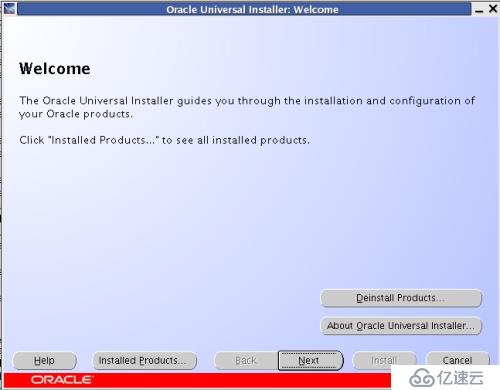
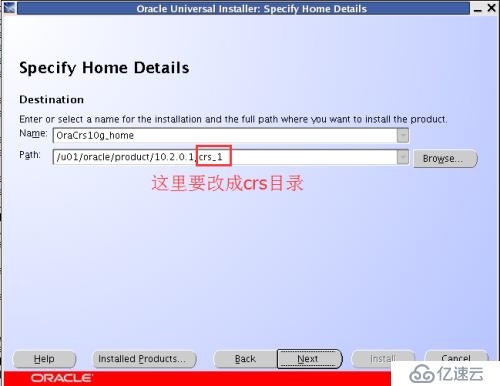
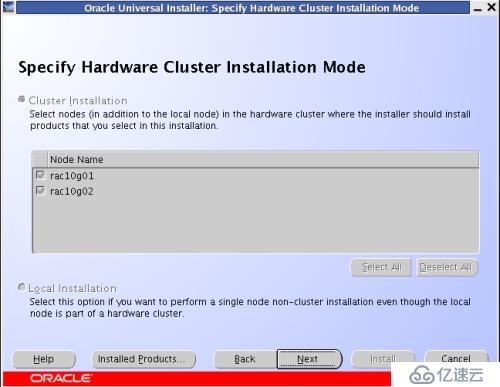
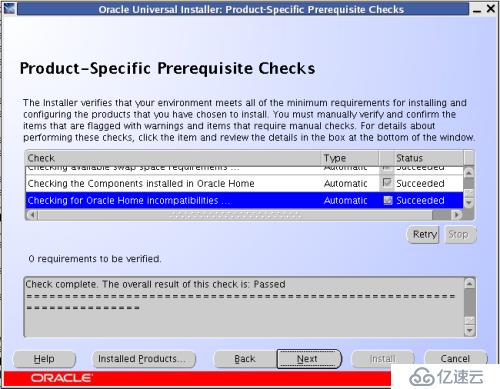

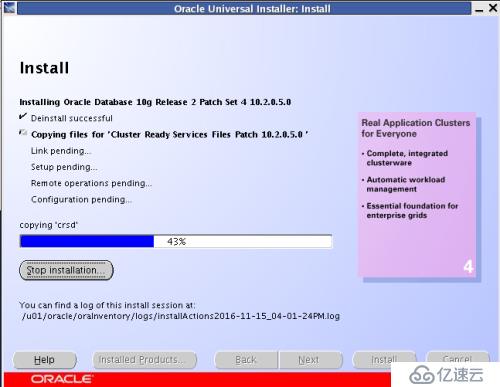
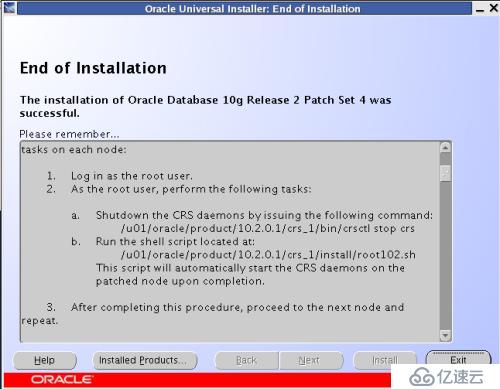
在两个节点先要关闭crs服务,再执行root102.sh脚本
rac10g01节点:
[root@rac10g01 ~]# /u01/oracle/product/10.2.0.1/crs_1/bin/crsctl stop crs
Stopping resources.
Error while stopping resources. Possible cause: CRSD is down.
Stopping CSSD.
Unable to communicate with the CSS daemon.
[root@rac10g01 ~]# sh /u01/oracle/product/10.2.0.1/crs_1/install/root102.sh
Creating pre-patch directory for saving pre-patch clusterware files
Completed patching clusterware files to /u01/oracle/product/10.2.0.1/crs_1
Relinking some shared libraries.
Relinking of patched files is complete.
WARNING: directory '/u01/oracle/product/10.2.0.1' is not owned by root
WARNING: directory '/u01/oracle/product' is not owned by root
WARNING: directory '/u01/oracle' is not owned by root
WARNING: directory '/u01' is not owned by root
Preparing to recopy patched init and RC scripts.
Recopying init and RC scripts.
Startup will be queued to init within 30 seconds.
/etc/profile: line 61: ulimit: open files: cannot modify limit: Operation not permitted
Starting up the CRS daemons.
Waiting for the patched CRS daemons to start.
This may take a while on some systems.
.
10205 patch successfully applied.
clscfg: EXISTING configuration version 3 detected.
clscfg: version 3 is 10G Release 2.
Successfully deleted 1 values from OCR.
Successfully deleted 1 keys from OCR.
Successfully accumulated necessary OCR keys.
Using ports: CSS=49895 CRS=49896 EVMC=49898 and EVMR=49897.
node
node 1: rac10g01 rac10g01-priv rac10g01
Creating OCR keys for user 'root', privgrp 'root'..
Operation successful.
clscfg -upgrade completed successfully
Creating '/u01/oracle/product/10.2.0.1/crs_1/install/paramfile.crs' with data used for CRS conf iguration
Setting CRS configuration values in /u01/oracle/product/10.2.0.1/crs_1/install/paramfile.crs
[root@rac10g01 ~]#
rac10g02节点:
[root@rac10g02 ~]# /u01/oracle/product/10.2.0.1/crs_1/bin/crsctl stop crs
Stopping resources.
Error while stopping resources. Possible cause: CRSD is down.
Stopping CSSD.
Unable to communicate with the CSS daemon.
[root@rac10g02 ~]# sh /u01/oracle/product/10.2.0.1/crs_1/install/root102.sh
Creating pre-patch directory for saving pre-patch clusterware files
Completed patching clusterware files to /u01/oracle/product/10.2.0.1/crs_1
Relinking some shared libraries.
Relinking of patched files is complete.
WARNING: directory '/u01/oracle/product/10.2.0.1' is not owned by root
WARNING: directory '/u01/oracle/product' is not owned by root
WARNING: directory '/u01/oracle' is not owned by root
WARNING: directory '/u01' is not owned by root
Preparing to recopy patched init and RC scripts.
Recopying init and RC scripts.
Startup will be queued to init within 30 seconds.
/etc/profile: line 61: ulimit: open files: cannot modify limit: Operation not permitted
Starting up the CRS daemons.
Waiting for the patched CRS daemons to start.
This may take a while on some systems.
.
10205 patch successfully applied.
clscfg: EXISTING configuration version 3 detected.
clscfg: version 3 is 10G Release 2.
Successfully deleted 1 values from OCR.
Successfully deleted 1 keys from OCR.
Successfully accumulated necessary OCR keys.
Using ports: CSS=49895 CRS=49896 EVMC=49898 and EVMR=49897.
node
node 2: rac10g02 rac10g02-priv rac10g02
Creating OCR keys for user 'root', privgrp 'root'..
Operation successful.
clscfg -upgrade completed successfully
Creating '/u01/oracle/product/10.2.0.1/crs_1/install/paramfile.crs' with data used for CRS configuration
Setting CRS configuration values in /u01/oracle/product/10.2.0.1/crs_1/install/paramfile.crs
[root@rac10g02 ~]#
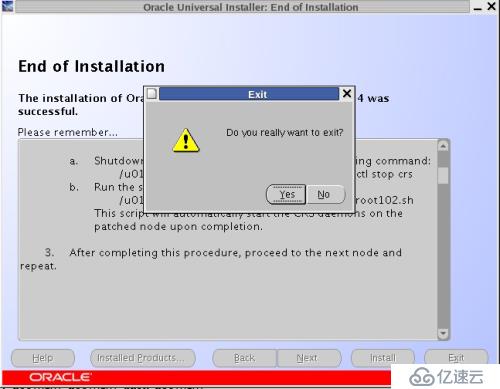
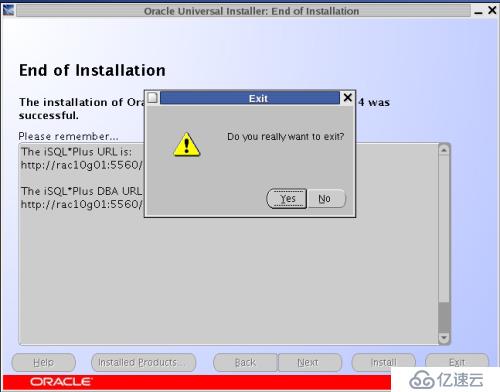
脚本执行完了后点退出
3.验证crs的版本
[oracle@rac10g01 ~]$ crsctl query crs softwareversion
CRS software version on node [rac10g01] is [10.2.0.5.0]
[oracle@rac10g01 ~]$ crsctl query crs activeversion
CRS active version on the cluster is [10.2.0.5.0]
[oracle@rac10g01 ~]$
4.验证crs各个服务的状态
[oracle@rac10g01 ~]$ crs_stat -t
Name Type Target State Host
------------------------------------------------------------
ora....g01.gsd application ONLINE ONLINE rac10g01
ora....g01.ons application ONLINE ONLINE rac10g01
ora....g01.vip application ONLINE ONLINE rac10g01
ora....g02.gsd application ONLINE ONLINE rac10g02
ora....g02.ons application ONLINE ONLINE rac10g02
ora....g02.vip application ONLINE ONLINE rac10g02
[oracle@rac10g01 ~]$
5.检查oracle database的版本信息
[oracle@rac10g02 ~]$ sqlplus / as sysdba
SQL*Plus: Release 10.2.0.1.0 - Production on Tue Nov 15 17:42:35 2016
Copyright (c) 1982, 2005, Oracle. All rights reserved.
Connected to an idle instance.
SQL> exit
Disconnected
[oracle@rac10g02 ~]$
6.升级oracle数据库软件
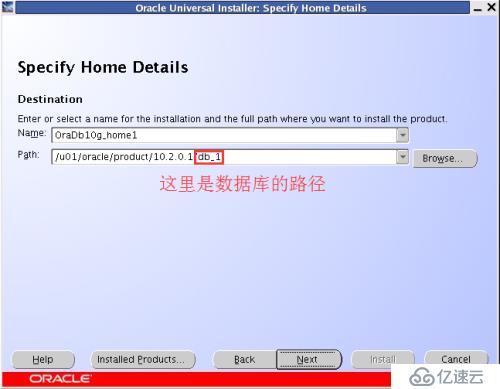
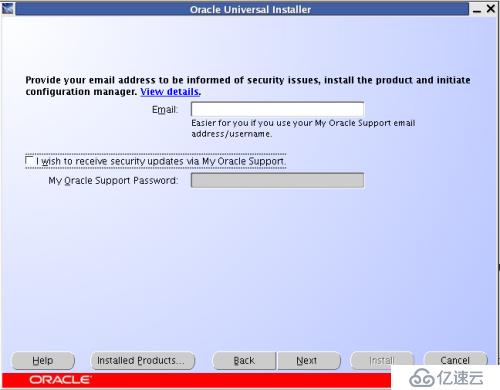
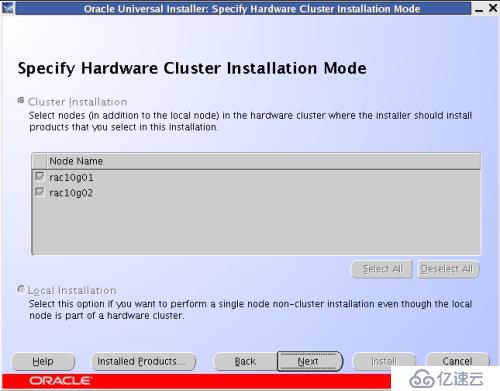
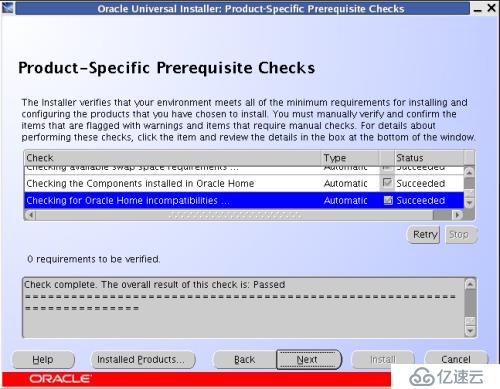
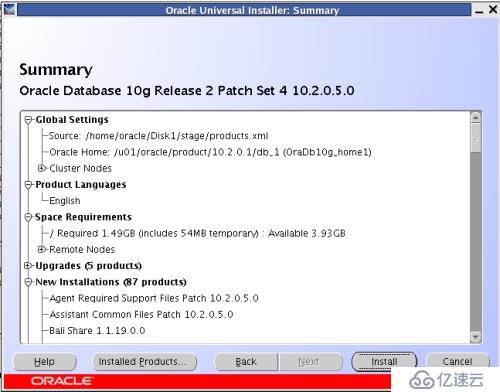
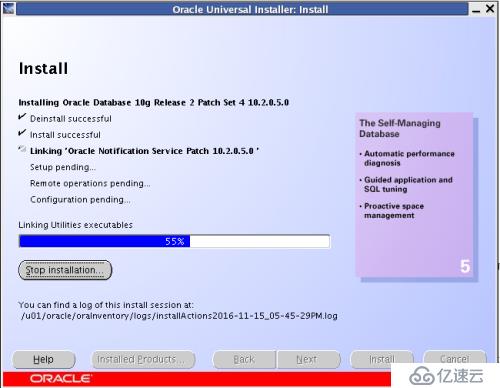
目前的oracle database是10.2.0.1的版本,下载10.2.0.5的补丁包进行升级.前提是先安装好10.2.0.1的版本.
[oracle@rac10g01 ~]$ cd Disk1/
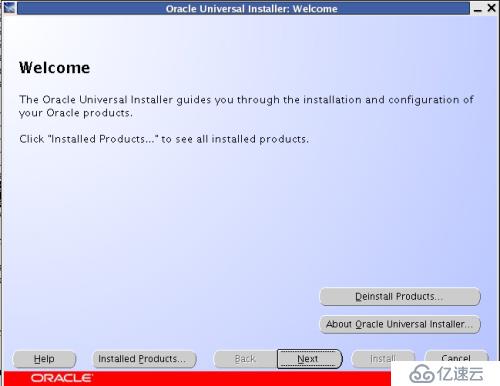
[oracle@rac10g01 Disk1]$ ./runInstaller
rac10g01节点:
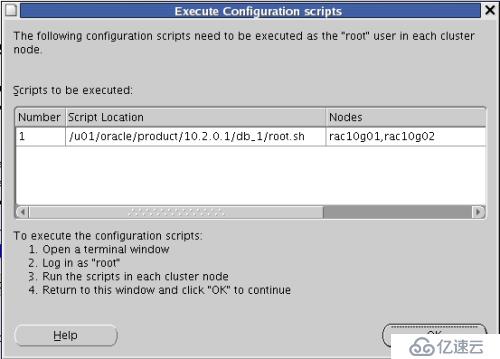
[root@rac10g01 ~]# sh /u01/oracle/product/10.2.0.1/db_1/root.sh
Running Oracle 10g root.sh script...
The following environment variables are set as:
ORACLE_OWNER= oracle
ORACLE_HOME= /u01/oracle/product/10.2.0.1/db_1
Enter the full pathname of the local bin directory: [/usr/local/bin]:
The file "dbhome" already exists in /usr/local/bin. Overwrite it? (y/n)
[n]: y
Copying dbhome to /usr/local/bin ...
The file "oraenv" already exists in /usr/local/bin. Overwrite it? (y/n)
[n]: y
Copying oraenv to /usr/local/bin ...
The file "coraenv" already exists in /usr/local/bin. Overwrite it? (y/n)
[n]: y
Copying coraenv to /usr/local/bin ...
Entries will be added to the /etc/oratab file as needed by
Database Configuration Assistant when a database is created
Finished running generic part of root.sh script.
Now product-specific root actions will be performed.
[root@rac10g01 ~]#
rac10g02节点:
[root@rac10g02 ~]# sh /u01/oracle/product/10.2.0.1/db_1/root.sh
Running Oracle 10g root.sh script...
The following environment variables are set as:
ORACLE_OWNER= oracle
ORACLE_HOME= /u01/oracle/product/10.2.0.1/db_1
Enter the full pathname of the local bin directory: [/usr/local/bin]:
The file "dbhome" already exists in /usr/local/bin. Overwrite it? (y/n)
[n]: y
Copying dbhome to /usr/local/bin ...
The file "oraenv" already exists in /usr/local/bin. Overwrite it? (y/n)
[n]: y
Copying oraenv to /usr/local/bin ...
The file "coraenv" already exists in /usr/local/bin. Overwrite it? (y/n)
[n]: y
Copying coraenv to /usr/local/bin ...
Entries will be added to the /etc/oratab file as needed by
Database Configuration Assistant when a database is created
Finished running generic part of root.sh script.
Now product-specific root actions will be performed.
[root@rac10g02 ~]#
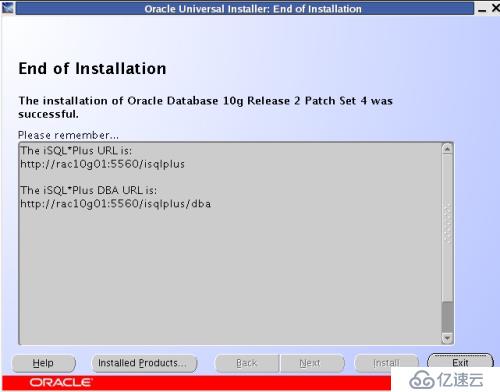
7.验证oracle database的版本
[oracle@rac10g01 Disk1]$ sqlplus / as sysdba
SQL*Plus: Release 10.2.0.5.0 - Production on Tue Nov 15 18:09:09 2016
Copyright (c) 1982, 2010, Oracle. All Rights Reserved.
Connected to an idle instance.
SQL>
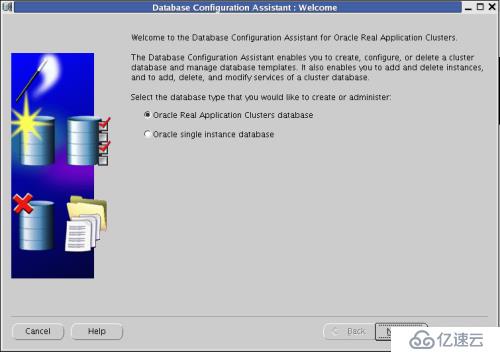
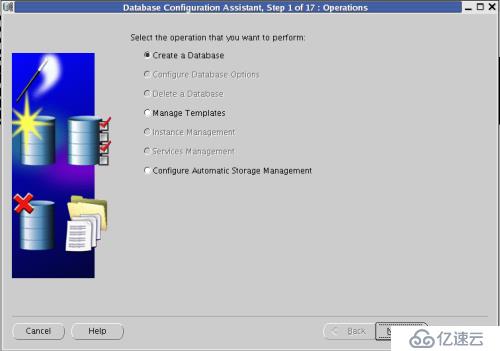
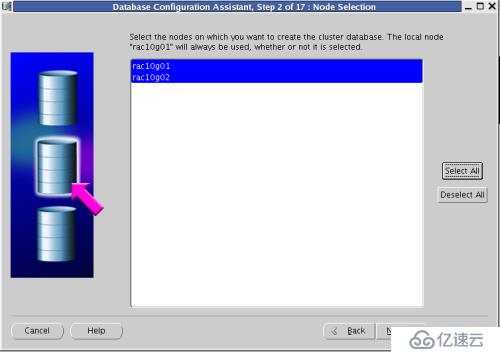
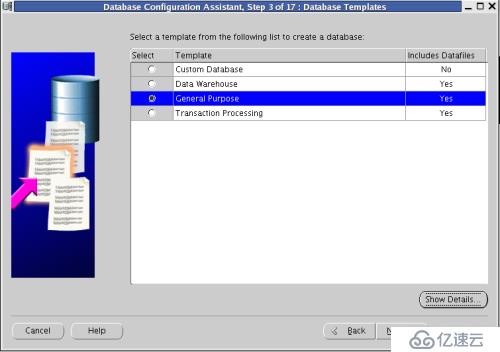
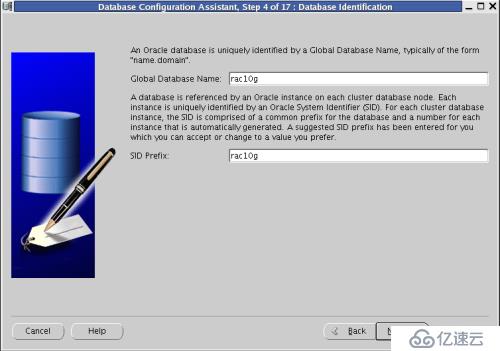
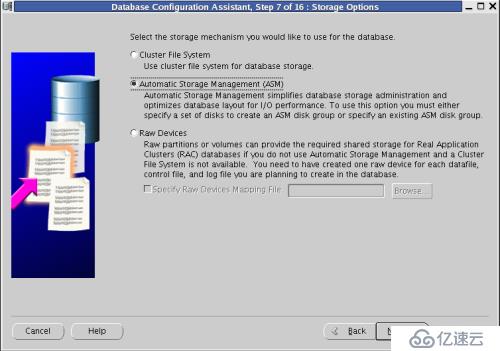
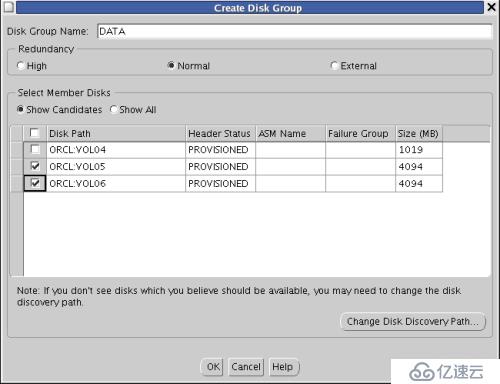
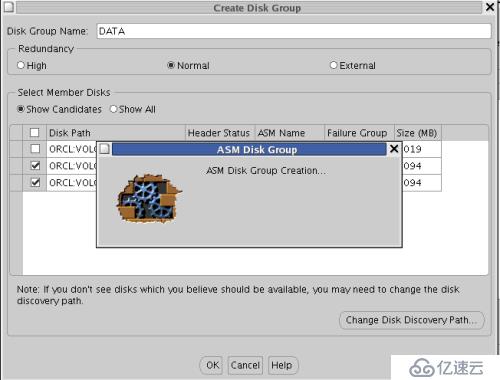
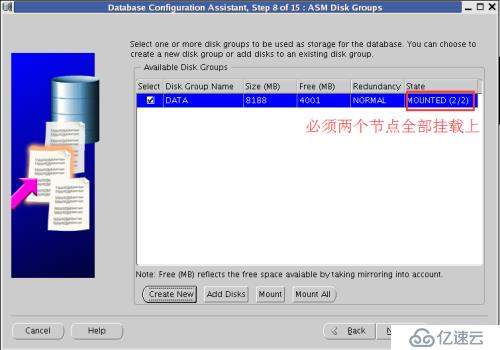
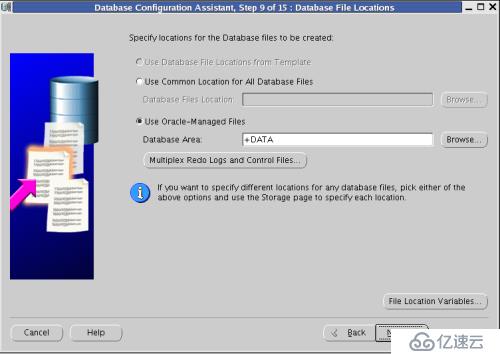
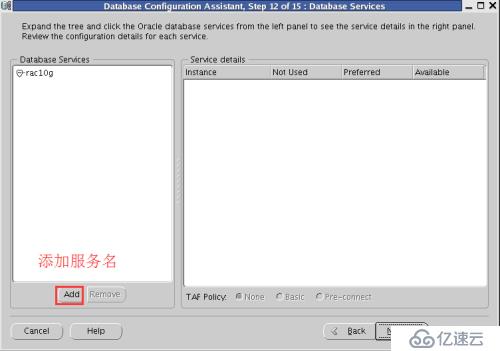
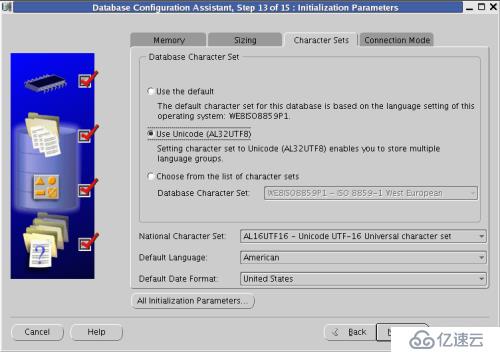
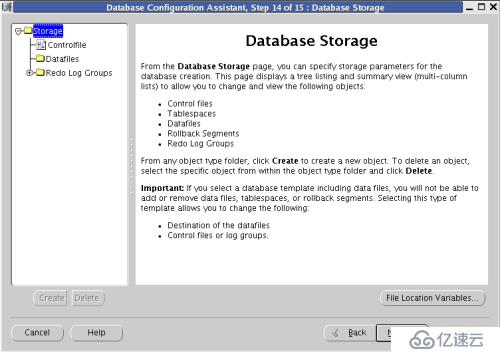
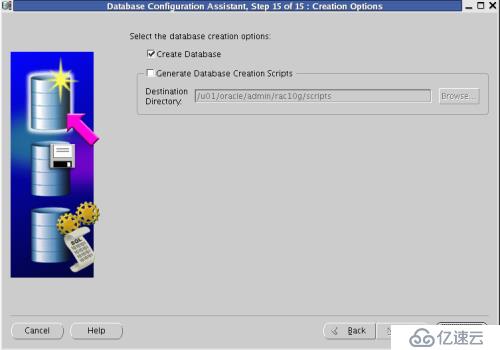
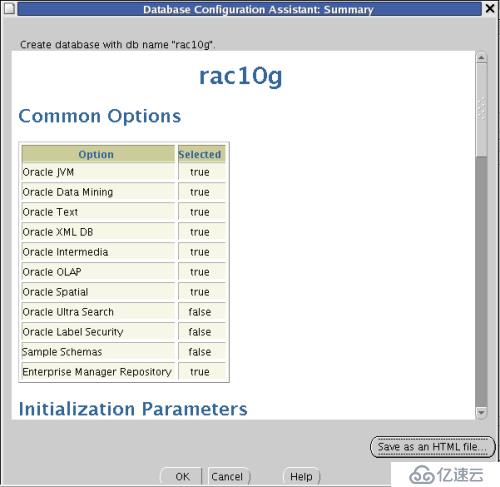
8.创建数据库
[root@rac10g01 ~]# xhost +
access control disabled, clients can connect from any host
[root@rac10g01 ~]# su - oracle
[oracle@rac10g01 ~]$ dbca







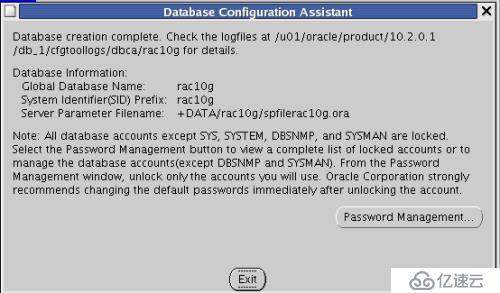
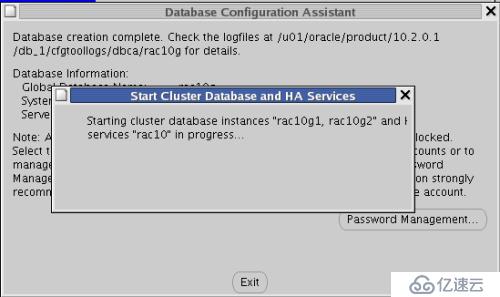
8.验证安装是否成功
rac10g01节点:
[oracle@rac10g01 ~]$ crs_stat -t
Name Type Target State Host
------------------------------------------------------------
ora.rac10g.db application ONLINE ONLINE rac10g01
ora....ac10.cs application ONLINE ONLINE rac10g02
ora....0g1.srv application ONLINE ONLINE rac10g01
ora....0g2.srv application ONLINE ONLINE rac10g02
ora....g1.inst application ONLINE ONLINE rac10g01
ora....g2.inst application ONLINE ONLINE rac10g02
ora....SM1.asm application ONLINE ONLINE rac10g01
ora....01.lsnr application ONLINE ONLINE rac10g01
ora....g01.gsd application ONLINE ONLINE rac10g01
ora....g01.ons application ONLINE ONLINE rac10g01
ora....g01.vip application ONLINE ONLINE rac10g01
ora....SM2.asm application ONLINE ONLINE rac10g02
ora....02.lsnr application ONLINE ONLINE rac10g02
ora....g02.gsd application ONLINE ONLINE rac10g02
ora....g02.ons application ONLINE ONLINE rac10g02
ora....g02.vip application ONLINE ONLINE rac10g02
[oracle@rac10g01 ~]$ sqlplus / as sysdba
SQL*Plus: Release 10.2.0.5.0 - Production on Tue Nov 15 21:53:40 2016
Copyright (c) 1982, 2010, Oracle. All Rights Reserved.
Connected to:
Oracle Database 10g Enterprise Edition Release 10.2.0.5.0 - 64bit Production
With the Partitioning, Real Application Clusters, OLAP, Data Mining
and Real Application Testing options
SQL> create table t (a number);
Table created.
SQL> insert into t values(1);
1 row created.
SQL> commit;
Commit complete.
SQL> select * from t;
A
----------
1
SQL>
rac10g02节点:
[oracle@rac10g02 ~]$ sqlplus / as sysdba
SQL*Plus: Release 10.2.0.5.0 - Production on Tue Nov 15 21:56:06 2016
Copyright (c) 1982, 2010, Oracle. All Rights Reserved.
Connected to:
Oracle Database 10g Enterprise Edition Release 10.2.0.5.0 - 64bit Production
With the Partitioning, Real Application Clusters, OLAP, Data Mining
and Real Application Testing options
SQL> select * from t;
A
----------
1
SQL>