

MySQL数据库实现远程同步的工具alibaba otter
admin
2023-04-18 09:06:23
0次
本篇文章给大家主要讲的是关于MySQL数据库实现远程同步的工具alibaba otter的内容,感兴趣的话就一起来看看这篇文章吧,相信看完MySQL数据库实现远程同步的工具alibaba otter对大家多少有点参考价值吧。
[root@wallet01 ~]# tar zxvf zookeeper-3.4.14.tar.gz -C /usr/local/
[root@wallet01 ~]# cd /usr/local/zookeeper-3.4.14/conf
[root@wallet01 conf]# mv zoo_sample.cfg zoo.cfg

[root@wallet01 conf]# vi log4j.properties
log4j.rootLogger=INFO,ROLLINGFILE

[root@wallet01 ~]# cd /usr/local/zookeeper-3.4.14/bin
[root@wallet01 bin]# vi zkEnv.sh
if [ "x${ZOO_LOG_DIR}" = "x" ]
then
    ZOO_LOG_DIR="/usr/local/zookeeper-3.4.14/logs"
fi
if [ "x${ZOO_LOG4J_PROP}" = "x" ]
then
    ZOO_LOG4J_PROP="INFO,ROLLINGFILE"
fi

[root@wallet01 ~]# mkdir -p /usr/local/zookeeper-3.4.14/logs

[root@wallet01 ~]# vi /etc/profile
PATH=$PATH:/usr/local/zookeeper-3.4.14/bin

[root@wallet01 ~]# zkServer.sh start
ZooKeeper JMX enabled by default
Using config: /usr/local/zookeeper-3.4.14/bin/../conf/zoo.cfg
Starting zookeeper ... STARTED

[root@wallet01 ~]# zkServer.sh status
ZooKeeper JMX enabled by default
Using config: /usr/local/zookeeper-3.4.14/bin/../conf/zoo.cfg
Mode: standalone

[root@wallet01 ~]# yum install -y nc
[root@wallet01 ~]# wget https://raw.github.com/alibaba/otter/master/manager/deployer/src/main/resources/sql/otter-manager-schema.sql --no-check-certificate

[root@wallet01 ~]# mysql -uroot -pabcd.1234
mysql> source otter-manager-schema.sql

mysql> create user otter@'%' identified by "otter";
Query OK, 0 rows affected (0.08 sec)

mysql> grant all on otter.* to otter@'%'
Query OK, 0 rows affected (0.00 sec)

[root@wallet01 ~]# mkdir -p /usr/local/manager
[root@wallet01 ~]# tar zxvf manager.deployer-4.2.17.tar.gz -C /usr/local/manager
[root@wallet01 ~]# cd /usr/local/manager/conf/
[root@wallet01 conf]# vi otter.properties
## otter manager domain name
otter.domainName = 192.168.40.34

## otter manager http port
otter.port = 8080

## otter manager database config
otter.database.driver.class.name = com.mysql.jdbc.Driver
otter.database.driver.url = jdbc:mysql://127.0.0.1:3306/otter
otter.database.driver.username = otter
otter.database.driver.password = otter

## otter communication port
otter.communication.manager.port = 1099

## default zookeeper address
otter.zookeeper.cluster.default = 192.168.40.34:2181

## default zookeeper sesstion timeout = 60s
otter.zookeeper.sessionTimeout = 60000

[root@wallet01 ~]# cd /usr/local/manager/bin
[root@wallet01 bin]# ./startup.sh

[root@wallet01 ~]# cd /usr/local/manager/logs
[root@wallet01 logs]# cat manager.log
2018-11-19 10:29:26.146 [] INFO  com.alibaba.otter.manager.deployer.OtterManagerLauncher - ## start the manager server.
2018-11-19 10:29:49.427 [] INFO  com.alibaba.otter.manager.deployer.JettyEmbedServer - ##Jetty Embed Server is startup!
2018-11-19 10:29:49.427 [] INFO  com.alibaba.otter.manager.deployer.OtterManagerLauncher - ## the manager server is running now ......

[root@wallet02 ~]# mkdir -p /usr/local/node
[root@wallet02 ~]# tar zxvf node.deployer-4.2.17.tar.gz -C /usr/local/node
[root@wallet02 ~]# cd /usr/local/node/conf/
[root@wallet02 conf]# echo 1 > nid

[root@wallet02 conf]# vi otter.properties
## otter arbitrate & node connect manager config
otter.manager.address = 192.168.40.34:1099

[root@wallet02 ~]# cd /usr/local/node/bin
[root@wallet02 bin]# ./startup.sh

[root@wallet02 ~]# cd /usr/local/node/logs/node
[root@wallet02 node]# cat node.log
2018-11-19 10:58:09.830 [main] INFO  com.alibaba.otter.node.deployer.OtterLauncher - INFO ## the otter server is running now ......

[root@wallet02 ~]# mysql -uroot -pabcd.1234
mysql> create user otter@'%' identified by "otter";
Query OK, 0 rows affected (0.08 sec)

mysql> grant replication slave,replication client on *.* to otter@'%';
Query OK, 0 rows affected (0.02 sec)

mysql> grant all on tpcc.* to otter@'%';
Query OK, 0 rows affected (0.03 sec)


[root@wallet03 ~]# mkdir -p /usr/local/node
[root@wallet03 ~]# tar zxvf node.deployer-4.2.17.tar.gz -C /usr/local/node
[root@wallet03 ~]# cd /usr/local/node/conf
[root@wallet03 conf]# echo 2 > nid

[root@wallet03 conf]# vi otter.properties
## otter arbitrate & node connect manager config
otter.manager.address = 192.168.40.34:1099

[root@wallet03 ~]# cd /usr/local/node/bin
[root@wallet03 bin]# ./startup.sh

[root@wallet03 ~]# cd /usr/local/node/logs/node
[root@wallet03 node]# cat node.log
2018-11-19 10:58:09.830 [main] INFO  com.alibaba.otter.node.deployer.OtterLauncher - INFO ## the otter server is running now ......

[root@wallet03 ~]# mysql -uroot -pabcd.1234
mysql> create user otter@'%' identified by "otter";
Query OK, 0 rows affected (0.08 sec)

mysql> grant replication slave,replication client on *.* to otter@'%';
Query OK, 0 rows affected (0.02 sec)

mysql> grant all on tpcc.* to otter@'%';
Query OK, 0 rows affected (0.03 sec)
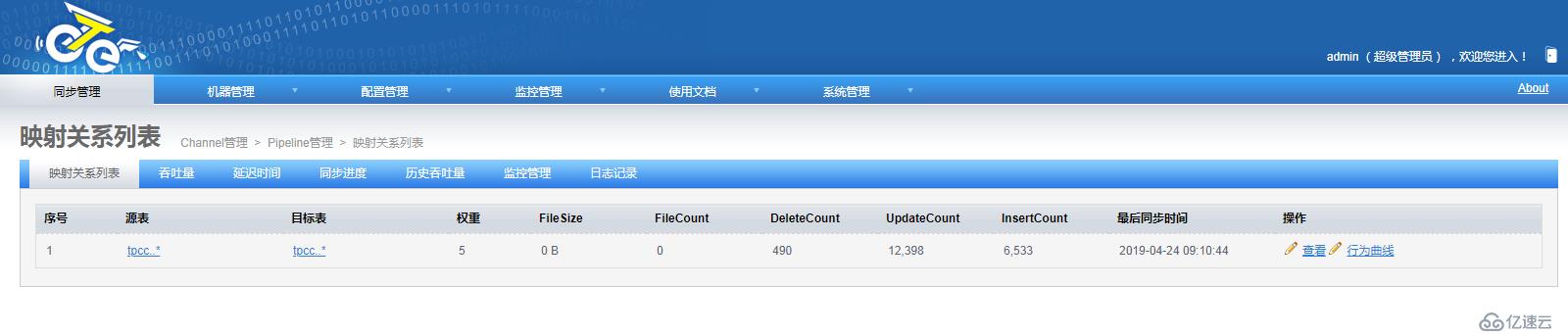
默认用户名:admin 默认密码:admin

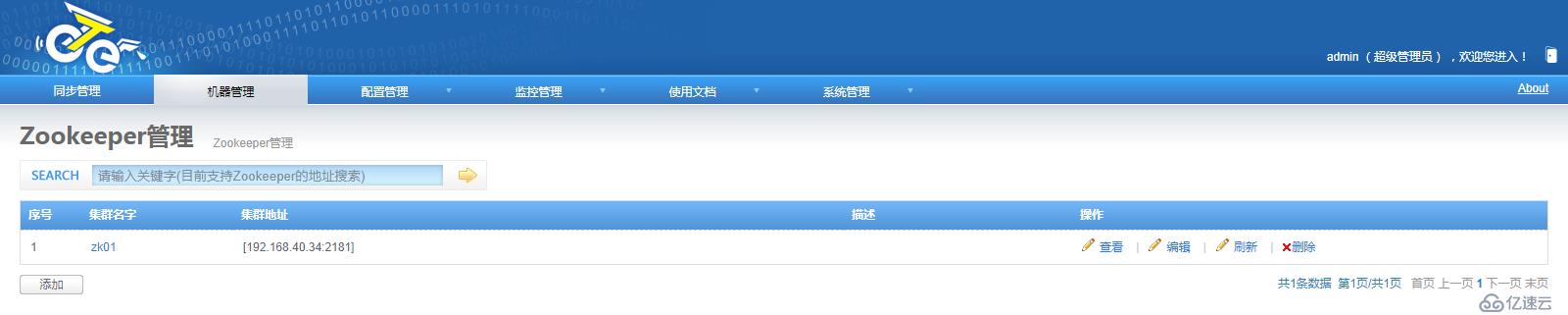

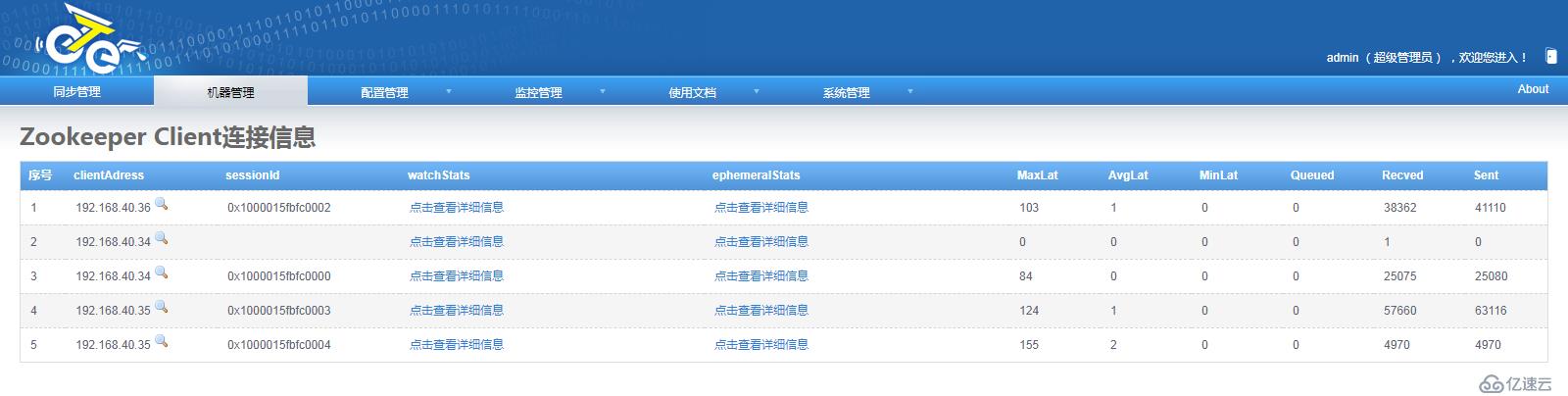
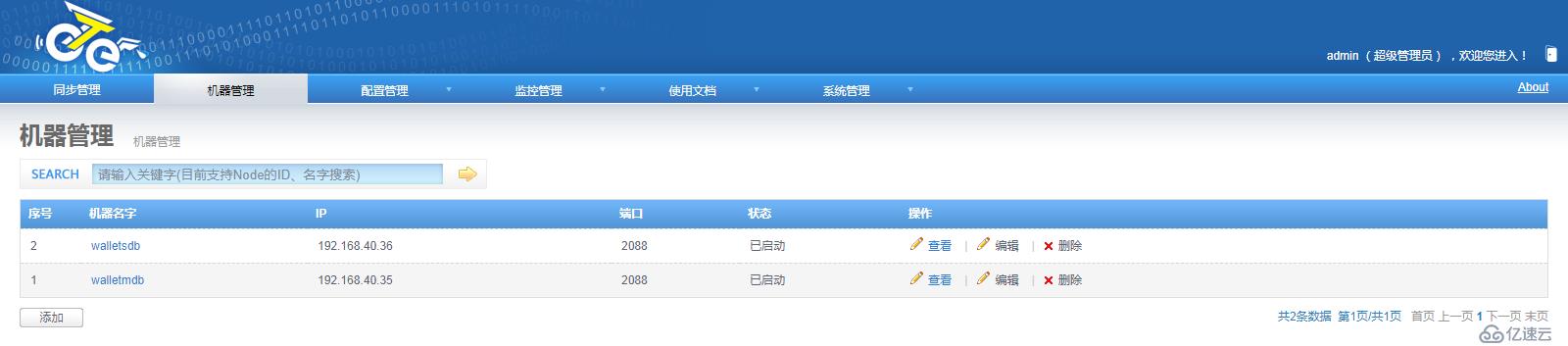
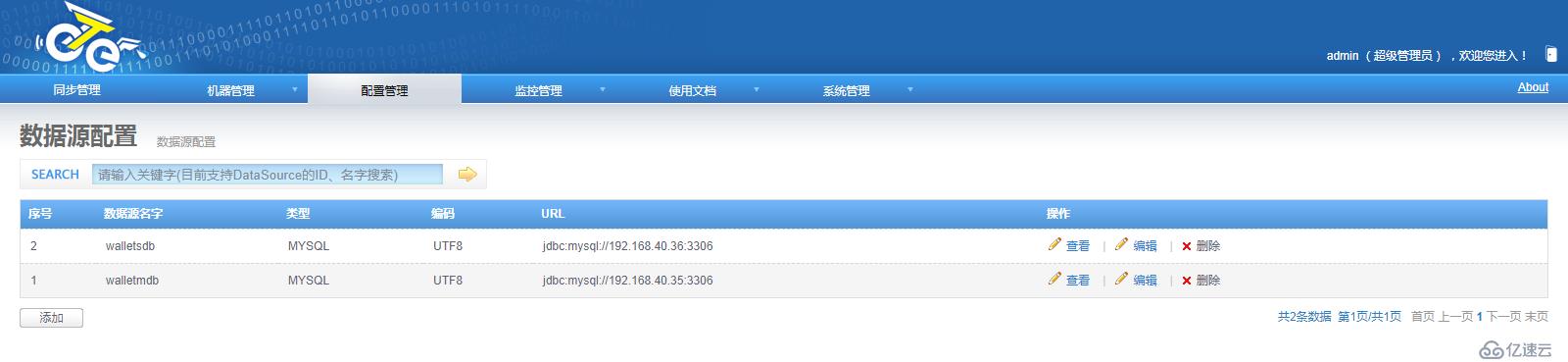
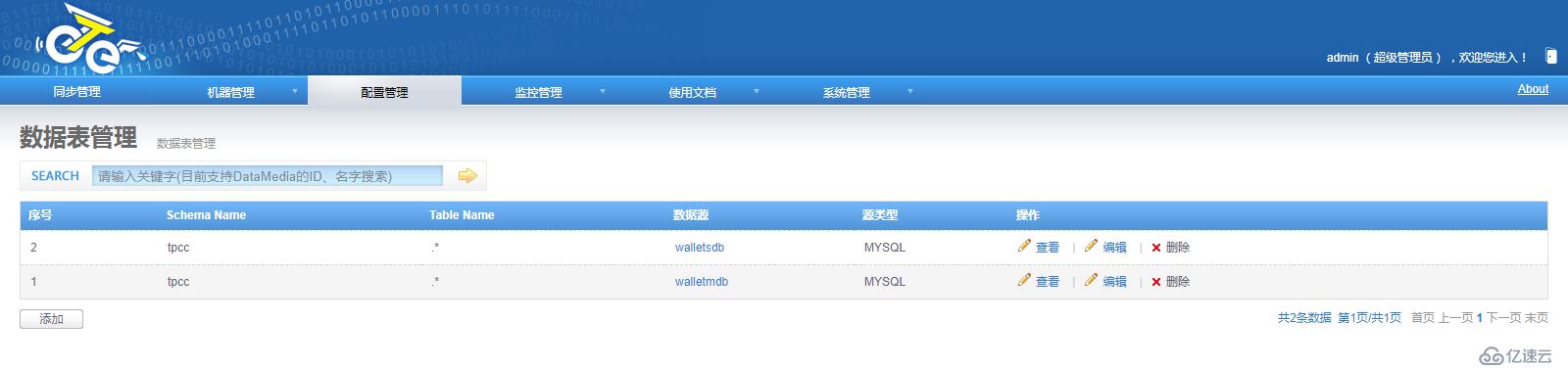
[root@wallet02 ~]# mysql -uroot -pabcd.1234
mysql> show master status;
+------------------+-----------+--------------+------------------+-------------------+
| File             | Position  | Binlog_Do_DB | Binlog_Ignore_DB | Executed_Gtid_Set |
+------------------+-----------+--------------+------------------+-------------------+
| mysql-bin.000005 | 100046965 |              |                  |                   |
+------------------+-----------+--------------+------------------+-------------------+
1 row in set (0.00 sec)

mysql> select unix_timestamp(now());
+-----------------------+
| unix_timestamp(now()) |
+-----------------------+
|            1556009946 |
+-----------------------+
1 row in set (0.00 sec)

{"journalName":"mysql-bin.000005","position":100046965,"timestamp":1556009946};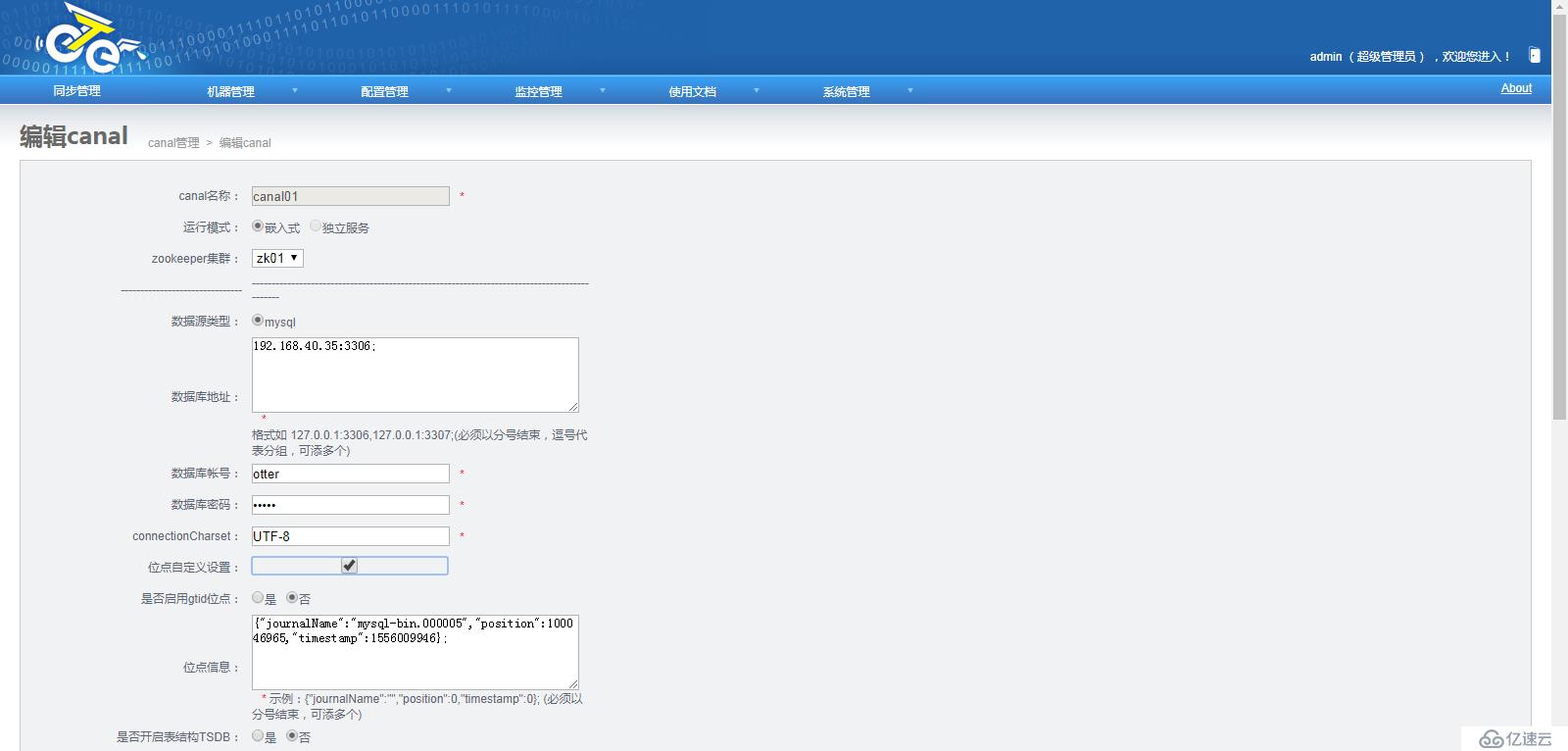
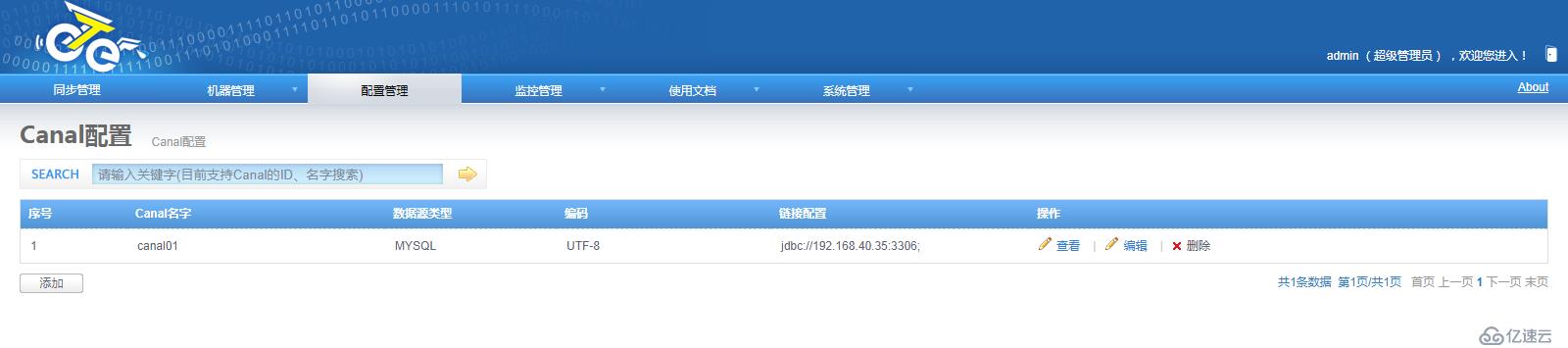
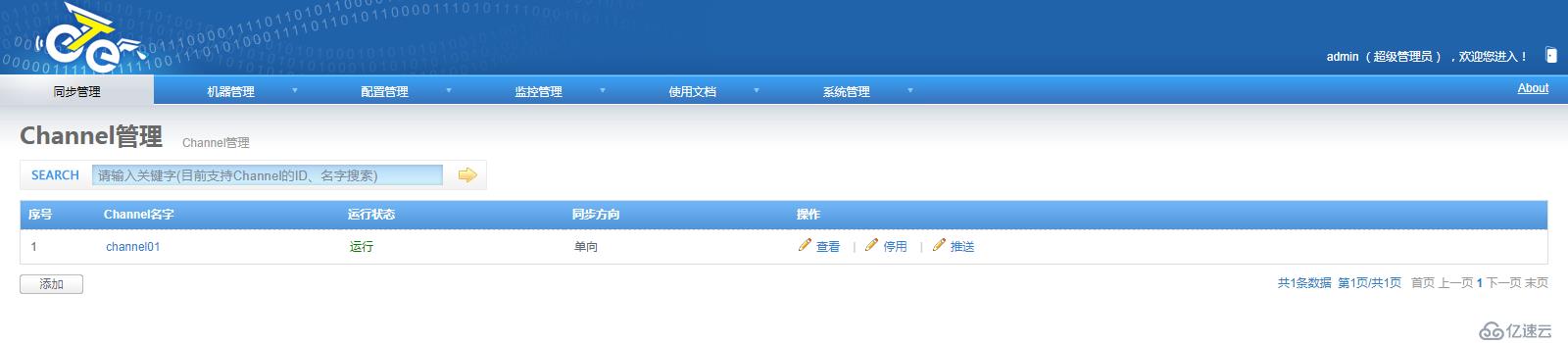

以上关于MySQL数据库实现远程同步的工具alibaba otter详细内容,对大家有帮助吗?如果想要了解更多相关,可以继续关注我们的行业资讯板块。
相关内容
热门资讯
空调连续工作多久需要停机休息
空调连续工作的时间取决于多个因素,包括空调的型号、功率、使用环境和维护情况等。一般来说,空调可以连续...
空调哪个符号是除湿的
空调除湿功能通常用一个水滴形状的符号表示。不同品牌和型号的空调遥控器可能会有所差异,但一般来说,除湿...
格力空调多长时间加一次氟利昂
1、一般情况下,空调对氟利昂的使用量是非常小的,所以在空调使用了四年左右的时候再考虑加也没问题。2、...
空调用多长时间需要加氟一次
一般情况下是五年。当出现以下这几种情况时,空调才需要加氟。1、空调的室内机和室外机各有两个接口,当接...
格调生活·C标思享荟:卡萨帝在...
9月12日的郑州龙湖金融岛,夜风轻拂,灯光璀璨。“C标时刻共传奇——卡萨帝思享荟暨20周年品牌盛典郑...
品牌价值破千亿、高端份额持续领...
9月12日,“C标时刻共传奇——卡萨帝思享荟暨20周年品牌盛典郑州站”在郑州龙湖金融岛举办。2026...
空调主板坏了修800还是换新的
空调主板坏了是修还是换新,需要考虑多个因素,以下是一些建议:1. 维修成本:如果维修费用较低,比如 ...
空调开多久需要休息多长时间
问题:空调开多久需要休息多长时间回答:1、在使用空调的过程中,一般空调开7~8个小时左右需要休息2~...
中央空调多长时间清洗一次
1、一般空调开机前清洗一次即可,空调开机中间时段再清洗一次,空调关机时清洗一次,这样比较合理。2、空...
中央空调氟利昂多久加一次
看空调制热和制冷程度,很多人的观点认为氟利昂必须一年放一次,其实这个观点是错误的,理解上面有点偏差,...