

Ubuntu-16.04.6-server安裝、系统优化与升级至18.0.4
一、ubuntu-16.04.6-server-amd64 安裝與LVM分區步驟
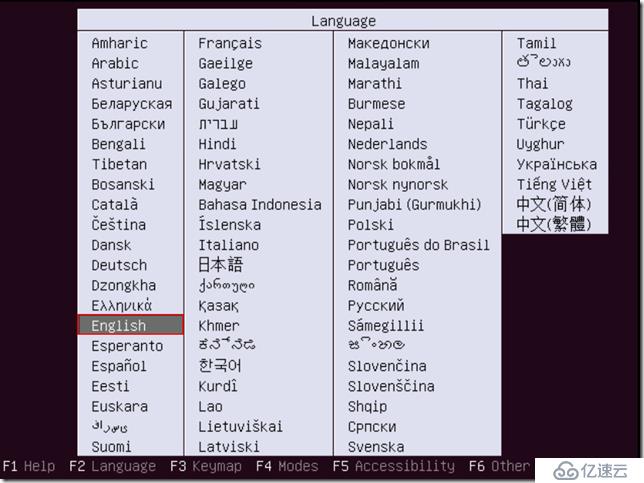
- 选择英语语言
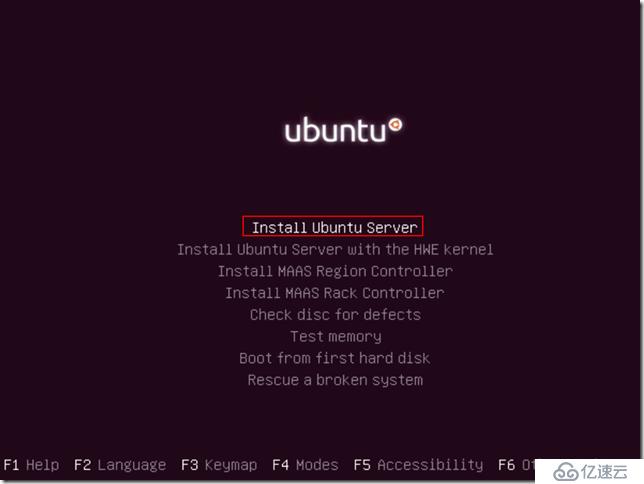
Install Ubuntu Server
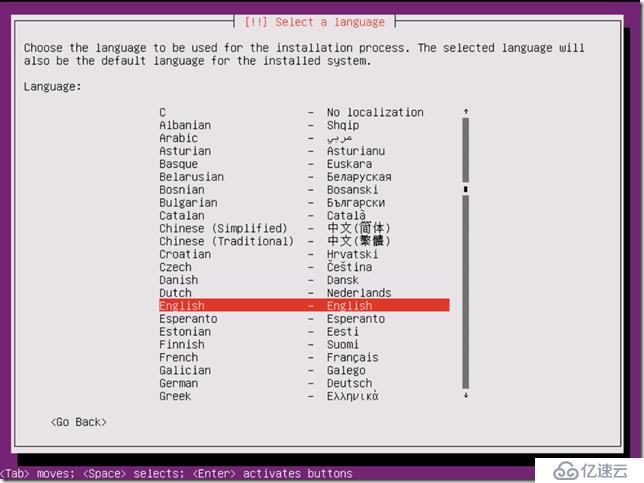
Choose English
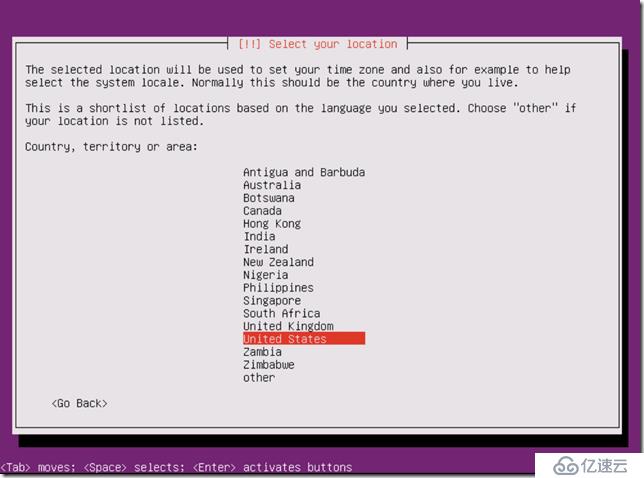
Select United States
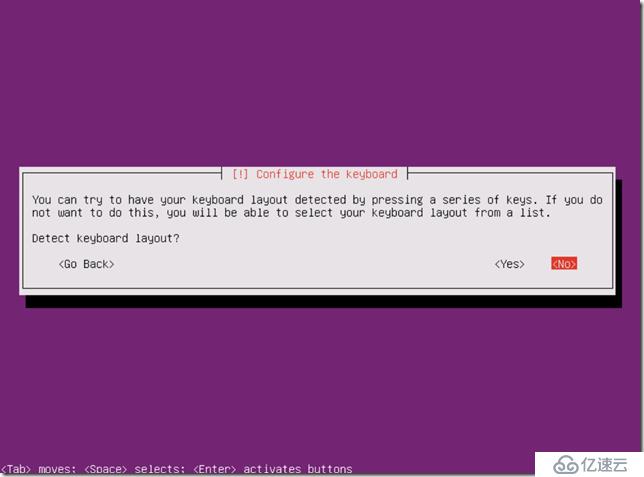
不要检测键盘
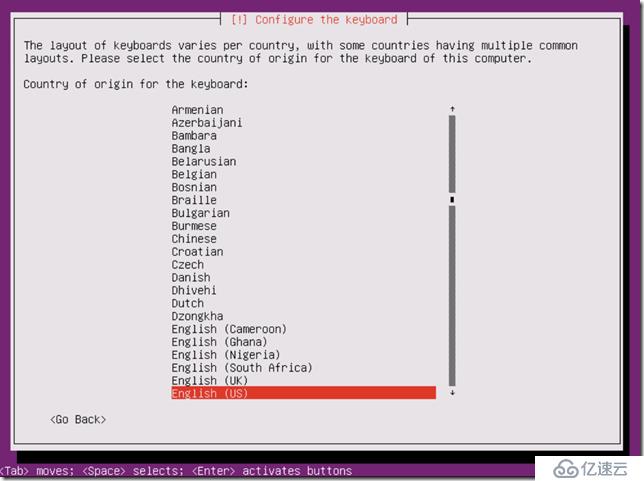
选择英文键盘
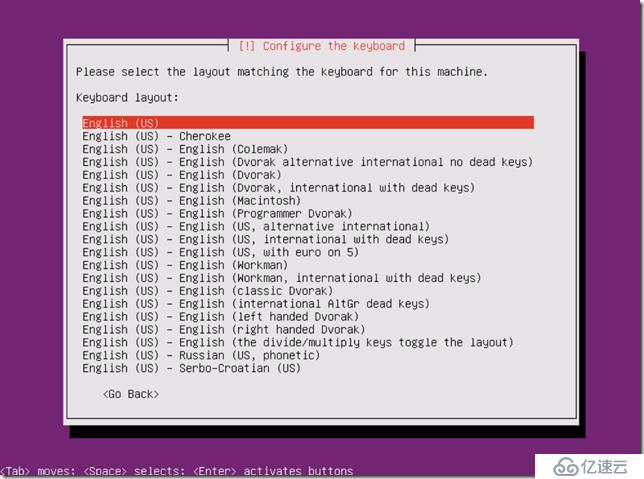
Press ENTER
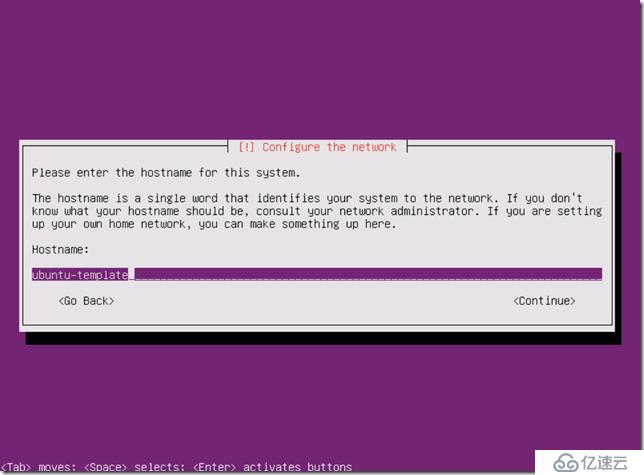
建帐号
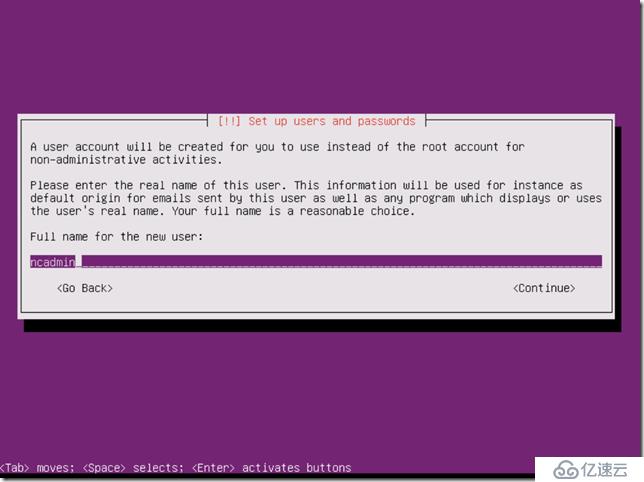
两次确认密码
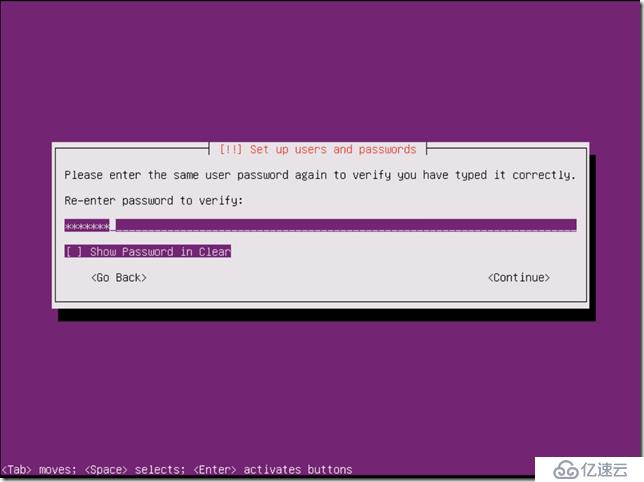
选择YES,继续使用弱密码,(正式环境建议设置为高复杂度密码)。
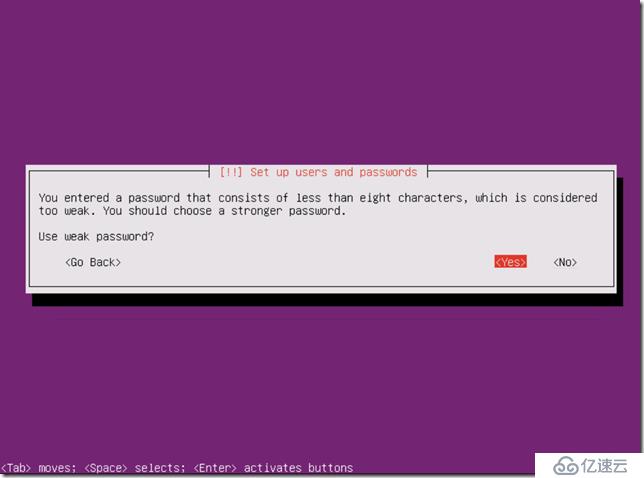
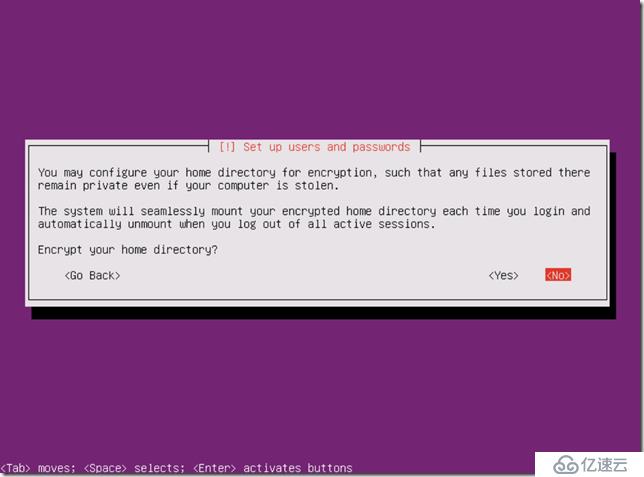
是否加密使用者目录,选择否。
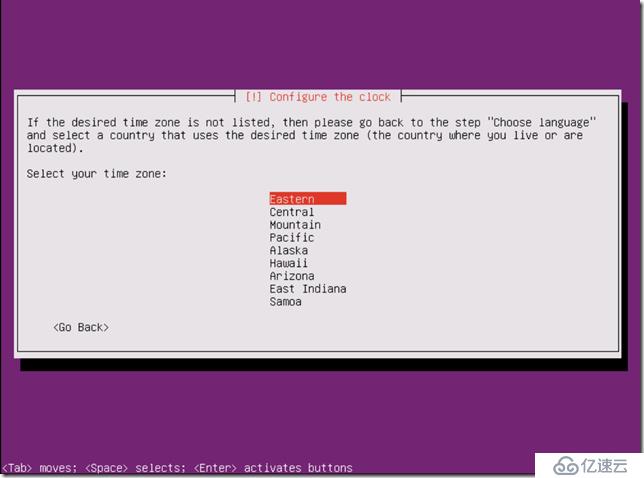
选择东部时区,不用变动。
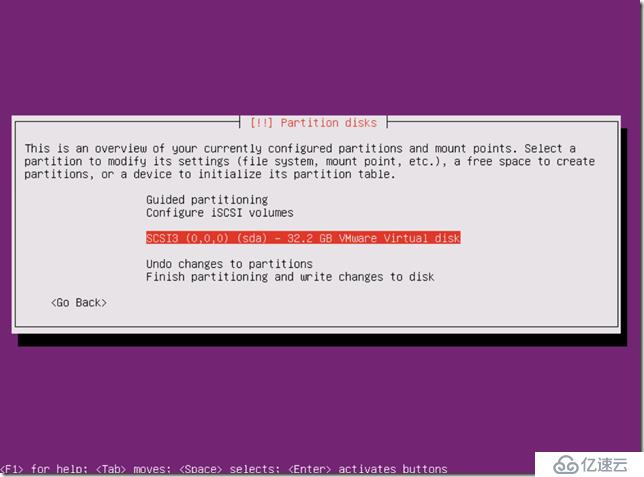
选择手动分区,继续。
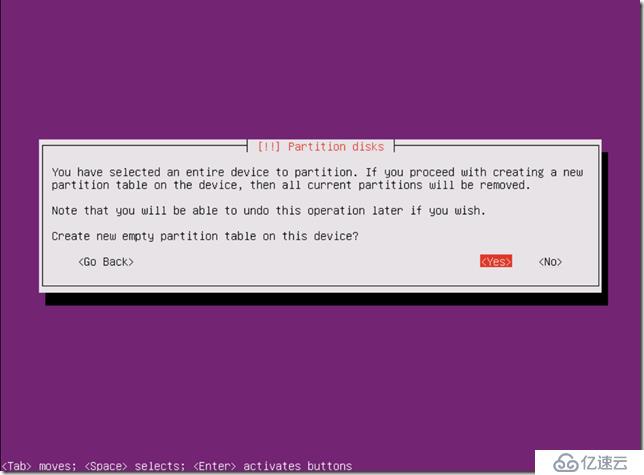
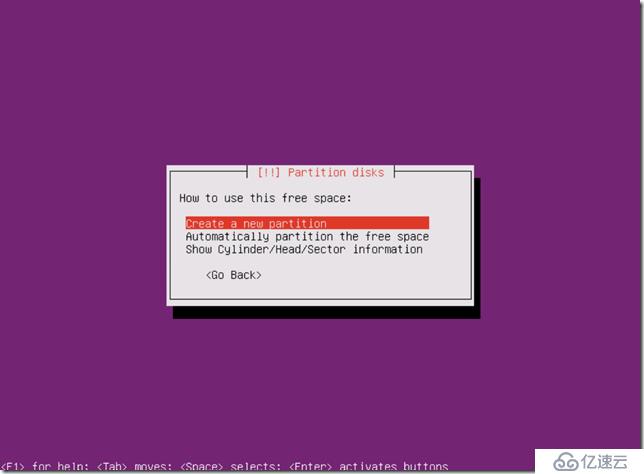
先建立一个空分区,如下图:
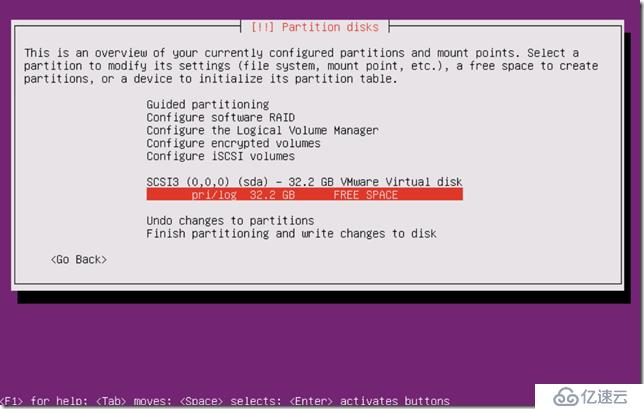
选中刚才建立的空分区,按回车。
创建新分区,先建200MB的boot分区。
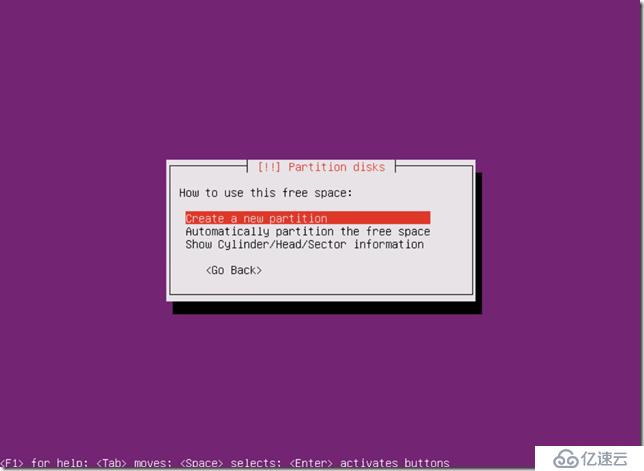
boot分区分配200MB即可
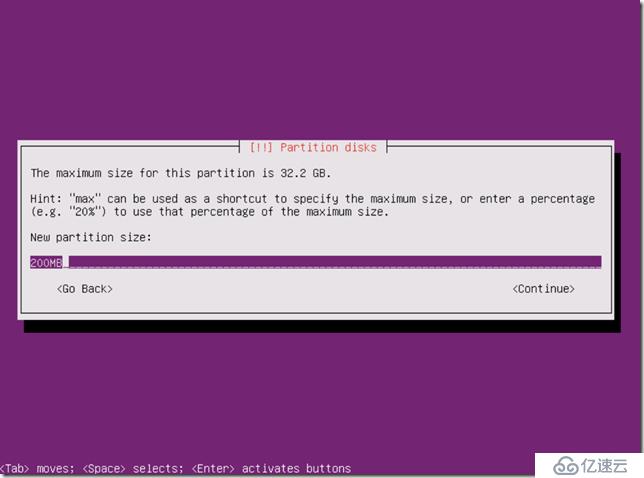
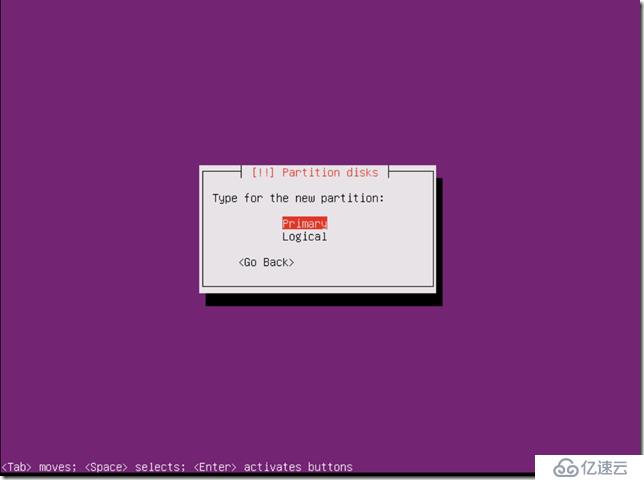
选择为主分区
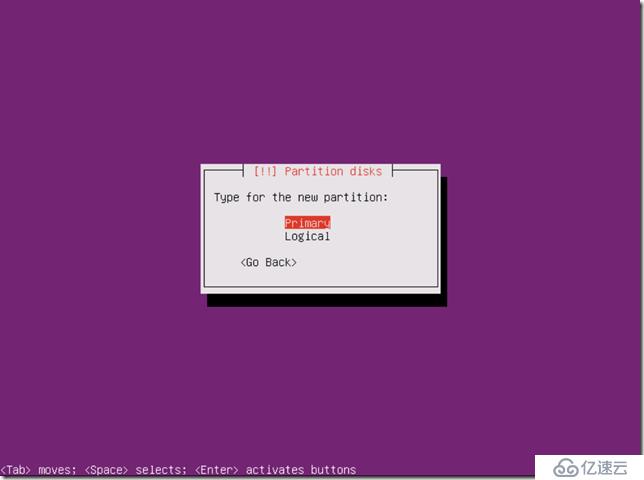
Choose Beg
选择挂接点为/boot
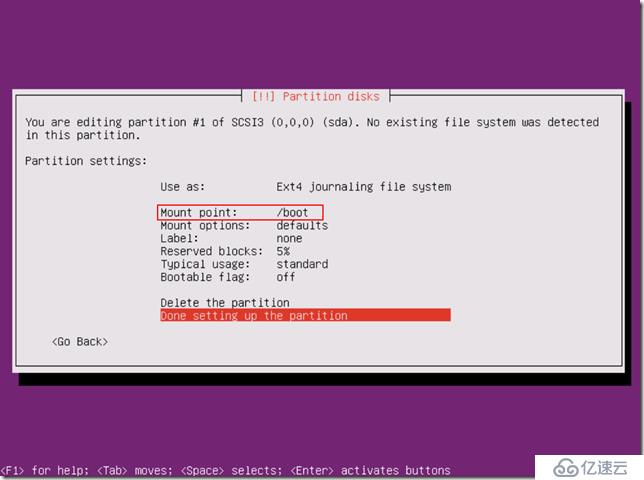
接着创建第二主分区
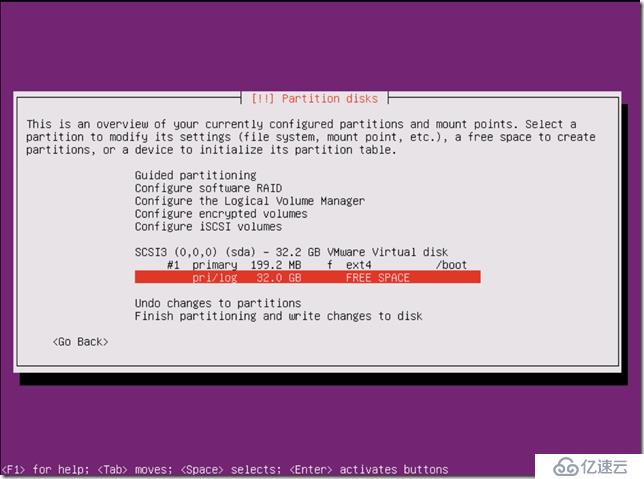
继续创建主分区
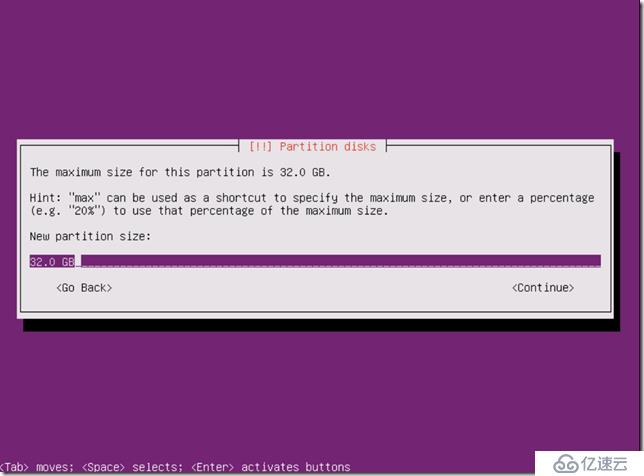
直接回车,将全部空间划给第二主分区。
一样回车进行下一步
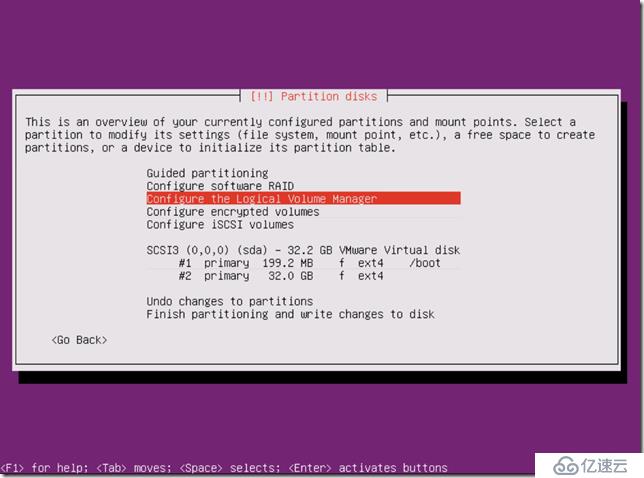
选择逻辑卷管理器进行VG与LV创建。
直接回车写入到磁盘。
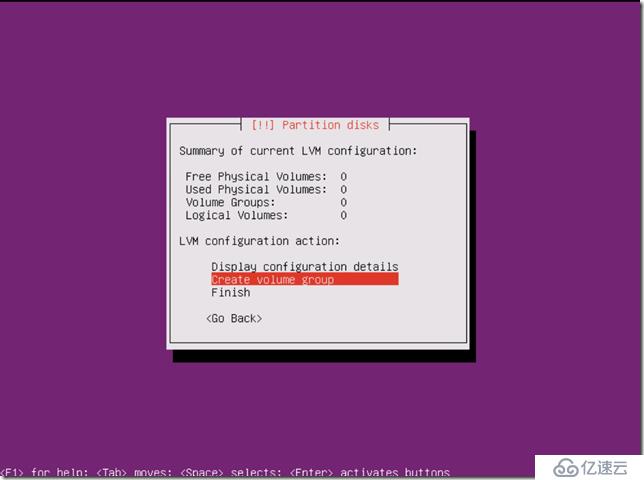
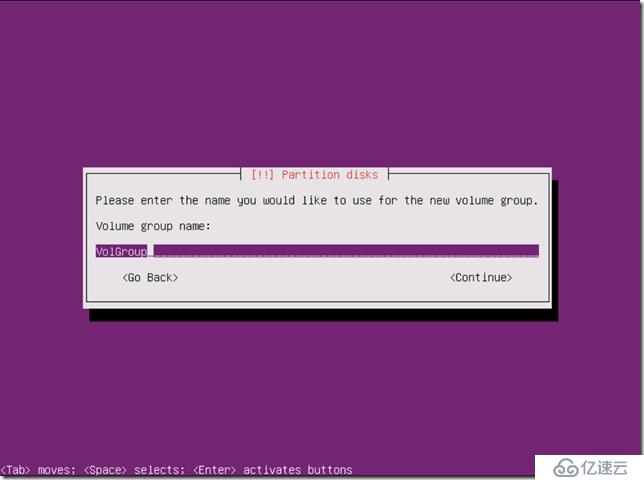
创建卷组,命名为VolGroup
选择第二个磁盘,直接回车。
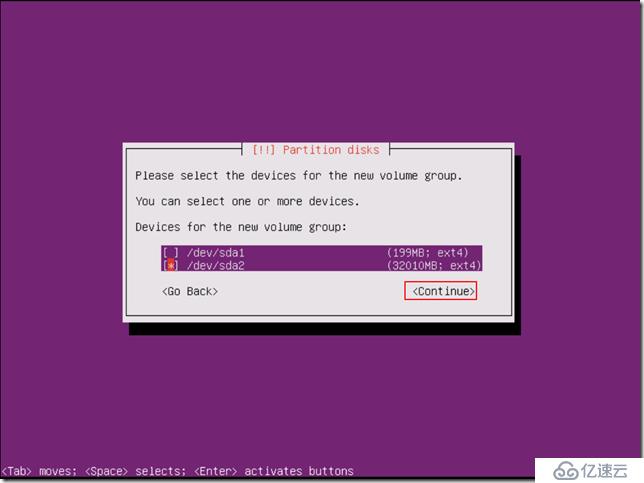
选择YES,ENTER
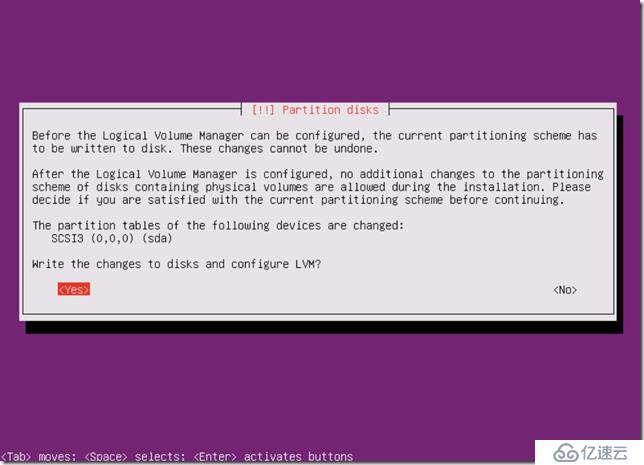
接着创建逻辑卷
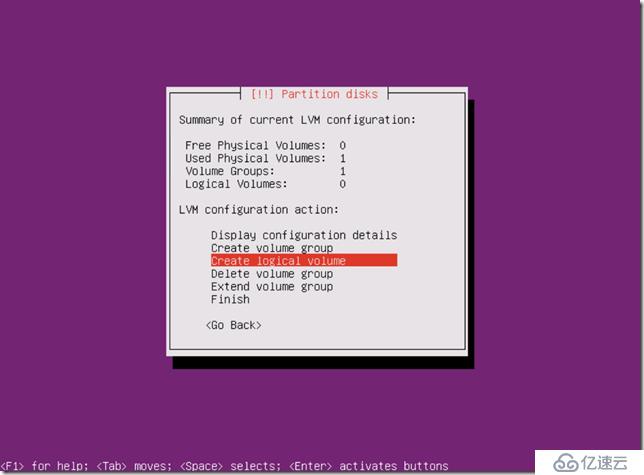
先创swap/root/data三个LV
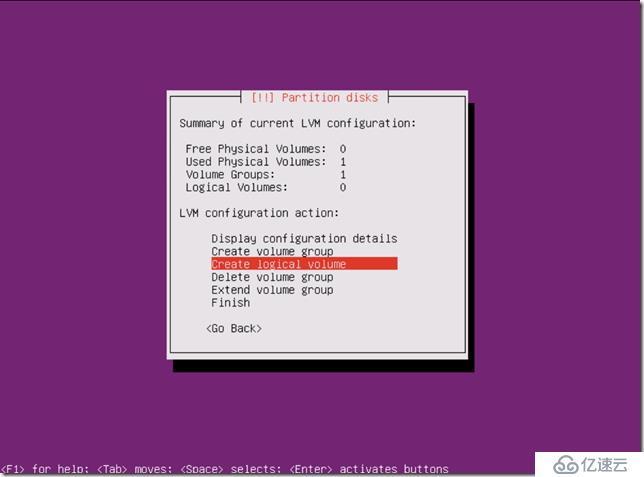
选择卷组VolGroup,回车。
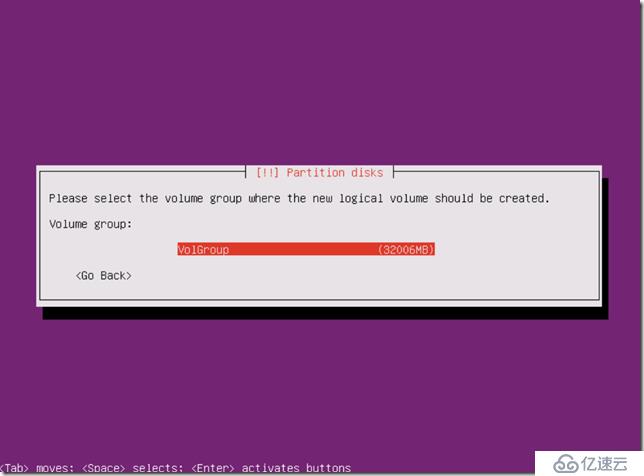
创建swap
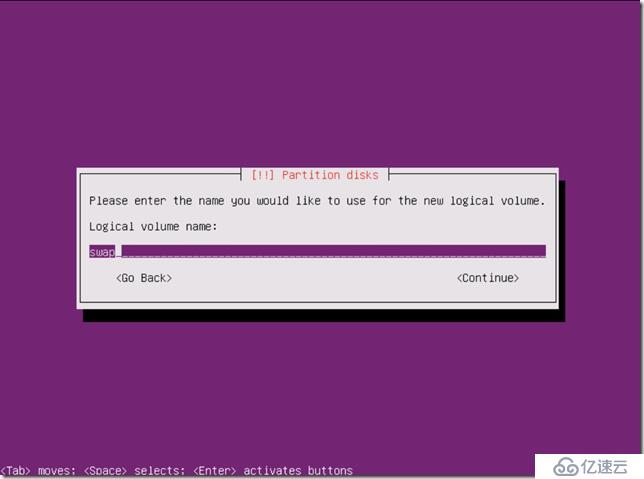
分配5G空间给SWAP
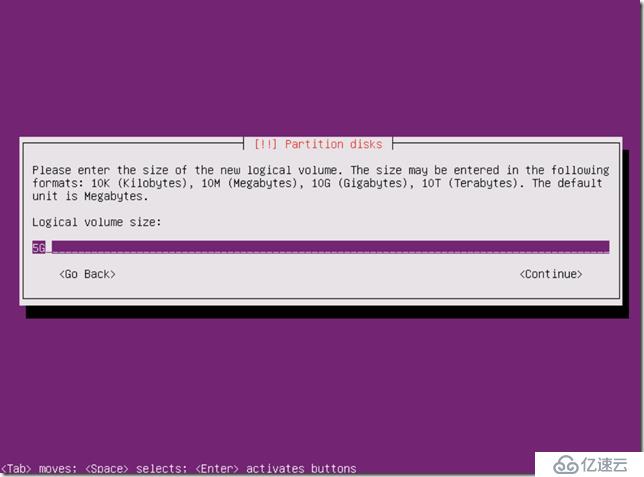
按照以上步骤完成根分区,资料分区的LV创建。
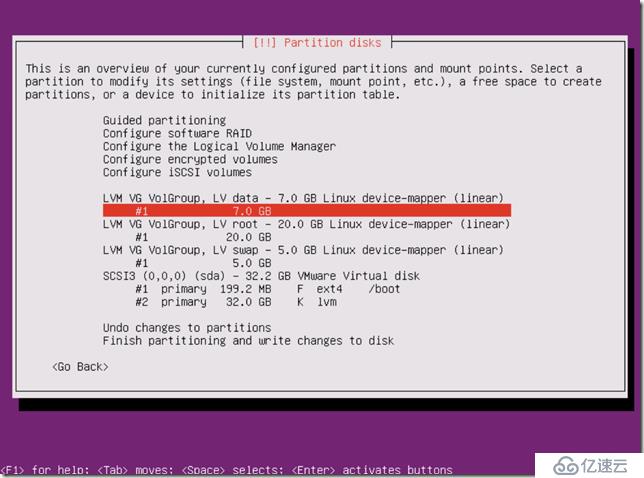
接着设定逻辑卷挂接点与文件格式。
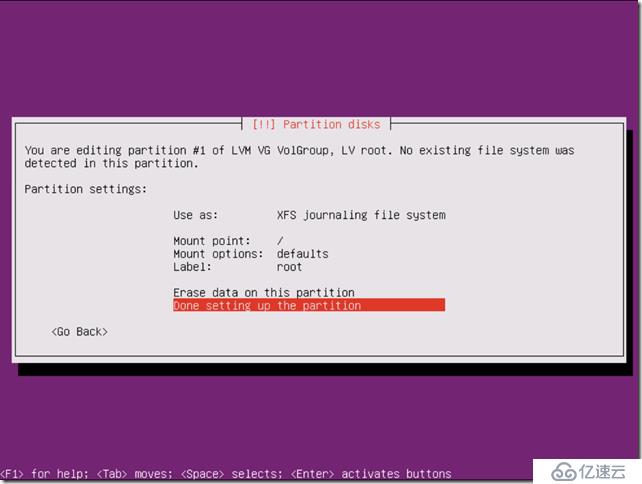
全部完成LV分区如下
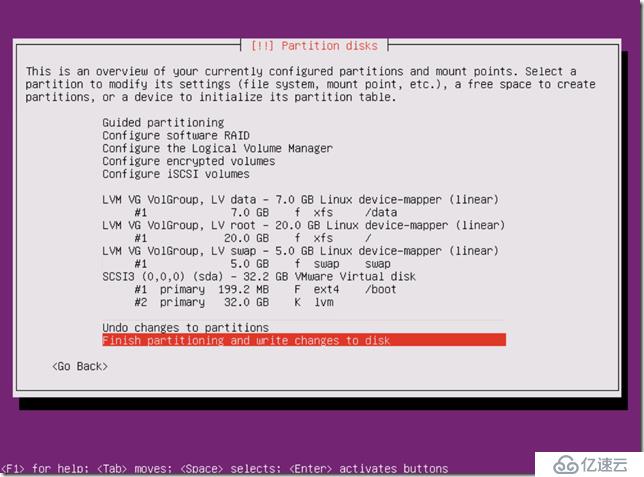
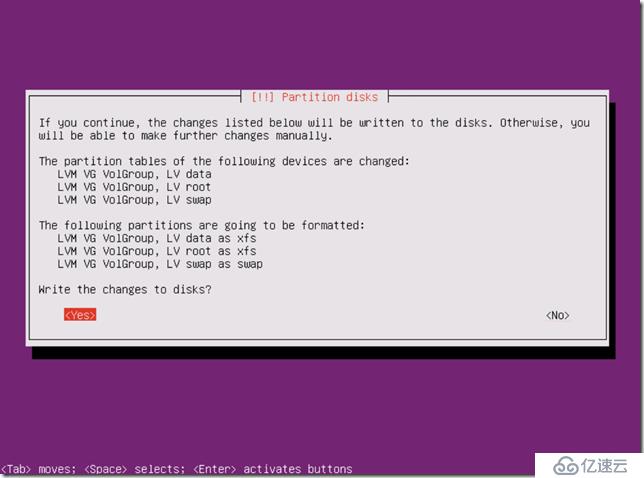
回车后完成分区进行下一步安装。
若需要代理上网输入IP,没有直接回车。
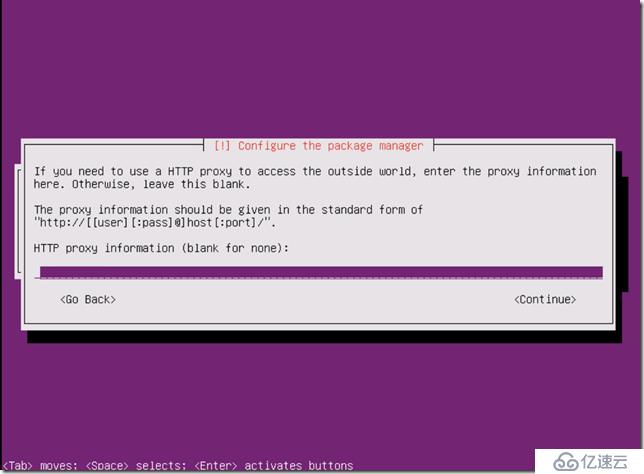
Press Enter
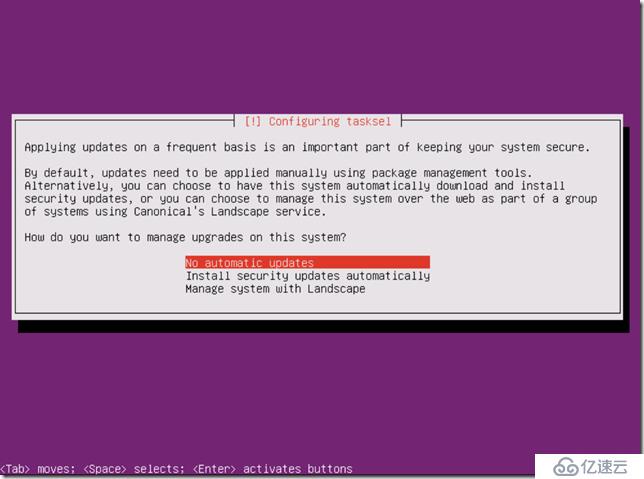
我是用于虚拟化环境,直接选择以下两项即可。
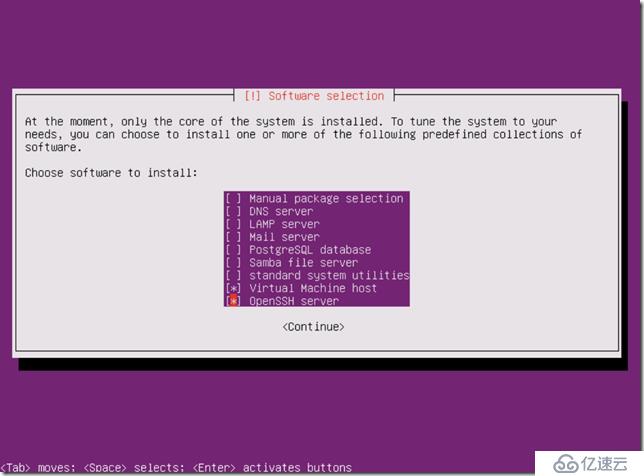
共计236个安装包,两三分钟即可完成安装,下一步直接回车。
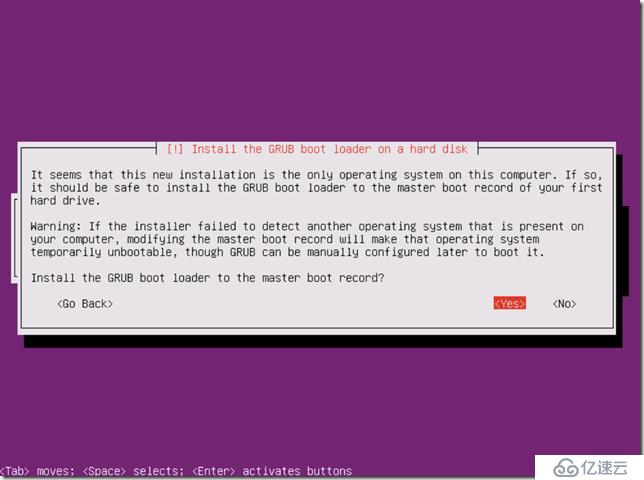
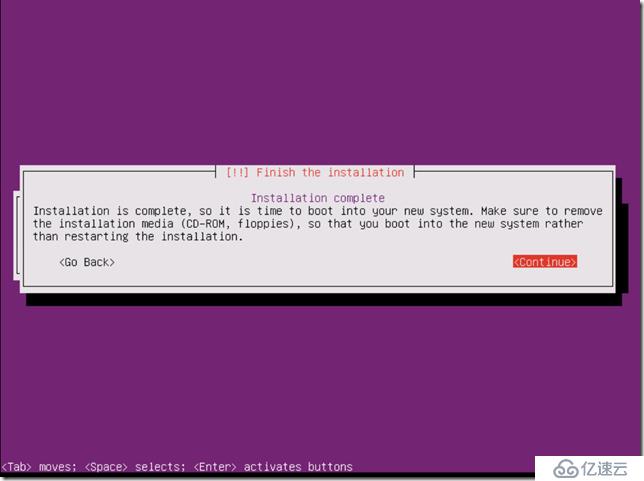
press enter完成安装。
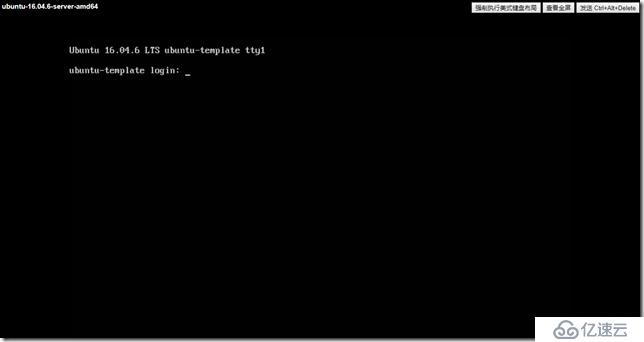
安装完成后,启动画面如下:
二、Ubuntu Sever 16优化
- 修改网络接口名称、禁用IPv6与非必要网络接口
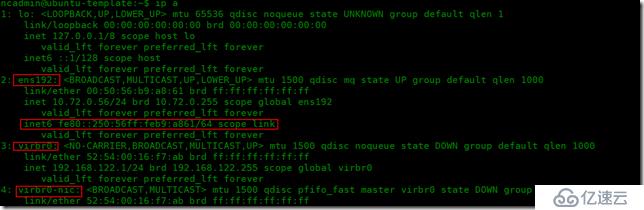
- 修改网卡名称为eth0
vi /etc/default/grub找到GRUB_CMDLINE_LINUX=""改为
GRUB_CMDLINE_LINUX="net.ifnames=0 biosdevname=0"
然后执行sudo grub-mkconfig -o /boot/grub/grub.cfg
vi /etc/network/interfaces
将ens192修改成eth0
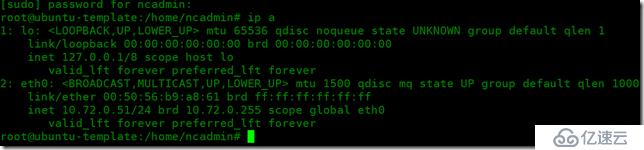
重启后,网卡名称变成了eth0
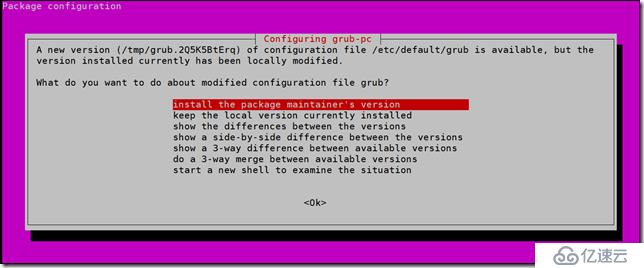
若系统为Ubuntu 18.04以上则還需要修改以下文件
vi /etc/netplan/*.yaml
network:
ethernets:
eth0:
addresses: []
dhcp4: true
version: 2
- 禁用IPv6
vi /etc/sysctl.d/99-sysctl.conf
复制并粘贴以下3行在文件的底部。
net.ipv6.conf.all.disable_ipv6 = 1
net.ipv6.conf.default.disable_ipv6 = 1
net.ipv6.conf.lo.disable_ipv6 = 1
保存并关闭文件。 然后执行以下命令加载上述更改。
sudo sysctl -p
root@ubuntu:~# vi /etc/sysctl.d/99-sysctl.conf
root@ubuntu:~# sudo sysctl -p
net.ipv6.conf.all.disable_ipv6 = 1
net.ipv6.conf.default.disable_ipv6 = 1
net.ipv6.conf.lo.disable_ipv6 = 1
root@ubuntu:~# cat /proc/sys/net/ipv6/conf/all/disable_ipv6
1
删除virbr0虚拟网卡及禁用网桥
删除VIRBR0
ifconfig virbr0 down
brctl delbr virbr0
systemctl disable libvirtd.service
禁用网桥
virsh net-destroy default
完成以上四步后检验如下:
- boot分区内核清理
uname -a 查看当前运行内核
dpkg --get-selections |grep linux-image 查看所有内核版本
sudo apt-get purge linux-image-4.10.0-28-generic 移除非当前使用版本
2. Ubuntu缺省更新源為國外,若需要更改為國內更新源。
sudo cp /etc/apt/sources.list /etc/apt/sources.list_backup
> /etc/apt/sources.list
vi /etc/apt/sources.list 將以下內容CP到sources.list文件中
deb http://mirrors.aliyun.com/ubuntu trusty main restricted
deb-src http://mirrors.aliyun.com/ubuntu trusty main restricted
## Major bug fix updates produced after the final release of the
## distribution.
deb http://mirrors.aliyun.com/ubuntu trusty-updates main restricted
deb-src http://mirrors.aliyun.com/ubuntu trusty-updates main restricted
## N.B. software from this repository is ENTIRELY UNSUPPORTED by the Ubuntu
## team. Also, please note that software in universe WILL NOT receive any
## review or updates from the Ubuntu security team.
deb http://mirrors.aliyun.com/ubuntu trusty universe
deb-src http://mirrors.aliyun.com/ubuntu trusty universe
deb http://mirrors.aliyun.com/ubuntu trusty-updates universe
deb-src http://mirrors.aliyun.com/ubuntu trusty-updates universe
## N.B. software from this repository is ENTIRELY UNSUPPORTED by the Ubuntu
## team, and may not be under a free licence. Please satisfy yourself as to
## your rights to use the software. Also, please note that software in
## multiverse WILL NOT receive any review or updates from the Ubuntu
## security team.
deb http://mirrors.aliyun.com/ubuntu trusty multiverse
deb-src http://mirrors.aliyun.com/ubuntu trusty multiverse
deb http://mirrors.aliyun.com/ubuntu trusty-updates multiverse
deb-src http://mirrors.aliyun.com/ubuntu trusty-updates multiverse
## N.B. software from this repository may not have been tested as
## extensively as that contained in the main release, although it includes
## newer versions of some applications which may provide useful features.
## Also, please note that software in backports WILL NOT receive any review
## or updates from the Ubuntu security team.
deb http://mirrors.aliyun.com/ubuntu trusty-backports main restricted universe multiverse
deb-src http://mirrors.aliyun.com/ubuntu trusty-backports main restricted universe multiverse
deb http://security.ubuntu.com/ubuntu trusty-security main restricted
deb-src http://security.ubuntu.com/ubuntu trusty-security main restricted
deb http://security.ubuntu.com/ubuntu trusty-security universe
deb-src http://security.ubuntu.com/ubuntu trusty-security universe
deb http://security.ubuntu.com/ubuntu trusty-security multiverse
deb-src http://security.ubuntu.com/ubuntu trusty-security multiverse
然後执行以下命令,刷新:
sudo apt-get clean
sudo apt-get update
三、升级Ubuntu Server 16到Ubuntu Server 18
1.确认当前版本
root@ubuntu-template:/home/ncadmin# uname -r
4.4.0-151-generic
root@ubuntu-template:/home/ncadmin# cat /etc/lsb-release
DISTRIB_ID=Ubuntu
DISTRIB_RELEASE=16.04
DISTRIB_CODENAME=xenial
DISTRIB_DESCRIPTION="Ubuntu 16.04.6 LTS"
root@ubuntu-template:/home/ncadmin#
更新确保要使用官方更新源,且执行apt update && apt upgrade无报错
2.再执行do-release-upgrade 命令进行升级
root@ubuntu-template:/home/ncadmin# do-release-upgrade
Checking for a new Ubuntu release
Get:1 Upgrade tool signature [819 B]
Get:2 Upgrade tool [1,245 kB]
Fetched 1,246 kB in 0s (0 B/s)
authenticate 'bionic.tar.gz' against 'bionic.tar.gz.gpg'
extracting 'bionic.tar.gz'
Reading cache
Checking package manager
Continue running under SSH?
This session appears to be running under ssh. It is not recommended
to perform a upgrade over ssh currently because in case of failure it
is harder to recover.
If you continue, an additional ssh daemon will be started at port
'1022'.
Do you want to continue?
Continue [yN] y
按照提示即可完成更新,详细步骤不用赘述!
上一篇:AWS RDS服务高可用性