

AWS Lambda 自动化和 PowerShell
这两天我都在看如何使用Lambda和Python,但是平常更习惯使用PowerShell来管理各种系统。试试看如何在Lambda里面使用PowerShell吧。
首先在本地计算机上需要安装下面三个模块。
安装PowerShell Core
https://github.com/powershell/powershell
安装 the .NET Core Software Development Kit (SDK)
https://www.microsoft.com/net/download
安装 AWSLambdaPSCore module
Install-Module AWSLambdaPSCore -Scope CurrentUser
安装好了,在Powershell6的控制台 里面执行
New-AWSPowerShellLambda -ScriptName awstag -Template basic
他会自动根据basic的模板创建一个目录,里面用一个空白的ps文件,和一个readme文件。这个空白的ps文件自动加载了powershellcore的模块,如果我们需要添加其他的模块,需要在这里修改。下面是我的一个测试脚本。这个脚本主要的功能是检查tag,确保EC2,Volume和Snapshot都有对应的tag,因为每个月我需要通过tag来显示不同诊所的账单。另外如果snapshot如果超过60天,顺便也自动给我删除了。
# PowerShell script file to be executed as a AWS Lambda function.
#
# When executing in Lambda the following variables will be predefined.
#   $LambdaInput - A PSObject that contains the Lambda function input data.
#   $LambdaContext - An Amazon.Lambda.Core.ILambdaContext object that contains information about the currently running Lambda environment.
#
# The last item in the PowerShell pipeline will be returned as the result of the Lambda function.
#
# To include PowerShell modules with your Lambda function, like the AWSPowerShell.NetCore module, add a "#Requires" statement
# indicating the module and version.

#Requires -Modules @{ModuleName='AWSPowerShell.NetCore';ModuleVersion='3.3.335.0'}

# Uncomment to send the input event to CloudWatch Logs
# Write-Host (ConvertTo-Json -InputObject $LambdaInput -Compress -Depth 5)

Write-Host "Checking EC2 instance Tags status" -ForegroundColor Yellow

$all=Get-EC2Instance | select -expand instances

$return=$all | Where-Object {$_.tag.key -notcontains "Clinic"}

if($return -ne $null){
$username = "test@abc.com"
$password = "Passwordtest" | ConvertTo-SecureString -asPlainText -Force
$credential = New-Object System.Management.Automation.PSCredential($username,$password)
$id=$return.InstanceId

Send-MailMessage -From test@abc.com -to test@abc.com -SmtpServer smtp.office365.com -Port 587 -UseSsl -Subject "EC2 instance Tag" -body "$id" -Credential $credential
exit

}
# confirm EC2 instances were tagged

$result=@()
foreach($item in $all){

    $Name=$item.tag | Where-Object {$_.Key -eq 'Name'} | select -ExpandProperty value
    $clinic=$item.tag | Where-Object {$_.Key -eq 'clinic'} | select -ExpandProperty value
    $item | add-member -NotePropertyName Description -NotePropertyValue $name
    $item | add-member -NotePropertyName Clinic -NotePropertyValue $clinic

    $item = $item | select *
    $result+=$item

}

$result | select Description, InstanceId, privateIpaddress, Clinic | Group-Object Clinic

write-host "Updating Volume Tags Status ... " -ForegroundColor Yellow
#Tag all volumes based on their attached EC2 Clinic Tag

$allvol=Get-EC2Volume | Where-Object {$_.tag.key -notcontains "Clinic"}

foreach($item in $result){
    foreach($item2 in $allvol){

        if ($item2.attachments.instanceid -eq $item.InstanceId){
                $value=$item.Clinic
              New-EC2Tag -Resource $item2.VolumeId -Tag @{Key="Clinic";value=$value}
           }

        }

}

Write-Host "Updating Snapshot Tags Status..." -ForegroundColor Yellow
#Tag all snapshots based on the volume Tag
$allvol=Get-EC2Volume
$filter= New-Object Amazon.EC2.Model.Filter -Property @{Name = "owner-id"; Values ='386115804199' }
$snapshots=Get-EC2Snapshot -Filter $filter

$snapshots1= $snapshots | ? {$_.Tag.key -notcontains "Clinic"}

foreach($i in $snapshots1){
    $volid=$i.VolumeId

    foreach($j in $allvol){

        if($volid -eq $j.Volumeid){

            $value=$j.tag | Where-Object {$_.key -eq 'Clinic'} | select -ExpandProperty value

            $name=$j.Tag | Where-Object {$_.key -eq "Name"} | select -ExpandProperty value

            $snapid=$i.snapshotid
            write-host "--$snapid--"
            New-EC2Tag -Resource $snapid -Tag @{Key="Clinic";value=$value}
            New-EC2Tag -Resource $snapid -Tag @{Key="Name";value=$name}

        }
    }

}

write-host "Deleting Snapshots older than over 60 days !" -ForegroundColor Yellow

$date=(get-date).AddDays(-40)

foreach($snapshot in $snapshots){
    $id=$snapshot.snapshotid

    if($snapshot.starttime -lt $date){
        $snapshot
        Remove-EC2Snapshot -SnapshotId $id -Confirm:$false
    }
}
接下来在Powershell6 的控制台执行,他会自动绑定iam的role,压缩相关的模块和执行脚本,然后上传到Lambda的控制台。这里的iam role我是随便写的,允许访问ec2和 cloudwatch log。
Publish-AWSPowerShellLambda -ScriptPath .\awstag.ps1 -name awstag -iamrole 'ec2fullaccess' -Region ap-southeast-2
等个1分钟,登录aws 就可以看见上传的函数了。
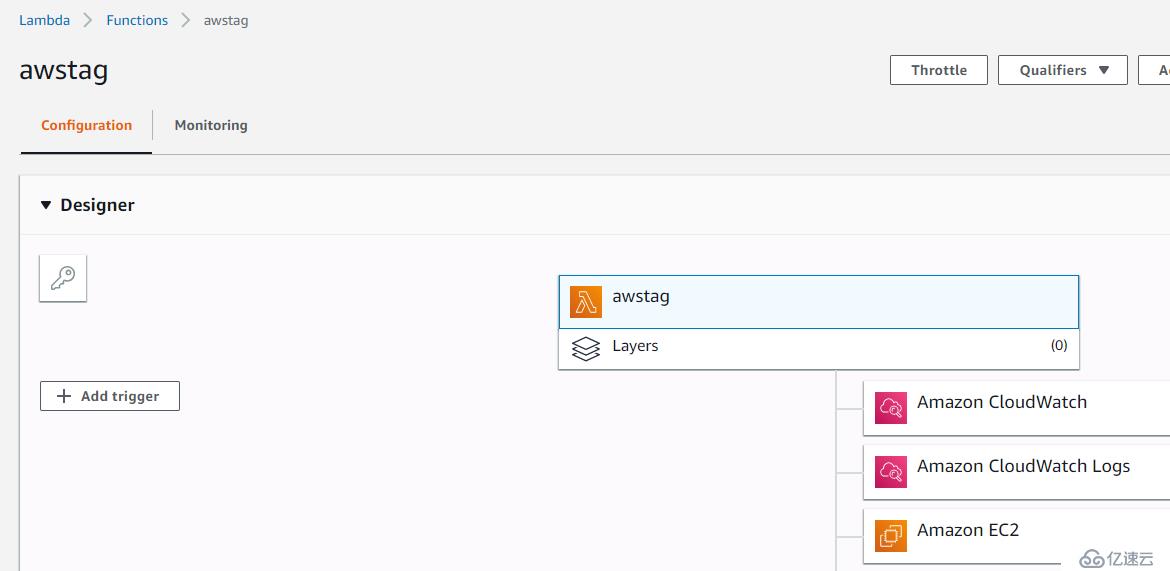
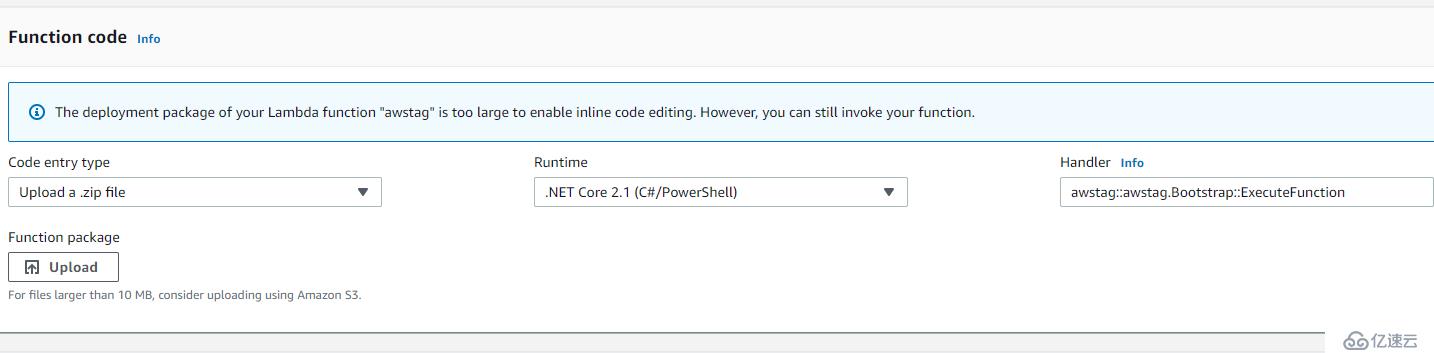
代码这一块不像Python能直接看见,直接告诉你太大 没法显示 但是我可以直接调用
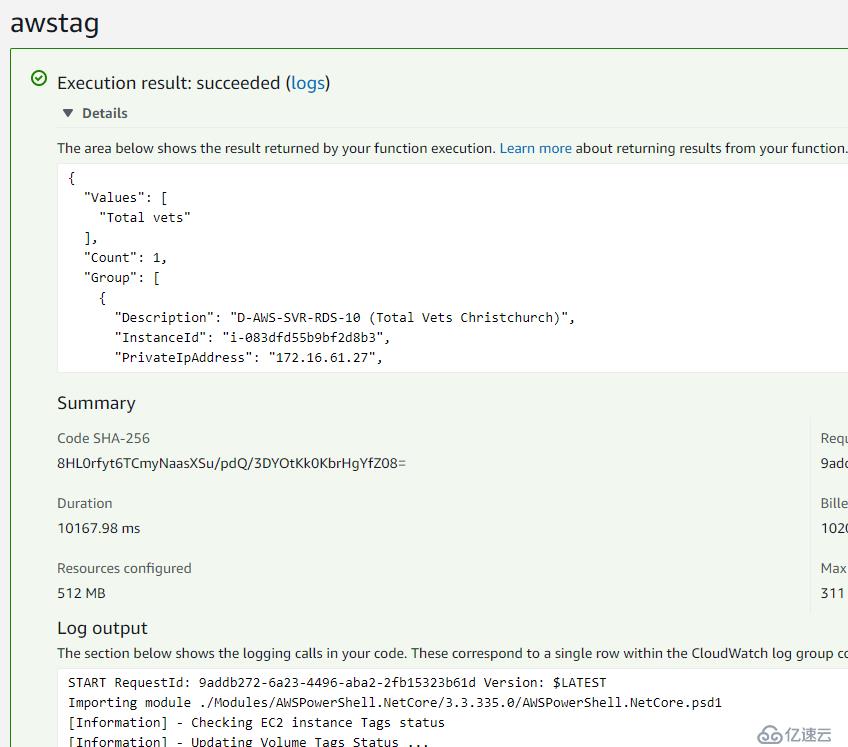
测试一下试试,显示成功
去对应的cloudwatch 看看
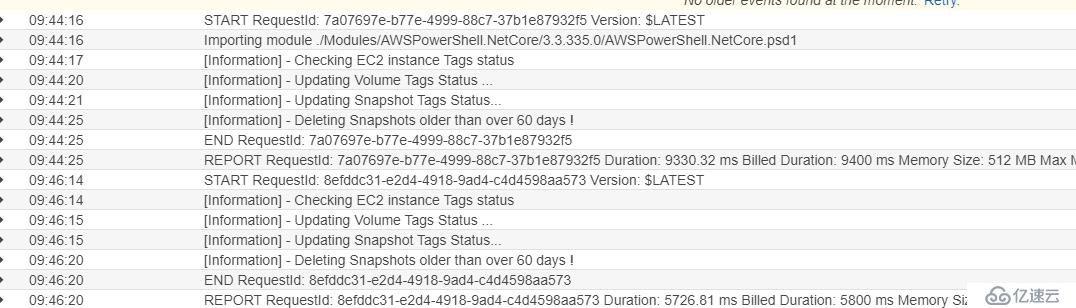
Done!