

利用nginx怎么发布静态资源
创始人
2024-12-28 16:24:08
0次
步骤
将准备好的静态资源文件放在指定文件夹
更改nginx的配置文件:nginx.conf
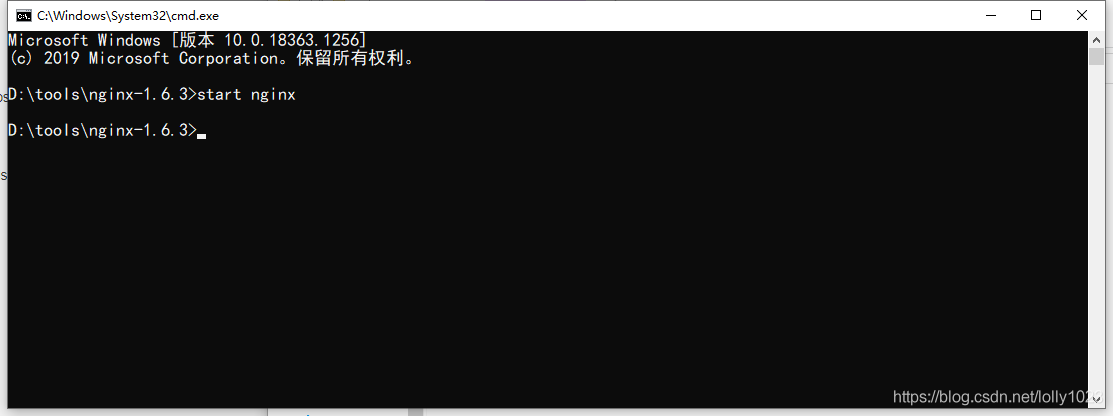
启动nginx服务:start nginx (一定要切换到nginx的目录下)
在浏览器中检查是否发布成功
实际操作
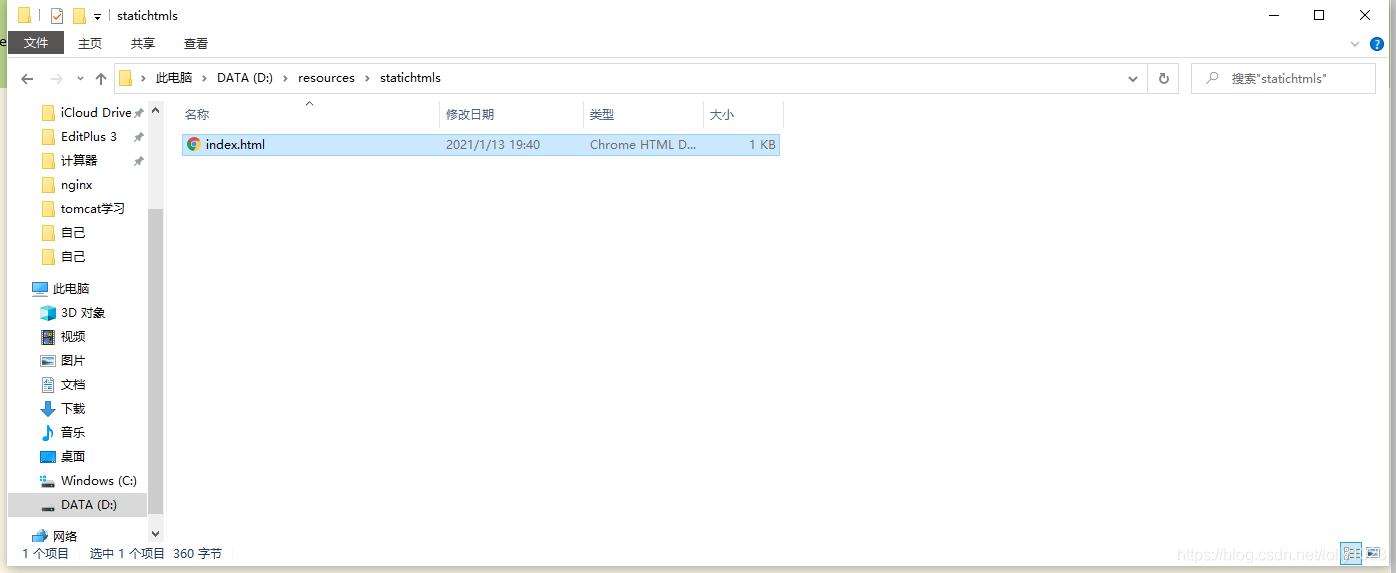
把所发布的静态网页放入指定文件夹:
更改nginx的配置文件:
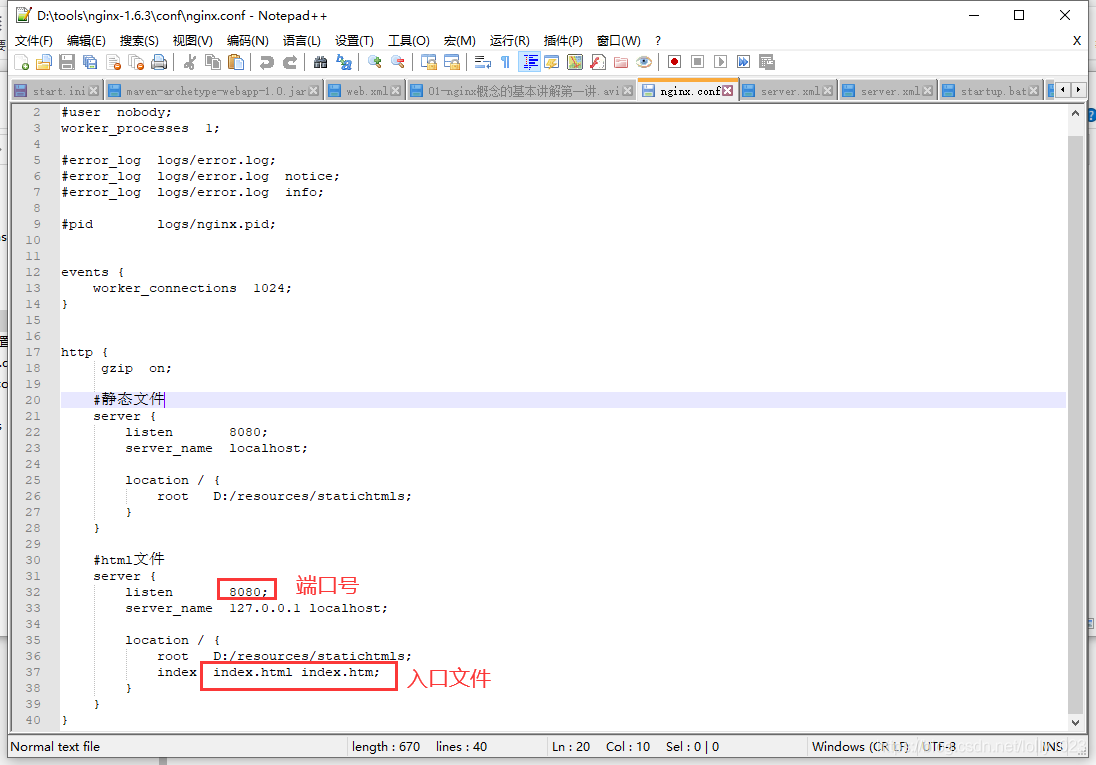
nginx.conf配置内容如下:
#user nobody;
worker_processes 1;

#error_log logs/error.log;
#error_log logs/error.log notice;
#error_log logs/error.log info;

#pid    logs/nginx.pid;


events {
  worker_connections 1024;
}

http {
   gzip on;

  #静态文件
  server {
    listen    8080;
    server_name localhost;

    location / {
      root  D:/resources/statichtmls;
    }
  }

  #html文件
  server {
    listen    8080;
    server_name 127.0.0.1 localhost;

    location / {
      root  D:/resources/statichtmls;
      index index.html index.htm;
    }
  }
}
启动nginx:
检查是否发布成功

如若未成功,请检查端口号或其他配置,及静态文件是否正确
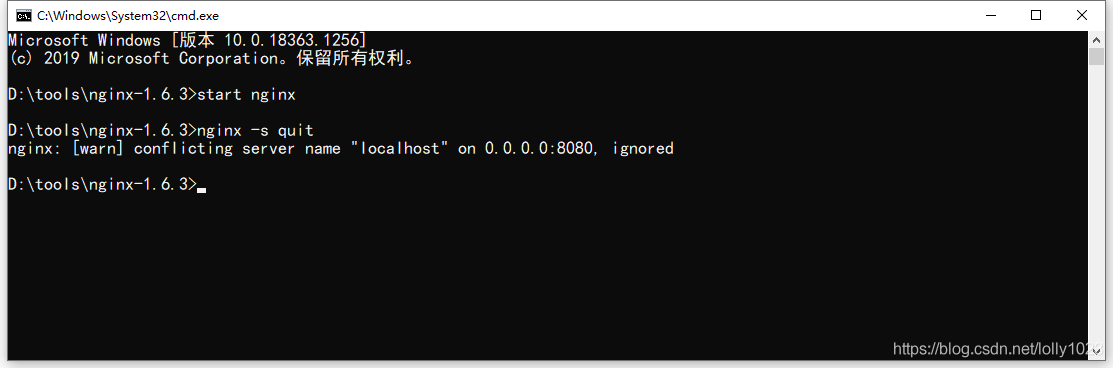
关闭nginx
测试完毕后,如若不使用,记得关闭nginx
相关内容
热门资讯
空调连续工作多久需要停机休息
空调连续工作的时间取决于多个因素,包括空调的型号、功率、使用环境和维护情况等。一般来说,空调可以连续...
空调哪个符号是除湿的
空调除湿功能通常用一个水滴形状的符号表示。不同品牌和型号的空调遥控器可能会有所差异,但一般来说,除湿...
格力空调多长时间加一次氟利昂
1、一般情况下,空调对氟利昂的使用量是非常小的,所以在空调使用了四年左右的时候再考虑加也没问题。2、...
空调用多长时间需要加氟一次
一般情况下是五年。当出现以下这几种情况时,空调才需要加氟。1、空调的室内机和室外机各有两个接口,当接...
格调生活·C标思享荟:卡萨帝在...
9月12日的郑州龙湖金融岛,夜风轻拂,灯光璀璨。“C标时刻共传奇——卡萨帝思享荟暨20周年品牌盛典郑...
品牌价值破千亿、高端份额持续领...
9月12日,“C标时刻共传奇——卡萨帝思享荟暨20周年品牌盛典郑州站”在郑州龙湖金融岛举办。2026...
空调主板坏了修800还是换新的
空调主板坏了是修还是换新,需要考虑多个因素,以下是一些建议:1. 维修成本:如果维修费用较低,比如 ...
空调开多久需要休息多长时间
问题:空调开多久需要休息多长时间回答:1、在使用空调的过程中,一般空调开7~8个小时左右需要休息2~...
中央空调多长时间清洗一次
1、一般空调开机前清洗一次即可,空调开机中间时段再清洗一次,空调关机时清洗一次,这样比较合理。2、空...
中央空调氟利昂多久加一次
看空调制热和制冷程度,很多人的观点认为氟利昂必须一年放一次,其实这个观点是错误的,理解上面有点偏差,...