

怎么安装配置Android Studio
1.下载安装的压缩包:
wget https://redirector.gvt1.com/edgedl/android/studio/ide-zips/4.1.0.16/android-studio-ide-201.6719854-linux.tar.gz
2.解压:
tar -xzf android-studio-ide-201.6719854-linux.tar.gz
3.运行安装脚本
cd "你的AndroidStudio解压路径"/bin
 ./studio.sh
初次安装,没有配置文件导入import;暂且不配置代理proxy(待会再配置)。
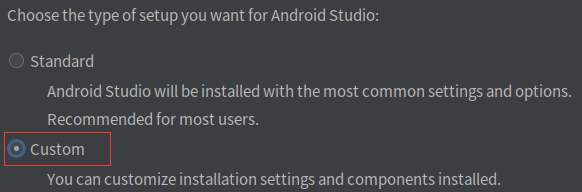
选择custom;

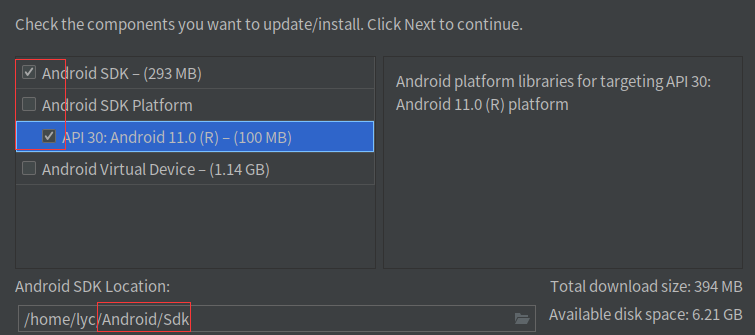
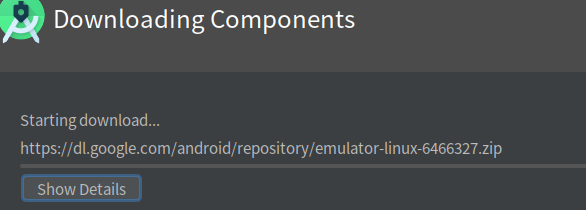
我不安装Android虚拟设备,直接用Android手机测试。
官方安装指导
INSTALLATION INSTRUCTIONS
===============================================================================1. Unpack the Android Studio distribution archive that you downloaded
where you wish to install the program. We will refer to this
location as your {installation home}.2. To start the application, open a console, cd into "{installation home}/bin" and type:
./studio.sh
This will initialize various configuration files in the configuration directory:
~/.config/Google/AndroidStudio4.1.3. [OPTIONAL] Add "{installation home}/bin" to your PATH environment
variable so that you can start Android Studio from any directory.4. [OPTIONAL] To adjust the value of the JVM heap size, create a file studio.vmoptions
(or studio64.vmoptions if using a 64-bit JDK) in the configuration directory
and set the -Xms and -Xmx parameters. To see how to do this,
you can reference the vmoptions file under "{installation home}/bin" as a model
but do not modify it, add your options to the new file.[OPTIONAL] Change the location of the "config" and "system" directories
------------------------------------------------------------------------------By default, Android Studio stores all your settings in the
~/.config/Google/AndroidStudio4.1 directory
and uses ~/.local/share/Google/AndroidStudio4.1 as a data cache.
To change the location of these directories:1. Open a console and cd into ~/.config/Google/AndroidStudio4.1
2. Create a file idea.properties and set the idea.system.path and idea.config.path variables, for example:
idea.system.path=~/custom/system
idea.config.path=~/custom/configNOTE: Store the data cache ("system" directory) on a disk with at least 1 GB of free space.
下一篇:securecrt中怎么配置颜色