ASP.NET MVC4如何使用MongoDB制作相册管理
创始人
2024-11-28 10:23:43
0次
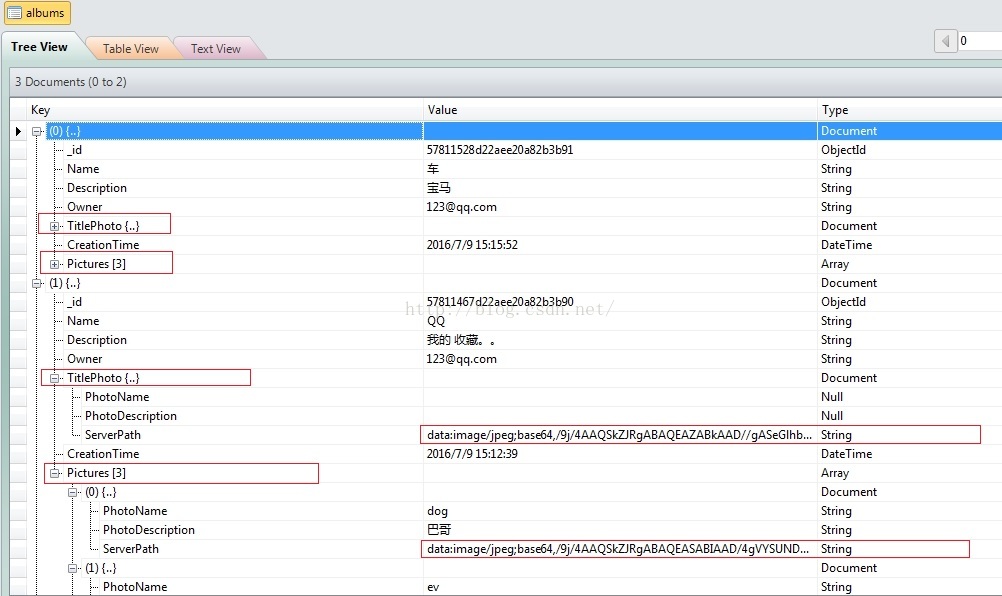
TIPS:1.Image转成Base64保存到mongodb字段
2.数据模型是嵌套的关联
首先定义Model层:
public class Photo : IEquatable{ [Required] public string PhotoName { get; set; } [Required] public string PhotoDescription { get; set; } public string ServerPath { get; set; } public Photo() { } public Photo(string name, string desc) { PhotoName = name; PhotoDescription = desc; } public bool Equals(Photo other) { return string.Equals(PhotoName, other.PhotoName); } } public interface IAlbumIterable { bool HasNext(); Photo Current(); Photo Next(); } public interface IPhotosAggregable { IAlbumIterable GetIterator(); } public class AlbumIterator : IAlbumIterable { private Album collection; private int count; public AlbumIterator(Album album) { collection = album; } public Photo Current() { if (count < collection.Count) return collection[count++]; else throw new IndexOutOfRangeException(); } public bool HasNext() { if (count < collection.Count - 1) return true; else return false; } public Photo Next() { if (HasNext()) return collection[++count]; else throw new IndexOutOfRangeException(); } } public class Album : IPhotosAggregable { [BsonId] public ObjectId Id { get; set; } [Required] public string Name { get; set; } [Required] public string Description { get; set; } public string Owner { get; set; } public Photo TitlePhoto { get; set; } [BsonDateTimeOptions(Kind = DateTimeKind.Local,Representation =BsonType.DateTime)] public DateTime CreationTime { get; set; } public IList Pictures { get; set; } public Album() { Pictures = new List (); TitlePhoto = new Photo(); } public Album(string name, string owner, Photo pic) { Name = name; Owner = owner; TitlePhoto = pic; Pictures = new List (); TitlePhoto = new Photo(); } public bool InsertPicture(Photo pic) { if (!Pictures.Contains(pic)) { Pictures.Add(pic); return true; } else throw new ArgumentException(); } public bool InsertPictures(List photos) { foreach(var photo in photos) { if (!Pictures.Contains(photo)) { Pictures.Add(photo); } else throw new ArgumentException(); } return true; } public bool RemovePicture(Photo pic) { Pictures.Remove(pic); return true; } public int Count { get { return Pictures.Count; } } public Photo this[int index] { get { return Pictures[index]; } set { Pictures[index] = value; } } public IAlbumIterable GetIterator() { return new AlbumIterator(this); } }
Services层的MongoAlbumPerformer.cs和ServerPathFinder.cs代码如下:
 public class MongoAlbumPerformer
 {
  protected static IMongoClient client;
  protected static IMongoDatabase database;
  private static IMongoCollection collection;
  private string collectionName;

  public MongoAlbumPerformer(string databaseName, string collectionName)
  {

   client = new MongoClient(ConfigurationManager.ConnectionStrings["mongoDB"].ConnectionString);
   database = client.GetDatabase(databaseName);
   this.collectionName = collectionName;
   collection = database.GetCollection(collectionName, new MongoCollectionSettings { AssignIdOnInsert = true });
  }

  public void SetCollection(string collectionName)
  {
   this.collectionName = collectionName;
   collection = database.GetCollection(collectionName);
  }

  public void CreateAlbum(Album album)
  {
   var document = new Album
   {
    Name = album.Name,
    Owner = HttpContext.Current.User.Identity.Name,
    Description = album.Description,
    CreationTime = DateTime.Now,
    TitlePhoto = album.TitlePhoto,
    Pictures = album.Pictures
   };

   collection.InsertOne(document);
  }

  public List GetAlbumsByUserName(string username)
  {
   var projection = Builders.Projection
    .Include(a => a.Name)
    .Include(a => a.Description)
    .Include(a => a.TitlePhoto)
    .Include(a=>a.CreationTime);

   var result = collection
    .Find(a => a.Owner == HttpContext.Current.User.Identity.Name)
    .Project(projection).ToList();

   return result;
  }

  public Album GetPicturesByAlbumName(string albumName)
  {
   var projection = Builders.Projection
    .Include(a => a.Pictures);

   var result = collection
    .Find(a => a.Owner == HttpContext.Current.User.Identity.Name & a.Name == albumName)
    .Project(projection).FirstOrDefault();

   return result;
  }

  public void UpdateAlbumAddPhoto(string albumName, Photo photo)
  {
   var builder = Builders.Filter;
   var filter = builder.Eq(f => f.Name, albumName) & builder.Eq(f => f.Owner, HttpContext.Current.User.Identity.Name);
   var result = collection.Find(filter).FirstOrDefault();

   if (result == null)
    throw new ArgumentException("No album of supplied name: {0}", albumName);
   else
   {
      var picture = new Photo
      {
       PhotoName = photo.PhotoName,
       PhotoDescription = photo.PhotoDescription,
       ServerPath = photo.ServerPath,
      };

      var update = Builders.Update.Push(a => a.Pictures, picture);
      collection.UpdateOne(filter, update, new UpdateOptions { IsUpsert=true });
   }
  }

  public void DeletePhotoFromAlbum(string albumName, string photoName)
  {
   var builder = Builders.Filter;
   var filter = builder.Eq(f => f.Name, albumName) & builder.Eq(f => f.Owner, HttpContext.Current.User.Identity.Name);
   var result = collection.Find(filter).SingleOrDefault();

   if (result == null)
    throw new ArgumentException("No album of supplied name: {0}", albumName);
   else
   {
    var update = Builders.Update
     .PullFilter(a => a.Pictures, Builders.Filter.Eq(p => p.PhotoName, photoName));
    long count = collection.UpdateOne(filter, update).MatchedCount;
   }
  }
 }public class ServerPathFinder
 {
  public string GetBase64ImageString(HttpPostedFileBase file)
  {
   string mime = Regex.Match(file.ContentType, @"(?<=image/)\w+").Value;
   byte[] bytes = new byte[file.ContentLength];
   file.InputStream.Read(bytes, 0, file.ContentLength);
   return string.Format("data:image/{0};base64,{1}",mime, Convert.ToBase64String(bytes));
  }
} AlbumController.cs代码如下:
 public class AlbumController : Controller
 {
  MongoAlbumPerformer mongod = new MongoAlbumPerformer("test","albums");

  [HttpPost]
  public ActionResult AlbumPreview(Photo model, HttpPostedFileBase file, string albumName, string delete, string phot)
  {
   if (delete == "false")
   {
    if (file != null)
    {
     if (!file.ContentType.StartsWith("image"))
     {
      ModelState.AddModelError("file", "选择正确的格式照片!");
     }
     else
     {
      ServerPathFinder finder = new ServerPathFinder();
      model.ServerPath = finder.GetBase64ImageString(file);
     }

     if (ModelState.IsValid)
     {
      mongod.UpdateAlbumAddPhoto(albumName, model);
      ModelState.Clear();
     }
    }
   }
   else
   {
    mongod.DeletePhotoFromAlbum(albumName, phot);
    foreach(var error in ModelState.Values)
    {
     error.Errors.Clear();
    }
   }
   ViewBag.AlbumTitle = albumName;
   ViewBag.PhotoList = mongod.GetPicturesByAlbumName(albumName).Pictures;

   return View();
  }

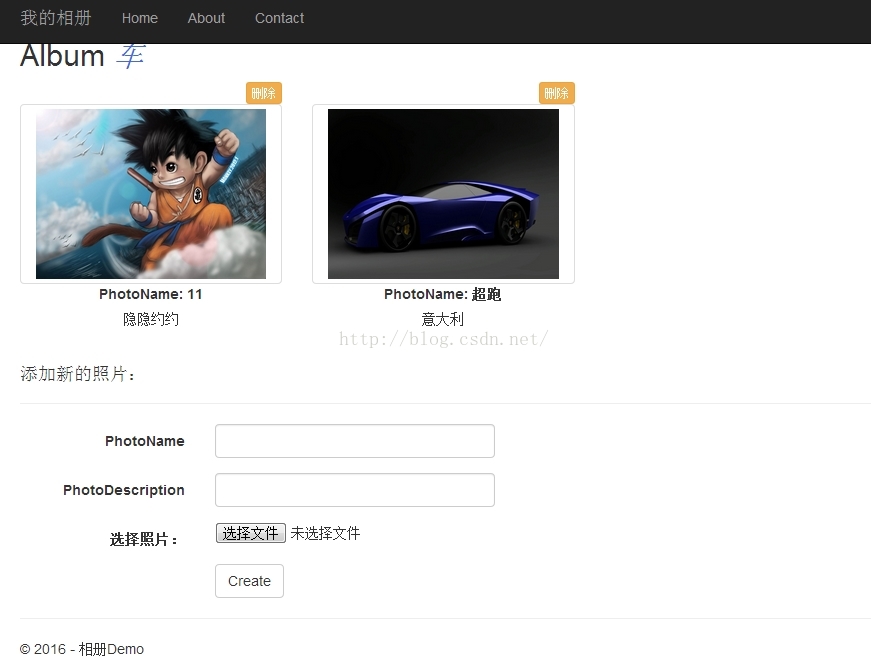
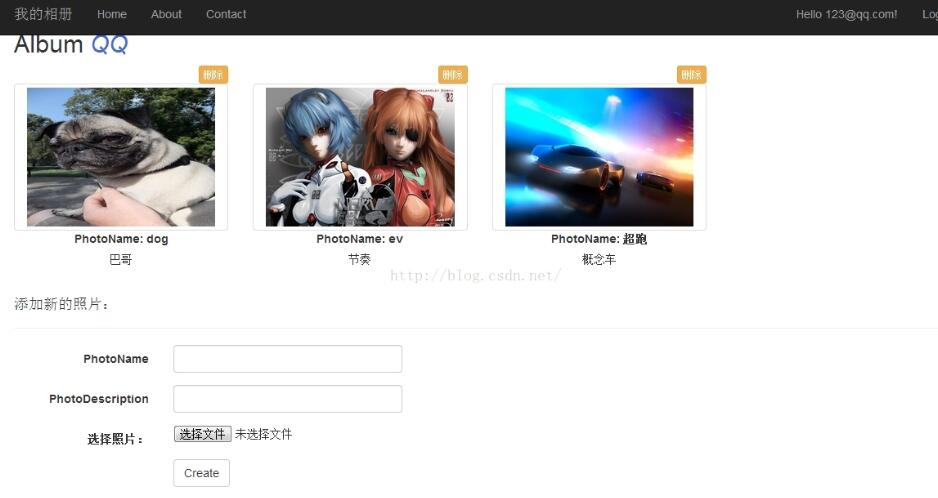
  public ActionResult AlbumPreview(string Name)
  {
   var album = mongod.GetPicturesByAlbumName(Name);
   ViewBag.AlbumTitle = Name;
   ViewBag.PhotoList = album.Pictures;

   return View();
  }

  [HttpPost]
  public ActionResult Create(Album model, HttpPostedFileBase file)
  {
   if (!file.ContentType.StartsWith("image"))
   {
    ModelState.AddModelError("file", "选择正确的格式照片!");
   }
   else
   {
    ServerPathFinder finder = new ServerPathFinder();
    model.TitlePhoto.ServerPath = finder.GetBase64ImageString(file);
   }

   if (ModelState.IsValid)
   {
    model.Owner = HttpContext.User.Identity.Name;
    mongod.CreateAlbum(model);
   }
   var albums = mongod.GetAlbumsByUserName(HttpContext.User.Identity.Name);
   ViewBag.Albums = albums;

   return View();
  }

  public ActionResult Create()
  {
   var albums = mongod.GetAlbumsByUserName(HttpContext.User.Identity.Name);
   ViewBag.Albums = albums;
   return View();
  }
 }
部分view视图:
Create.cshtml
@{
ViewBag.Title = "Create";
}
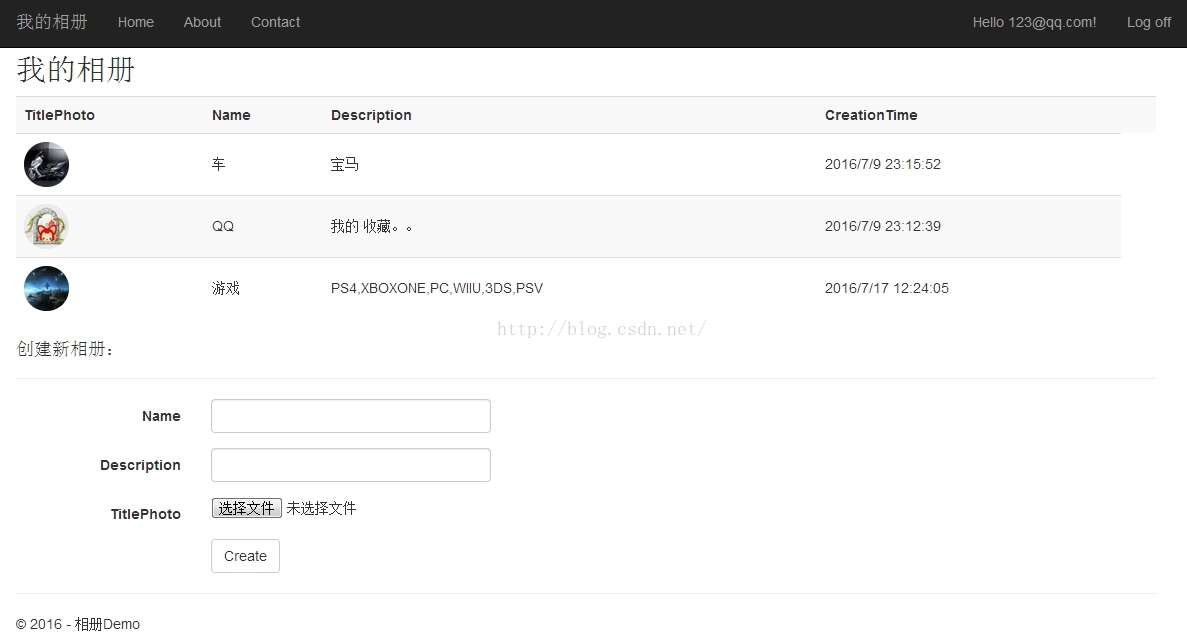
我的相册
@Html.Partial("_MyAlbums", (List)ViewBag.Albums)
@using (Html.BeginForm("Create", "Album", FormMethod.Post, new { enctype = "multipart/form-data" }))
{
@Html.AntiForgeryToken()
创建新相册:
@Html.LabelFor(model => model.Name, htmlAttributes: new { @class = "control-label col-md-2" })
@Html.EditorFor(model => model.Name, new { htmlAttributes = new { @class = "form-control" } })
@Html.ValidationMessageFor(model => model.Name, "", new { @class = "text-danger" })