

介绍asp .net core的缓存静态文件资源
前言
对静态资源的简单的一个概况,在《重新整理.net core 计1400篇》系列后面会深入。
正文
我们在加入中间件是这样写的:
app.UseStaticFiles();
默认是给wwwroot提供资源。
那么我访问https://localhost:44330/js/site.js 资源,就可以访问到。
// Please see documentation at https://docs.microsoft.com/aspnet/core/client-side/bundling-and-minification
// for details on configuring this project to bundle and minify static web assets.

// Write your JavaScript code.
同样我们可以自定义路径。
app.UseStaticFiles(new StaticFileOptions {
	FileProvider = new PhysicalFileProvider(Path.Combine(env.ContentRootPath, "Static")),
	RequestPath="/static"
});
上面在根目录下的static建立路由,路由路径static 为标识。
访问:
https://localhost:44330/static/images/index.jpg
就能看到一张图片了。
同样再次访问,https://localhost:44330/js/site.js 依然可以访问,看了这个wwwroot 是一个钉子户,无论如何添加还是存在的。
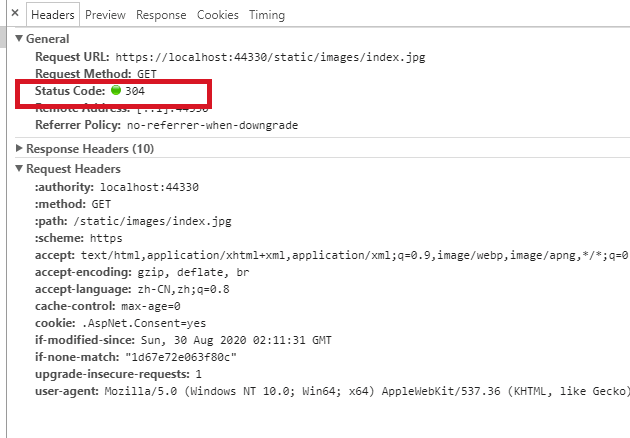
const string cacheMaxAge = "60480";
app.UseHttpsRedirection();
app.UseStaticFiles(new StaticFileOptions {
	FileProvider = new PhysicalFileProvider(Path.Combine(env.ContentRootPath, "Static")),
	RequestPath="/static",
	OnPrepareResponse = ctx => {
		ctx.Context.Response.Headers.Append("cache-control", $"public,max-age={cacheMaxAge}");
	}
}
);
可以设置一些缓存。
静态文件授权
官方倒是提供了两种方法。
一种是,让静态文件路由放到权限之后。
app.UseAuthentication();
app.UseAuthorization();

app.UseStaticFiles(new StaticFileOptions
{
	FileProvider = new PhysicalFileProvider(
				 Path.Combine(env.ContentRootPath, "Static")),
	RequestPath = "/static"
});
另一种比较自定义高:
[Authorize]
public IActionResult BannerImage()
{
 var filePath = Path.Combine(
  _env.ContentRootPath, "MyStaticFiles", "images", "red-rose.jpg");

 return PhysicalFile(filePath, "image/jpeg");
}
可以根据参数做一些逻辑变化。
但是这些方式比较影响性能,一般来说静态文件是开放的,而用户上传的文件是通过加密的,放在存储服务器上。
当然小型项目,可以用用。
静态文件目录
Configure中添加:
app.UseDirectoryBrowser(new DirectoryBrowserOptions
{
	FileProvider=new PhysicalFileProvider(Path.Combine(env.ContentRootPath,"Static")),
	RequestPath="/static"
});
这个中间件注入的位置是应该在UseRouting之前的,同样是性能问题。
然后在ConfigureServices中添加:
services.AddDirectoryBrowser();
效果:

这种方式呢,一般只是在dev环境下打开,真正的生产环境由于安全问题就不打开的。
默认文档
app.UseDefaultFiles();
app.UseStaticFiles();
app.UseStaticFiles(); 才是真正的路由。
app.UseDefaultFiles(); 只是说提供一些参数,比如配置下面这些为默认项。
default.htm
default.html
index.htm
index.html
其实是这样一个过程,app.UseStaticFiles() 如果没有找到相应的路由,那么应该给下一个中间件。
如果调用了app.UseDefaultFiles(),那么会去找是否存在默认项,默认是去wwwroot 下寻找上述的默认项。
默认文档可以进行修改:
var options = new DefaultFilesOptions();
options.DefaultFileNames.Clear();
options.DefaultFileNames.Add("mydefault.html");
app.UseDefaultFiles(options);
app.UseStaticFiles();
UseFileServer 结合了 UseStaticFiles、UseDefaultFiles 和 UseDirectoryBrowser(可选)的功能。
app.UseFileServer(enableDirectoryBrowsing: true);
enableDirectoryBrowsing 表示是否使用UseDirectoryBrowser。
FileExtensionContentTypeProvider
FileExtensionContentTypeProvider 类包含 Mappings 属性,用作文件扩展名到 MIME 内容类型的映射。
比如说我去访问:https://localhost:44330/static/test.myapp
我在static 下有test.mapp 这个文件,但是静态文件处理并没有去处理。
原因:
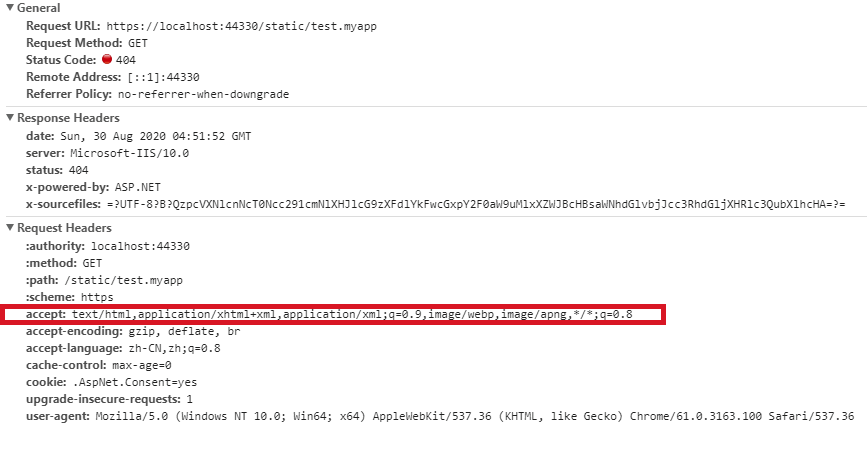
客服端发了这样一个请求,人家接受这些流,但是服务器找到到,myapp 对应的媒体类型,那么这个时候客户端就不会接受了,服务端也认为没有找到。
官方给了例子:
var provider = new FileExtensionContentTypeProvider();
// Add new mappings
provider.Mappings[".myapp"] = "application/x-msdownload";
provider.Mappings[".htm3"] = "text/html";
provider.Mappings[".image"] = "image/png";
// Replace an existing mapping
provider.Mappings[".rtf"] = "application/x-msdownload";
// Remove MP4 videos.
provider.Mappings.Remove(".mp4");

app.UseDefaultFiles();
app.UseStaticFiles();
app.UseStaticFiles(new StaticFileOptions
{
	FileProvider = new PhysicalFileProvider(Path.Combine(env.ContentRootPath, "Static")),
	RequestPath = "/static",
	OnPrepareResponse = ctx => {
		ctx.Context.Response.Headers.Append("cache-control", $"public,max-age={cacheMaxAge}");
	},
	ContentTypeProvider= provider
}
给他加一个媒体类型,认为myapp 应该是一个需要下载文件。
然后运行之,然后就会出现下载。
同样,我们写的是.html,如果我们不喜欢可以去写.htm3也行。
https://localhost:44330/static/index.htm3
结果:
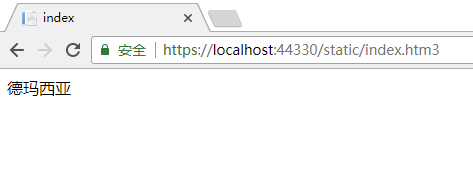
因为provider.Mappings[".htm3"] = "text/html"; ,.htm3被映射成了text/html,那么客户端就按照这种格式处理。所以模板引擎就可以多样性,有兴趣自己也可以去设计。
这就是媒体类型映射。
如果是媒体类型未知的情况下,那么可以这样:
app.UseStaticFiles(new StaticFileOptions
{
	FileProvider = new PhysicalFileProvider(Path.Combine(env.ContentRootPath, "Static")),
	RequestPath = "/static",
	OnPrepareResponse = ctx => {
		ctx.Context.Response.Headers.Append("cache-control", $"public,max-age={cacheMaxAge}");
	},
	ServeUnknownFileTypes = true,
	DefaultContentType = "image/png"
}
);
ServeUnknownFileTypes true
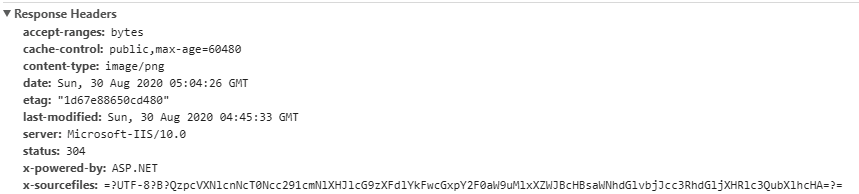
DefaultContentType "image/png" 让客户端按照图片处理。
但是官方给了建议。
启用 ServeUnknownFileTypes 会形成安全隐患。 它默认处于禁用状态,不建议使用。
FileExtensionContentTypeProvider 提供了更安全的替代方法来提供含非标准扩展名的文件。
总结