

怎么在SpringBoot中利用OSS制作一个在线视频播放功能
OSS
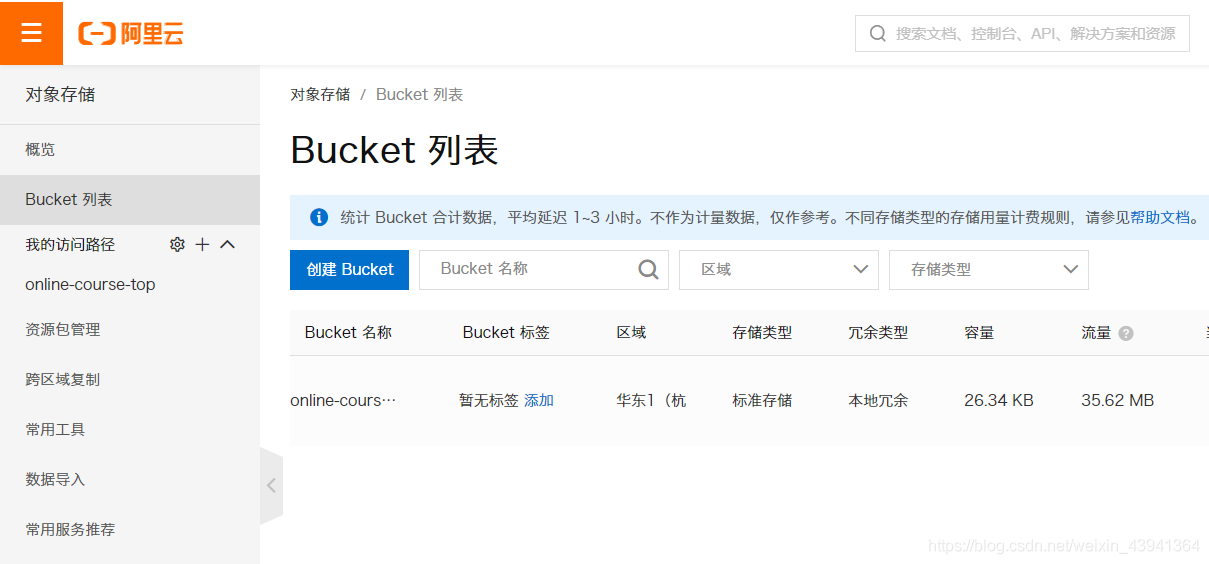
首先登陆首页,创建一个存储桶
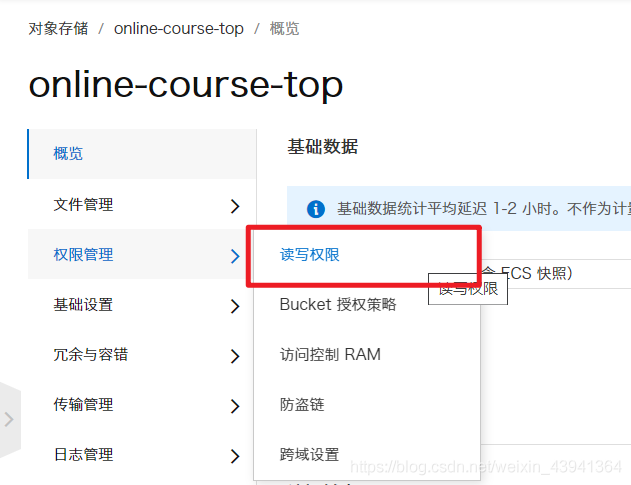
然后找到读写权限:
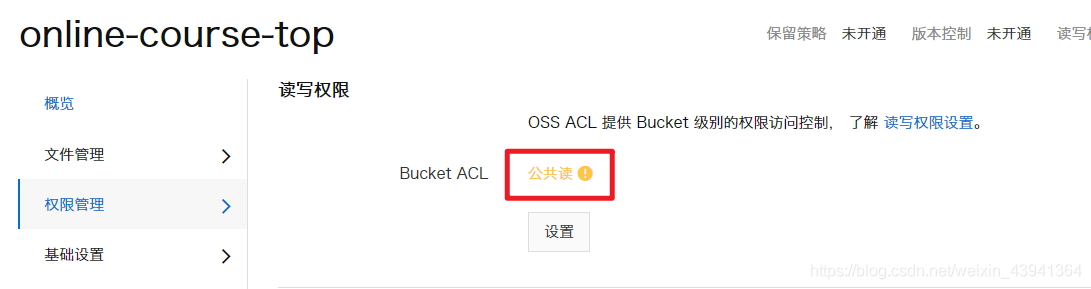
将读写权限设置为公共读即可:
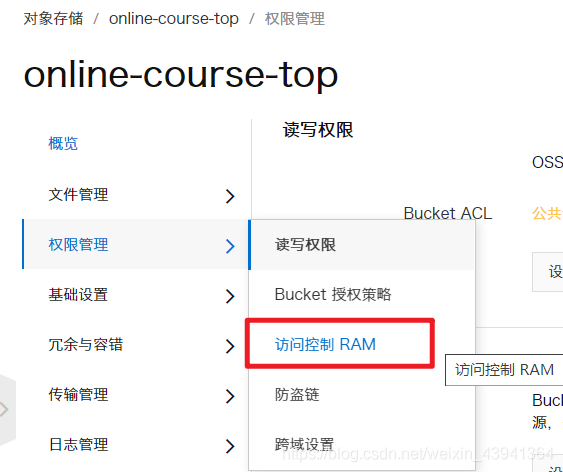
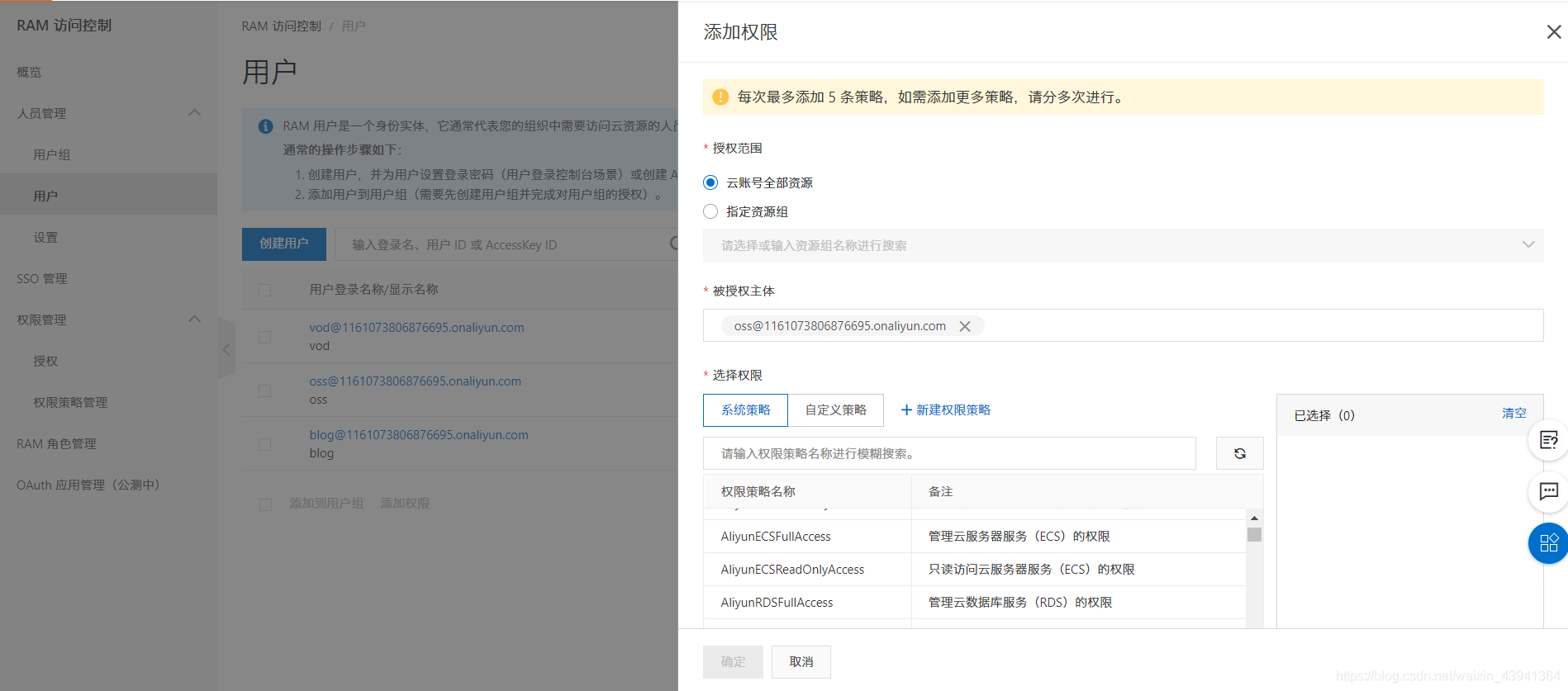
在 RAM 中新建一个用户:
为其添加权限,选择 OSS 的权限:
然后点进去这个用户,找到 AccessKey:
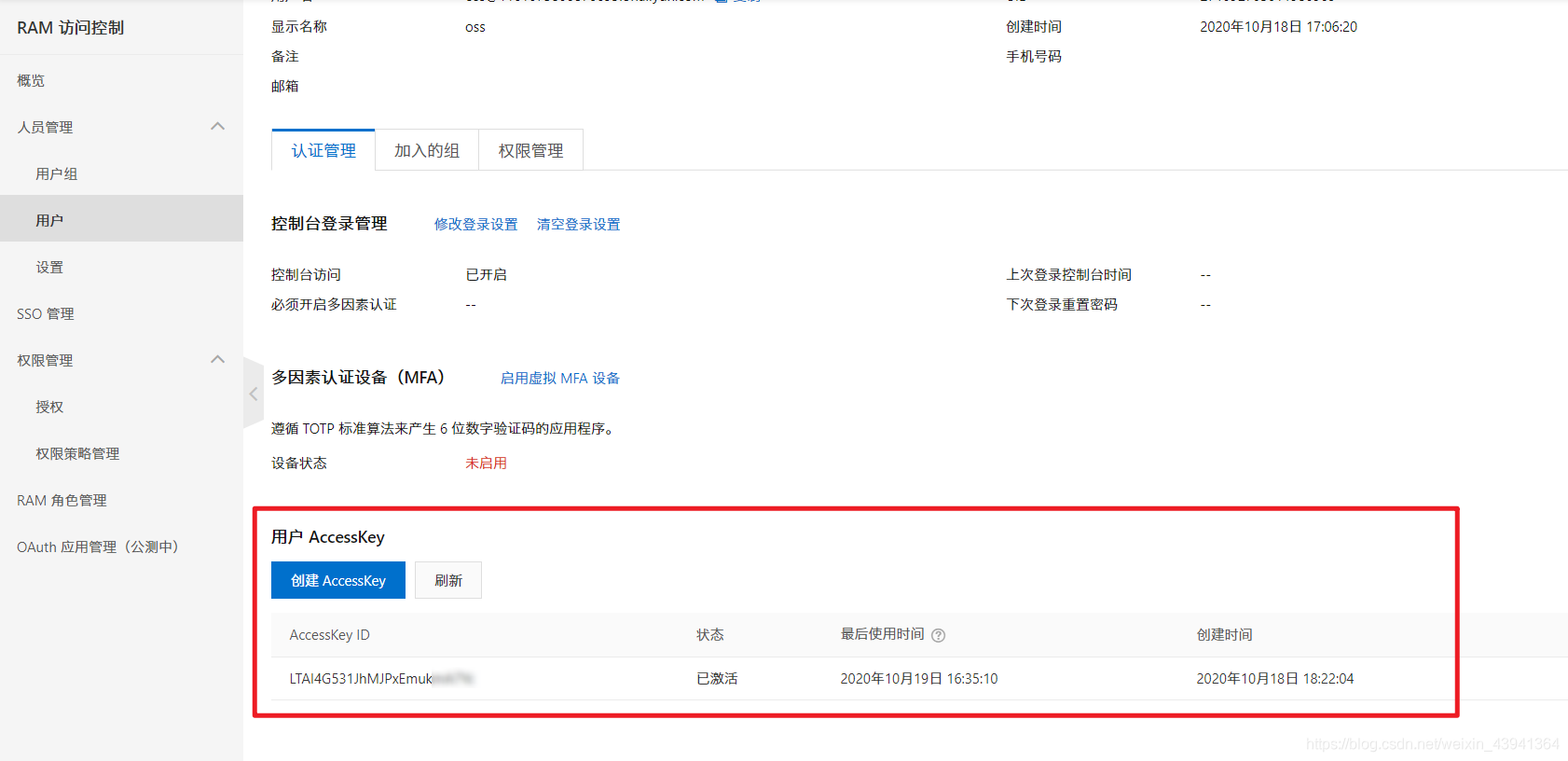
创建之后记下来 secret ,因为他只出现一次,如果没记住也没事,可以重新创建新的 key。
下面开始编写服务端代码:
POM
  com.aliyun.oss
  aliyun-sdk-oss
  3.10.2
package com.lsu.file.controller.admin;

import com.alibaba.fastjson.JSONObject;
import com.aliyun.oss.OSS;
import com.aliyun.oss.OSSClientBuilder;
import com.aliyun.oss.model.AppendObjectRequest;
import com.aliyun.oss.model.AppendObjectResult;
import com.aliyun.oss.model.ObjectMetadata;
import com.aliyun.oss.model.PutObjectRequest;
import com.lsu.server.dto.FileDto;
import com.lsu.server.dto.ResponseDto;
import com.lsu.server.enums.FileUseEnum;
import com.lsu.server.service.FileService;
import com.lsu.server.util.Base64ToMultipartFile;
import com.lsu.server.util.UuidUtil;
import org.slf4j.Logger;
import org.slf4j.LoggerFactory;
import org.springframework.beans.factory.annotation.Value;
import org.springframework.web.bind.annotation.*;
import org.springframework.web.multipart.MultipartFile;

import javax.annotation.Resource;
import java.io.ByteArrayInputStream;

/**
 * @author wsuo
 */
@RestController
@RequestMapping("/admin")
public class OssController {

  private static final Logger LOG = LoggerFactory.getLogger(FileController.class);

  @Value("${oss.accessKeyId}")
  private String accessKeyId;

  @Value("${oss.accessKeySecret}")
  private String accessKeySecret;

  @Value("${oss.endpoint}")
  private String endpoint;

  @Value("${oss.bucket}")
  private String bucket;

  @Value("${oss.domain}")
  private String ossDomain;

  public static final String BUSINESS_NAME = "OSS文件上传";

  @Resource
  private FileService fileService;

  @PostMapping("/oss-append")
  public ResponseDto fileUpload(@RequestBody FileDto fileDto) throws Exception {
    LOG.info("上传文件开始");
    String use = fileDto.getUse();
    String key = fileDto.getKey();
    String suffix = fileDto.getSuffix();
    Integer shardIndex = fileDto.getShardIndex();
    Integer shardSize = fileDto.getShardSize();
    String shardBase64 = fileDto.getShard();
    MultipartFile shard = Base64ToMultipartFile.base64ToMultipart(shardBase64);

    FileUseEnum useEnum = FileUseEnum.getByCode(use);
    String dir = useEnum.name().toLowerCase();

    String path = dir +
        "/" +
        key +
        "." +
        suffix;

    // 创建OSSClient实例。
    OSS ossClient = new OSSClientBuilder().build(endpoint, accessKeyId, accessKeySecret);

    ObjectMetadata meta = new ObjectMetadata();
    // 指定上传的内容类型。
    meta.setContentType("text/plain");

    // 通过AppendObjectRequest设置多个参数。
    AppendObjectRequest appendObjectRequest = new AppendObjectRequest(bucket, path, new ByteArrayInputStream(shard.getBytes()), meta);

    appendObjectRequest.setPosition((long) ((shardIndex - 1) * shardSize));
    AppendObjectResult appendObjectResult = ossClient.appendObject(appendObjectRequest);
    // 文件的64位CRC值。此值根据ECMA-182标准计算得出。
    System.out.println(appendObjectResult.getObjectCRC());
    System.out.println(JSONObject.toJSONString(appendObjectResult));

    ossClient.shutdown();

    LOG.info("保存文件记录开始");
    fileDto.setPath(path);
    fileService.save(fileDto);

    ResponseDto responseDto = new ResponseDto<>();
    fileDto.setPath(ossDomain + path);
    responseDto.setContent(fileDto);
    return responseDto;
  }


  @PostMapping("/oss-simple")
  public ResponseDto fileUpload(@RequestParam MultipartFile file, String use) throws Exception {
    LOG.info("上传文件开始");
    FileUseEnum useEnum = FileUseEnum.getByCode(use);
    String key = UuidUtil.getShortUuid();
    String fileName = file.getOriginalFilename();
    String suffix = fileName.substring(fileName.lastIndexOf(".") + 1).toLowerCase();
    String dir = useEnum.name().toLowerCase();
    String path = dir + "/" + key + "." + suffix;

    // 创建OSSClient实例。
    OSS ossClient = new OSSClientBuilder().build(endpoint, accessKeyId, accessKeySecret);
    PutObjectRequest putObjectRequest = new PutObjectRequest(bucket, path, new ByteArrayInputStream(file.getBytes()));
    ossClient.putObject(putObjectRequest);

    ResponseDto responseDto = new ResponseDto<>();
    FileDto fileDto = new FileDto();
    fileDto.setPath(ossDomain + path);
    responseDto.setContent(fileDto);

    return responseDto;
  }
}
这部分内容可以参考阿里云的帮助手册:https://help.aliyun.com/document_detail/32011.html?spm=a2c4g.11174283.6.915.443b7da2mfhbKq
上面写的是两个接口:
追加上传:
/oss-append简单上传:
/oss-simple
注意这里的参数都已经在 yml 文件中定义了:
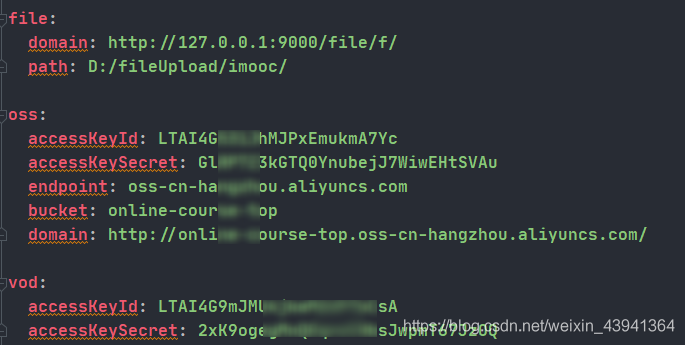
上面的 KeyId 和 KeySecret 就是之前在创建用户时给的那两个,填上就行了。
在前端我们就可以发送请求获取数据,注意这里的对象是我自定义的,大家可以根据项目需求自行设置。
_this.$ajax.post(process.env.VUE_APP_SERVER + '/file/admin/oss-simple', formData).then(response => {
 Loading.hide();
 let resp = response.data;
 _this.afterUpload(resp);
 // 清空原来控件中的值
 $("#" + _this.inputId + "-input").val("");
})
视频点播
VOD 是另一种视频存储的形式,它的功能更丰。阿里云视频点播(VOD)是集音视频上传、自动化转码处理、媒体资源管理、分发加速于一体的全链路音视频点播服务。
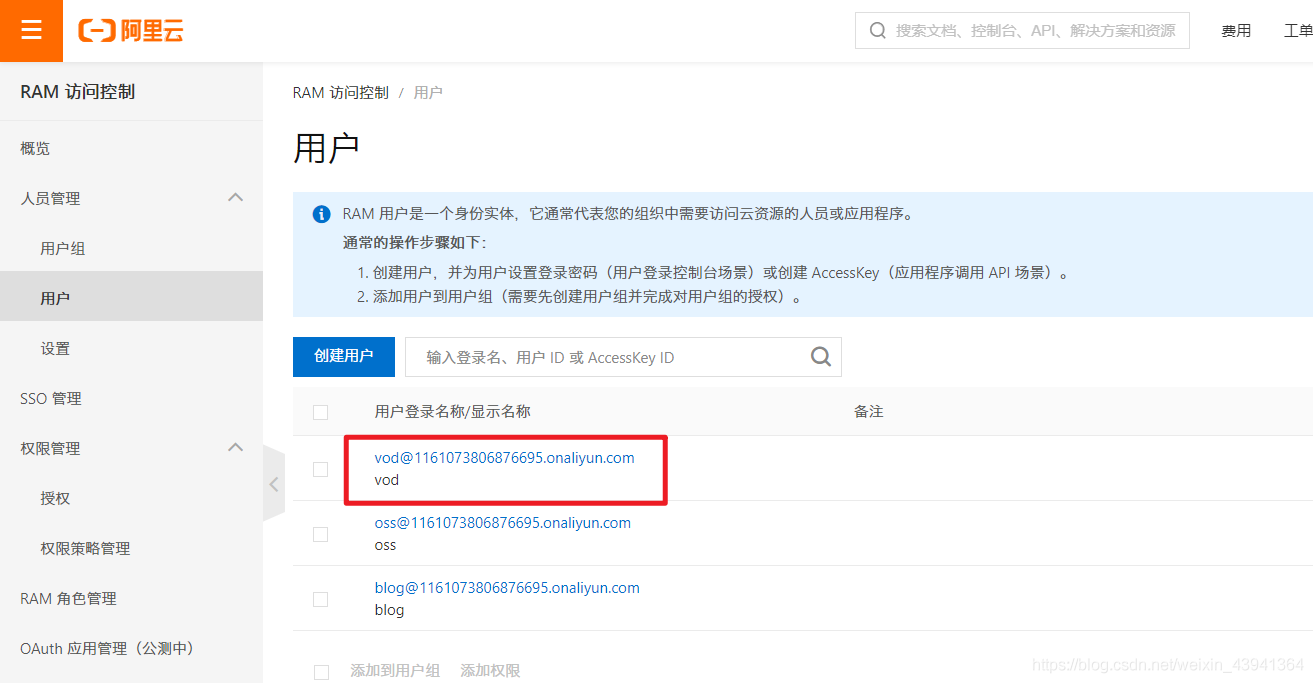
我们同样需要一个 VOD 的用户,给它赋予 VOD 的权限:
SDK 的使用可以参考文档:https://help.aliyun.com/document_detail/61063.html?spm=a2c4g.11186623.6.921.418f192bTDCIJN
我们可以在转码组设置自己的模板,然后通过 ID 在代码中使用:
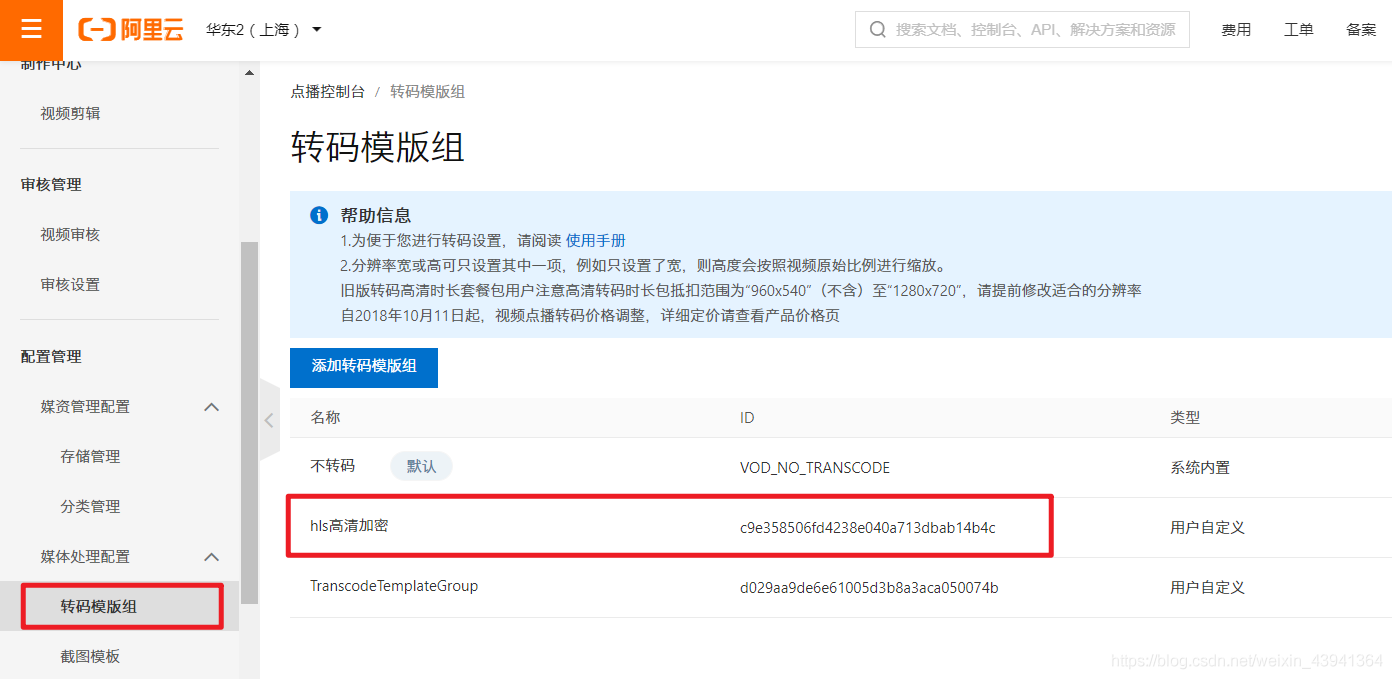
上传视频比较简单,和 OSS 很像,但是播放视频要多一个条件,在获取播放链接之前要先取得权限认证,所以下面单独写了一个 /get-auth/{vod} 接口,其中的参数就是 vod 的 ID,这个 ID 在我们上传视频之后会作为返回值返回的。
package com.lsu.file.controller.admin;

import com.alibaba.fastjson.JSON;
import com.alibaba.fastjson.JSONObject;
import com.aliyun.oss.OSSClient;
import com.aliyuncs.DefaultAcsClient;
import com.aliyuncs.vod.model.v20170321.CreateUploadVideoResponse;
import com.aliyuncs.vod.model.v20170321.GetMezzanineInfoResponse;
import com.aliyuncs.vod.model.v20170321.GetVideoPlayAuthResponse;
import com.lsu.server.dto.FileDto;
import com.lsu.server.dto.ResponseDto;
import com.lsu.server.enums.FileUseEnum;
import com.lsu.server.service.FileService;
import com.lsu.server.util.Base64ToMultipartFile;
import com.lsu.server.util.VodUtil;
import org.apache.commons.codec.binary.Base64;
import org.slf4j.Logger;
import org.slf4j.LoggerFactory;
import org.springframework.beans.factory.annotation.Value;
import org.springframework.web.bind.annotation.*;
import org.springframework.web.multipart.MultipartFile;

import javax.annotation.Resource;

/**
 * @author wsuo
 */
@RestController
@RequestMapping("/admin")
public class VodController {

  private static final Logger LOG = LoggerFactory.getLogger(FileController.class);

  @Value("${vod.accessKeyId}")
  private String accessKeyId;

  @Value("${vod.accessKeySecret}")
  private String accessKeySecret;

  public static final String BUSINESS_NAME = "VOD视频上传";

  @Resource
  private FileService fileService;

  @PostMapping("/vod")
  public ResponseDto fileUpload(@RequestBody FileDto fileDto) throws Exception {
    String use = fileDto.getUse();
    String key = fileDto.getKey();
    String suffix = fileDto.getSuffix();
    Integer shardIndex = fileDto.getShardIndex();
    Integer shardSize = fileDto.getShardSize();
    String shardBase64 = fileDto.getShard();
    MultipartFile shard = Base64ToMultipartFile.base64ToMultipart(shardBase64);

    FileUseEnum useEnum = FileUseEnum.getByCode(use);
    String dir = useEnum.name().toLowerCase();

    String path = dir +
        "/" +
        key +
        "." +
        suffix;

    //需要上传到VOD的本地视频文件的完整路径,需要包含文件扩展名
    String vod = "";
    String fileUrl = "";
    try {
      // 初始化VOD客户端并获取上传地址和凭证
      DefaultAcsClient vodClient = VodUtil.initVodClient(accessKeyId, accessKeySecret);
      CreateUploadVideoResponse createUploadVideoResponse = VodUtil.createUploadVideo(vodClient, path);
      // 执行成功会返回VideoId、UploadAddress和UploadAuth
      vod = createUploadVideoResponse.getVideoId();
      JSONObject uploadAuth = JSONObject.parseObject(
          Base64.decodeBase64(createUploadVideoResponse.getUploadAuth()), JSONObject.class);
      JSONObject uploadAddress = JSONObject.parseObject(
          Base64.decodeBase64(createUploadVideoResponse.getUploadAddress()), JSONObject.class);
      // 使用UploadAuth和UploadAddress初始化OSS客户端
      OSSClient ossClient = VodUtil.initOssClient(uploadAuth, uploadAddress);
      // 上传文件,注意是同步上传会阻塞等待,耗时与文件大小和网络上行带宽有关
      if (shard != null) {
        VodUtil.uploadLocalFile(ossClient, uploadAddress, shard.getInputStream());
      }
      System.out.println("上传视频成功, vod : " + vod);
      GetMezzanineInfoResponse response = VodUtil.getMezzanineInfoResponse(vodClient, vod);
      System.out.println("获取视频信息 response = " + JSON.toJSONString(response));
      fileUrl = response.getMezzanine().getFileURL();
      ossClient.shutdown();
    } catch (Exception e) {
      System.out.println("上传视频失败, ErrorMessage : " + e.getLocalizedMessage());
    }

    fileDto.setPath(path);
    fileDto.setVod(vod);
    fileService.save(fileDto);
    ResponseDto responseDto = new ResponseDto<>();
    fileDto.setPath(fileUrl);
    responseDto.setContent(fileDto);
    return responseDto;
  }

  @RequestMapping(value = "/get-auth/{vod}", method = RequestMethod.GET)
  public ResponseDto getAuth(@PathVariable String vod) {
    LOG.info("获取播放授权开始");
    ResponseDto responseDto = new ResponseDto<>();
    DefaultAcsClient client = VodUtil.initVodClient(accessKeyId, accessKeySecret);
    GetVideoPlayAuthResponse response;
    try {
      response = VodUtil.getVideoPlayAuthResponse(client, vod);
      String playAuth = response.getPlayAuth();
      //播放凭证
      LOG.info("授权码 = {}", playAuth);
      responseDto.setContent(playAuth);
      //VideoMeta信息
      LOG.info("VideoMeta信息 = {}", response.getVideoMeta().getTitle());
    } catch (Exception e) {
      System.out.print("ErrorMessage = " + e.getLocalizedMessage());
    }
    LOG.info("获取播放授权结束");
    return responseDto;
  }
}
methods: {
playUrl(url) {
let _this = this;
console.log("开始播放:", url);
// 如果已经有播放器了 就将播放器删除
if (_this.aliPlayer) {
_this.aliPlayer = null;
$("#" + _this.playerId + '-player').remove();
}
// 初始化播放器
$("#" + _this.playerId).append("下一篇:使用C语言编写一个扫雷游戏