SpringBoot通过webjars实现管理静态资源文件夹
WebMvcAutoConfiguration
添加资源映射:
public void addResourceHandlers(ResourceHandlerRegistry registry) {
      if (!this.resourceProperties.isAddMappings()) {
        logger.debug("Default resource handling disabled");
      } else {
        Duration cachePeriod = this.resourceProperties.getCache().getPeriod();
        CacheControl cacheControl = this.resourceProperties.getCache().getCachecontrol().toHttpCacheControl();
        if (!registry.hasMappingForPattern("/webjars/**")) {
          this.customizeResourceHandlerRegistration(registry.addResourceHandler(new String[]{"/webjars/**"}).addResourceLocations(new String[]{"classpath:/META-INF/resources/webjars/"}).setCachePeriod(this.getSeconds(cachePeriod)).setCacheControl(cacheControl));
        }

        String staticPathPattern = this.mvcProperties.getStaticPathPattern();
        if (!registry.hasMappingForPattern(staticPathPattern)) {
          this.customizeResourceHandlerRegistration(registry.addResourceHandler(new String[]{staticPathPattern}).addResourceLocations(WebMvcAutoConfiguration.getResourceLocations(this.resourceProperties.getStaticLocations())).setCachePeriod(this.getSeconds(cachePeriod)).setCacheControl(cacheControl));
        }

      }
    }
所有"/webjars/**"路径 , 都去类路径下 classpath: /META-INF/resources/webjars/ 找资源,
所以就是
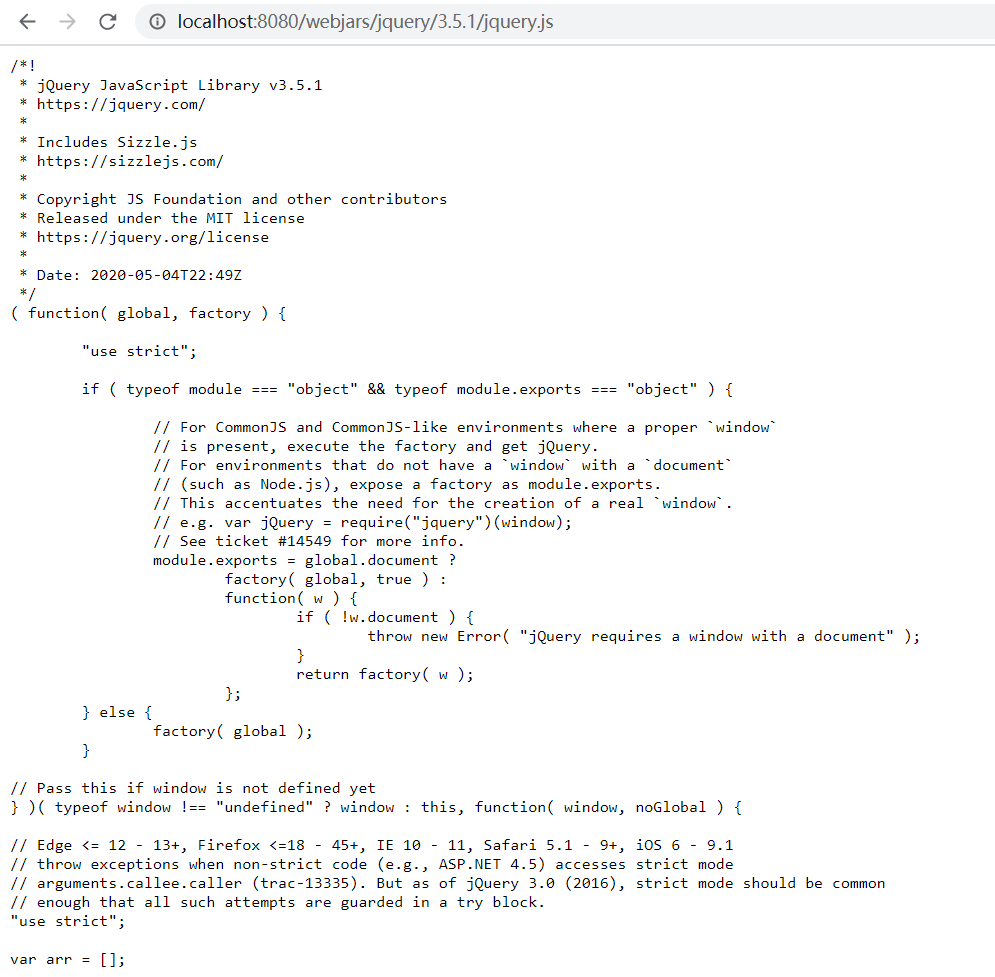
http://localhost:8080/webjars/jquery/3.5.1/jquery.js
能访问
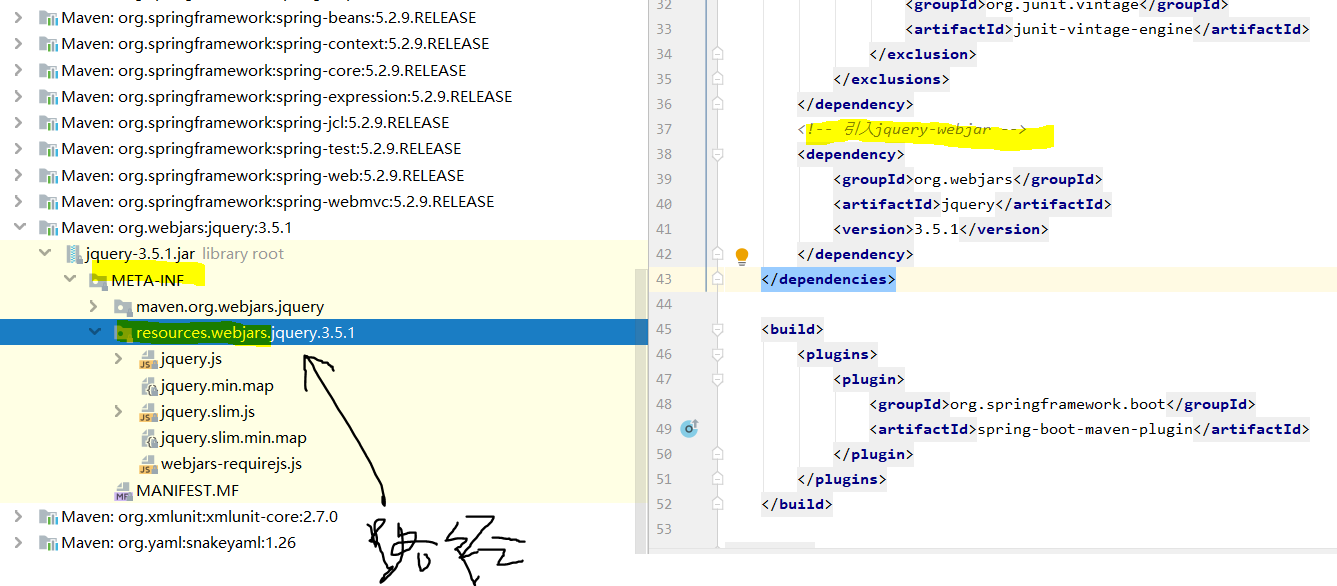
/META-INF/resources/webjars/jquery/3.5.1/jquery.js 路径的文件
1) webjars: 以jar包的方式引入静态资源
什么是webjar?
搜索webjar, 可以将jquery用pom引入:
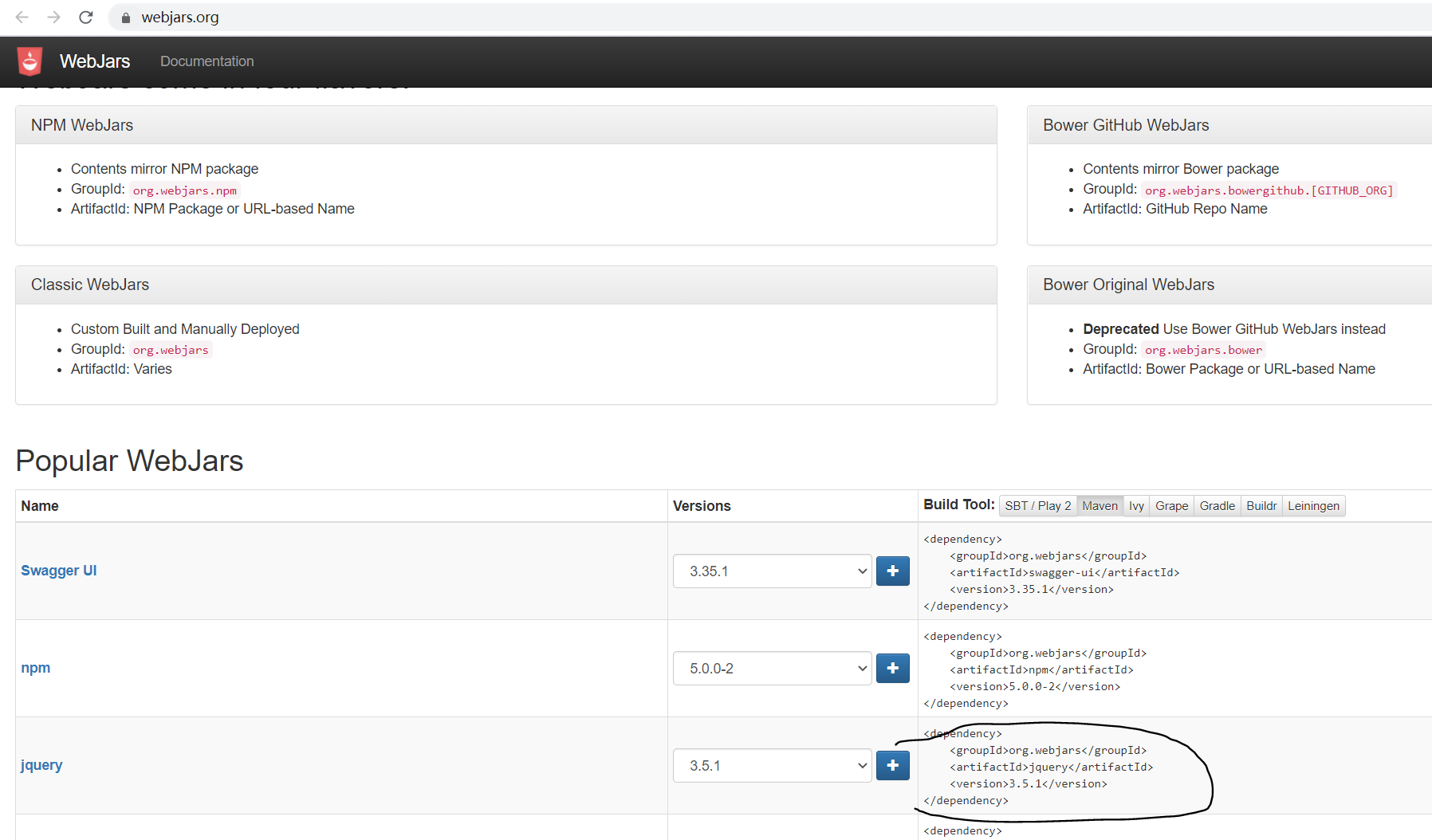
引入, 正好对应这个映射:
结果是的:
2) springboot对静态资源的映射规则:
看代码:
还是
WebMvcAutoConfiguration的这个方法
public void addResourceHandlers(ResourceHandlerRegistry registry) {
  if (!this.resourceProperties.isAddMappings()) {
    logger.debug("Default resource handling disabled");
  } else {
    Duration cachePeriod = this.resourceProperties.getCache().getPeriod();
    CacheControl cacheControl = this.resourceProperties.getCache().getCachecontrol().toHttpCacheControl();
    if (!registry.hasMappingForPattern("/webjars/**")) {
      this.customizeResourceHandlerRegistration(registry.addResourceHandler(new String[]{"/webjars/**"}).addResourceLocations(new String[]{"classpath:/META-INF/resources/webjars/"}).setCachePeriod(this.getSeconds(cachePeriod)).setCacheControl(cacheControl));
    }

    String staticPathPattern = this.mvcProperties.getStaticPathPattern();
    if (!registry.hasMappingForPattern(staticPathPattern)) {
      this.customizeResourceHandlerRegistration(registry.addResourceHandler(new String[]{staticPathPattern}).addResourceLocations(WebMvcAutoConfiguration.getResourceLocations(this.resourceProperties.getStaticLocations())).setCachePeriod(this.getSeconds(cachePeriod)).setCacheControl(cacheControl));
    }
  }
}
进去:
WebMvcProperties
private String staticPathPattern;
  private final WebMvcProperties.Async async;
  private final WebMvcProperties.Servlet servlet;
  private final WebMvcProperties.View view;
  private final WebMvcProperties.Contentnegotiation contentnegotiation;
  private final WebMvcProperties.Pathmatch pathmatch;

  public WebMvcProperties() {
    this.localeResolver = WebMvcProperties.LocaleResolver.ACCEPT_HEADER;
    this.format = new WebMvcProperties.Format();
    this.dispatchTraceRequest = false;
    this.dispatchOptionsRequest = true;
    this.ignoreDefaultModelOnRedirect = true;
    this.publishRequestHandledEvents = true;
    this.throwExceptionIfNoHandlerFound = false;
    this.logResolvedException = false;
    this.staticPathPattern = "/**";
    this.async = new WebMvcProperties.Async();
    this.servlet = new WebMvcProperties.Servlet();
    this.view = new WebMvcProperties.View();
    this.contentnegotiation = new WebMvcProperties.Contentnegotiation();
    this.pathmatch = new WebMvcProperties.Pathmatch();
  }
addResourceLocations(WebMvcAutoConfiguration.getResourceLocations(this.resourceProperties.getStaticLocations())) 这里添加了资源的位置
public class ResourceProperties {
  private static final String[] CLASSPATH_RESOURCE_LOCATIONS = new String[]{"classpath:/META-INF/resources/", "classpath:/resources/", "classpath:/static/", "classpath:/public/"};
  private String[] staticLocations;
  private boolean addMappings;
  private final ResourceProperties.Chain chain;
  private final ResourceProperties.Cache cache;

  public ResourceProperties() {
    this.staticLocations = CLASSPATH_RESOURCE_LOCATIONS;
    this.addMappings = true;
    this.chain = new ResourceProperties.Chain();
    this.cache = new ResourceProperties.Cache();
  }
"/**"访问当前项目的任何资源, (静态资源的文件夹) ,如果没人处理,会默认去以下几个文件路径下找[/code]
复制代码 代码如下:// 静态资源文件夹, 这几个都可以存放静态资源:classpath:/META-INF/resources/classpath:/resources/"classpath:/static/"classpath:/public/
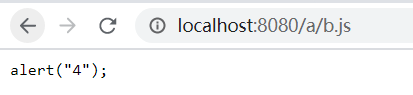
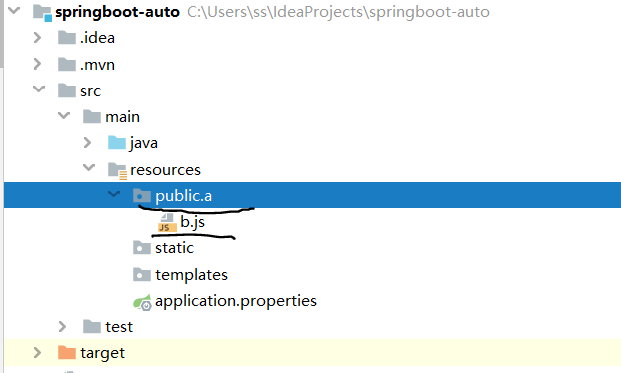
例如 localhost:8080/a/b.js , 可以到 /META-INF/resources/a/b.js 找
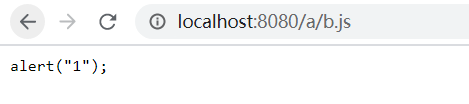
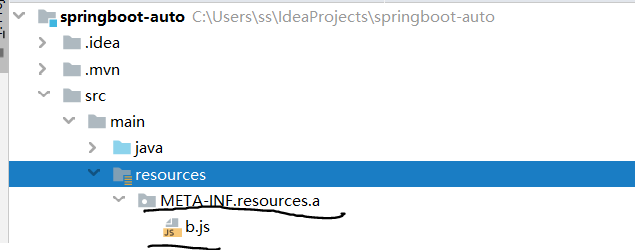
或者:
/resources/a/b.js找:
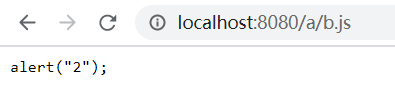
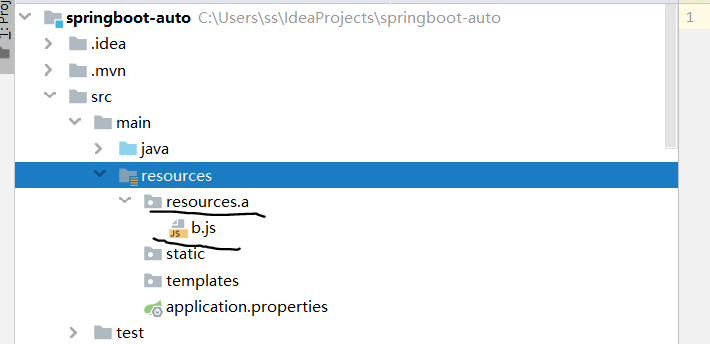
或者类路径下/static/a/b.js找:
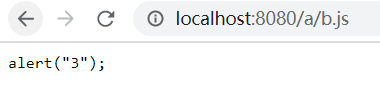
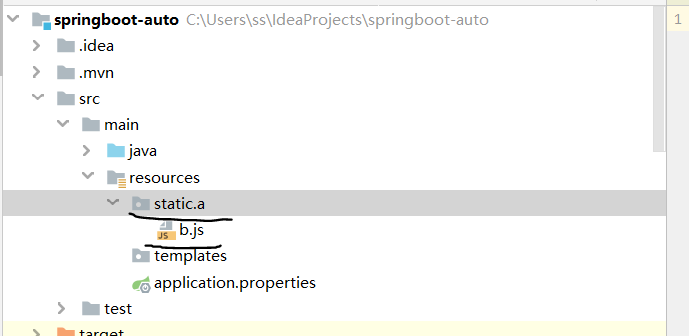
或者/public/a/b.js下找
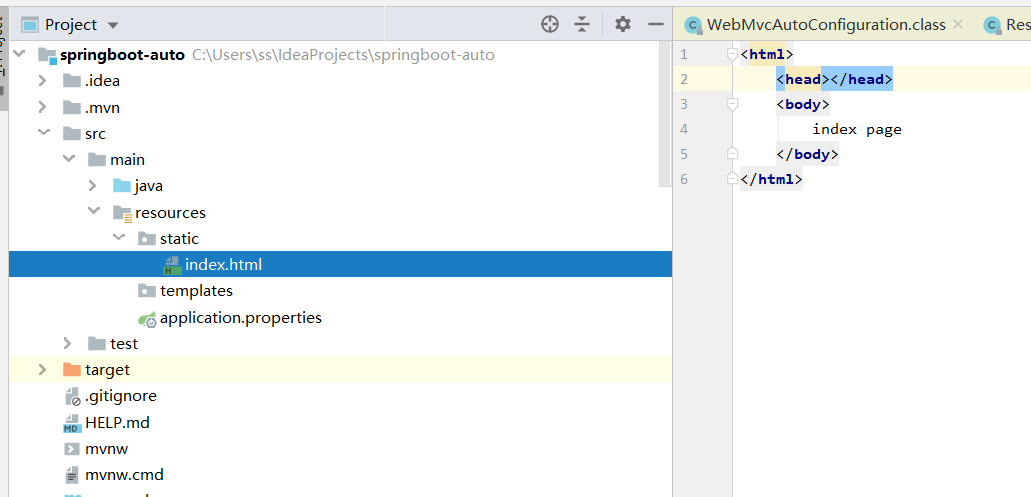
3)欢迎页面: 静态资源文件夹下的所有index.html页面: 被 /**映射
http://localhost:8080/ 会到以上静态资源文件夹中找index.html页面
源码有变化,我没明白回头再看
结果:

路径: