

SpringBoot中EasyExcel如何实现Excel文件的导入导出
创始人
2024-11-16 20:21:48
0次
Easyexcel
Easyexcel 是阿里巴巴的开源项目,用来优化Excel文件处理过程:
- poi消耗内存严重:Java解析、生成
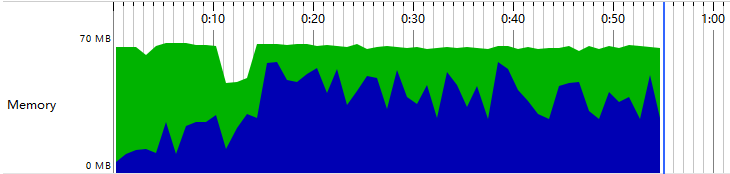
Excel比较有名的框架有Apache poi、jxl。但他们都存在一个严重的问题就是非常的耗内存,poi有一套SAX模式的API可以一定程度的解决一些内存溢出的问题,但poi还是有一些缺陷,比如07版Excel解压缩以及解压后存储都是在内存中完成的,内存消耗依然很大。 - easyexcel针对内存做出了优化:重写了
poi对07版Excel的解析,能够原本一个3M的excel用POI sax依然需要100M左右内存降低到几M,并且再大的excel不会出现内存溢出。
SpringBoot+ EasyExcel实现Excel文件的导入导出
导入依赖
  org.projectlombok
  lombok
  1.18.2
  true


  com.alibaba
  easyexcel
  1.1.2-beat1


  com.fasterxml.jackson.core
  jackson-databind


      com.fasterxml.jackson.core
      jackson-annotations


  com.fasterxml.jackson.core
  jackson-annotations
为了防止Excel文件被破坏在pom.xml添加以下内容
      org.apache.maven.plugins
      maven-resources-plugin


          xls
          xlsx
application.propertis:配置文件
#temp files
project.tmp.files.path=/Users/mac/Desktop/image/tmp/files/
在SpringBoot启动类添加临时文件设置
@Value("${project.tmp.files.path}")
public String filesPath;

@Bean
MultipartConfigElement multipartConfigElement() {
  MultipartConfigFactory factory = new MultipartConfigFactory();
  //设置路径xxx
  factory.setLocation(filesPath);
  return factory.createMultipartConfig();
}
ExcelUtil:Excel工具类
@Slf4j
public class ExcelUtil {
private static Sheet initSheet;
static {
initSheet = new Sheet(1, 0);
initSheet.setSheetName("sheet");
//设置自适应宽度
initSheet.setAutoWidth(Boolean.TRUE);
}
public static void downLoadExcel(String fileName, HttpServletResponse response, Workbook workbook) {
try {
response.setCharacterEncoding("UTF-8");
response.setContentType("application/octet-stream;charset=utf-8");
response.setHeader("Content-Disposition", "attachment;filename=" + URLEncoder.encode(fileName, "UTF-8"));
workbook.write(response.getOutputStream());
} catch (IOException e) {
// throw new NormalException(e.getMessage());
}
}
/**
* 读取少于1000行数据
*
* @param filePath 文件绝对路径
* @return
*/
public static ListCommonUtil:工具类
public class CommonUtil {

/**
 * 生成32位编码,不含横线
 *
 * @return uuid串
 */
public static String getUUID() {
  String uuid = UUID.randomUUID().toString().trim().replaceAll("-", "");
  return uuid.toUpperCase();
}

/**
 * 得到当前日期格式化后的字符串,格式:yyyy-MM-dd(年-月-日)
 * @return 当前日期格式化后的字符串
 */
public static String getTodayStr(){
  return new SimpleDateFormat("yyyy-MM-dd").format(new Date()) ;
}

/**
 * 将对象转化成json
 *
 * @param t
 * @return
 * @throws JsonProcessingException
 */
public static  String toJson(T t) throws JsonProcessingException {
  return OBJECT_MAPPER.get().writeValueAsString(t);
}

}
UserPojoRes:实体类
@Setter
@Getter
@ToString
public class UserPojoRes extends BaseRowModel implements Serializable {
  private static final long serialVersionUID = -2145503717390503506L;

  /**
   * 主键
   */
  @ExcelProperty(value = "ID", index = 0)
  private String id;
  /**
   * 姓名
   */
  @ExcelProperty(value = "用户名", index = 1)
  private String name;

  public UserPojoRes(String id, String name) {
    this.id = id;
    this.name = name;
  }

  public UserPojoRes(){


  }
}
验证
模板下载
这里将模板文件放在resources中
@GetMapping("/exportExcelTempalte")
@ApiOperation(value = "下载导入模板")
public void exportExcelTempalte(HttpServletResponse response) throws Exception {
  //Resource目录中的文件
  String filePath = "/excels/导入模板.xlsx";
  ClassPathResource classPathResource = new ClassPathResource(filePath);
  Workbook workbook=WorkbookFactory.create(classPathResource.getInputStream());
  ExcelUtil.downLoadExcel("导入模板.xlsx", response, workbook);
}
Excel文件导入
@PostMapping("/importExcel")
@ApiOperation(value = "Excel文件导入")
public Response importExcel(HttpServletRequest request, MultipartFile file, HttpServletResponse response) throws Exception {
List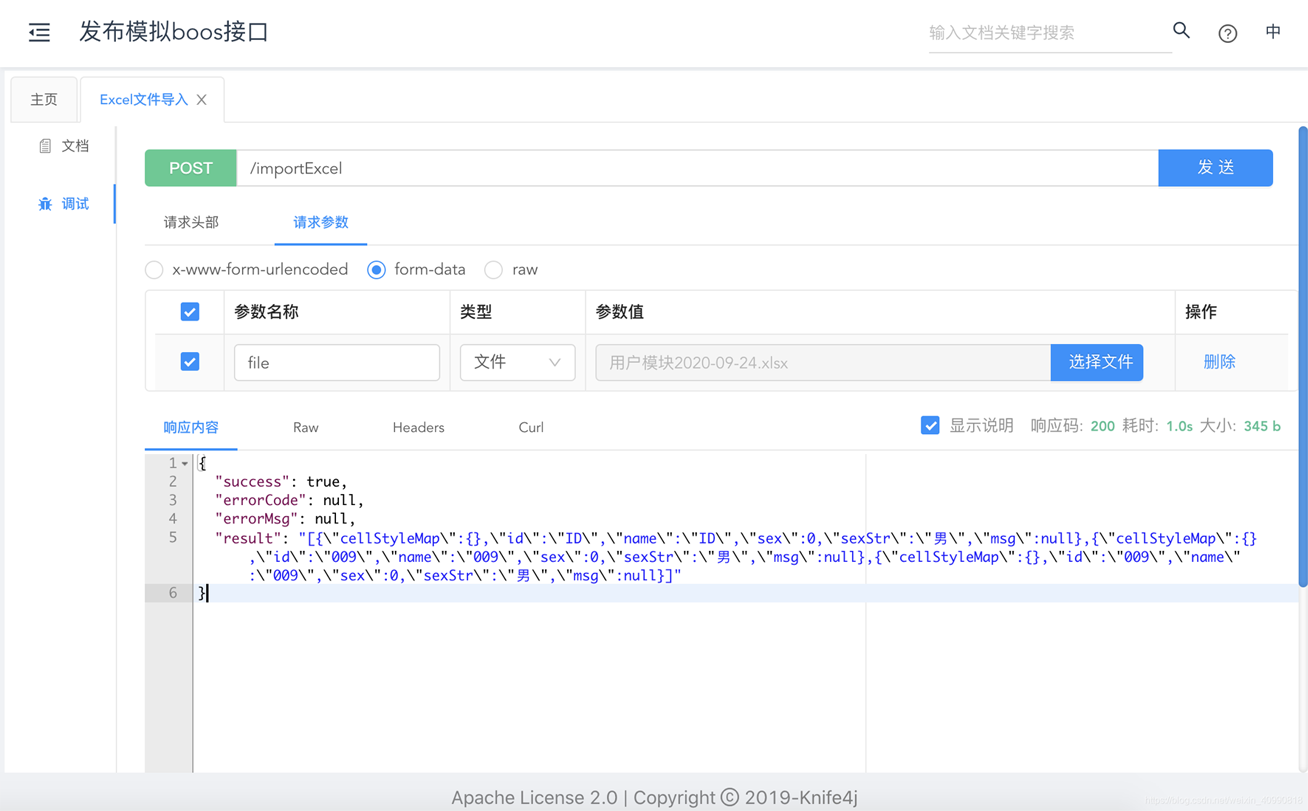
Excel文件导出
@Value("${project.tmp.files.path}")
public String filesPath;

@GetMapping("/exportExcel")
@ApiOperation(value = "Excel文件导出")
public void exportExcel(HttpServletResponse response) throws Exception {

  //创建临时文件
  String path = filesPath + CommonUtil.getUUID() + ".xlsx";
  List list = new ArrayList<>();
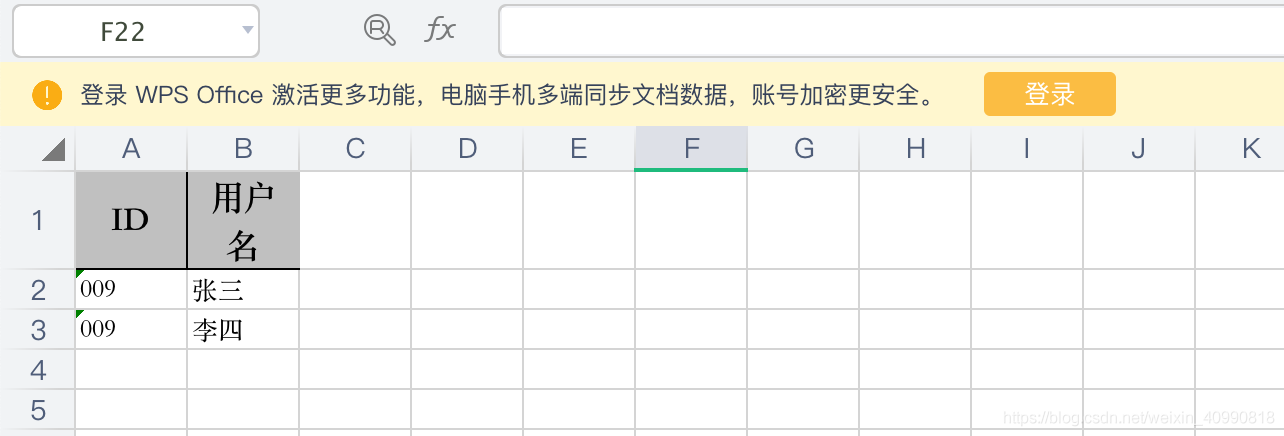
  UserPojoRes userPojoRes = new UserPojoRes("009", "张三");
  UserPojoRes userPojoRes1 = new UserPojoRes("009", "李四");
  list.add(userPojoRes);
  list.add(userPojoRes1);
  ExcelUtil.writeWithTemplate(path, list);
  // 根据excel创建对象
  Workbook workbook = WorkbookFactory.create(new FileInputStream(path));
  String fileName = "用户模块" + CommonUtil.getTodayStr() + ".xlsx";
  ExcelUtil.downLoadExcel(fileName, response, workbook);
} 
相关内容
热门资讯
空调连续工作多久需要停机休息
空调连续工作的时间取决于多个因素,包括空调的型号、功率、使用环境和维护情况等。一般来说,空调可以连续...
空调哪个符号是除湿的
空调除湿功能通常用一个水滴形状的符号表示。不同品牌和型号的空调遥控器可能会有所差异,但一般来说,除湿...
格力空调多长时间加一次氟利昂
1、一般情况下,空调对氟利昂的使用量是非常小的,所以在空调使用了四年左右的时候再考虑加也没问题。2、...
空调用多长时间需要加氟一次
一般情况下是五年。当出现以下这几种情况时,空调才需要加氟。1、空调的室内机和室外机各有两个接口,当接...
格调生活·C标思享荟:卡萨帝在...
9月12日的郑州龙湖金融岛,夜风轻拂,灯光璀璨。“C标时刻共传奇——卡萨帝思享荟暨20周年品牌盛典郑...
品牌价值破千亿、高端份额持续领...
9月12日,“C标时刻共传奇——卡萨帝思享荟暨20周年品牌盛典郑州站”在郑州龙湖金融岛举办。2026...
空调主板坏了修800还是换新的
空调主板坏了是修还是换新,需要考虑多个因素,以下是一些建议:1. 维修成本:如果维修费用较低,比如 ...
空调开多久需要休息多长时间
问题:空调开多久需要休息多长时间回答:1、在使用空调的过程中,一般空调开7~8个小时左右需要休息2~...
中央空调多长时间清洗一次
1、一般空调开机前清洗一次即可,空调开机中间时段再清洗一次,空调关机时清洗一次,这样比较合理。2、空...
中央空调氟利昂多久加一次
看空调制热和制冷程度,很多人的观点认为氟利昂必须一年放一次,其实这个观点是错误的,理解上面有点偏差,...