

Kubernetes Ingress-Nginx实现高可用
admin
2023-02-25 03:40:08
0次
假定我们在Kubernetes 指定两个worker节点中部署了ingress nginx来为后端的pod做proxy,这时候我们就需要通过keepalived实现高可用,提供对外的VIP
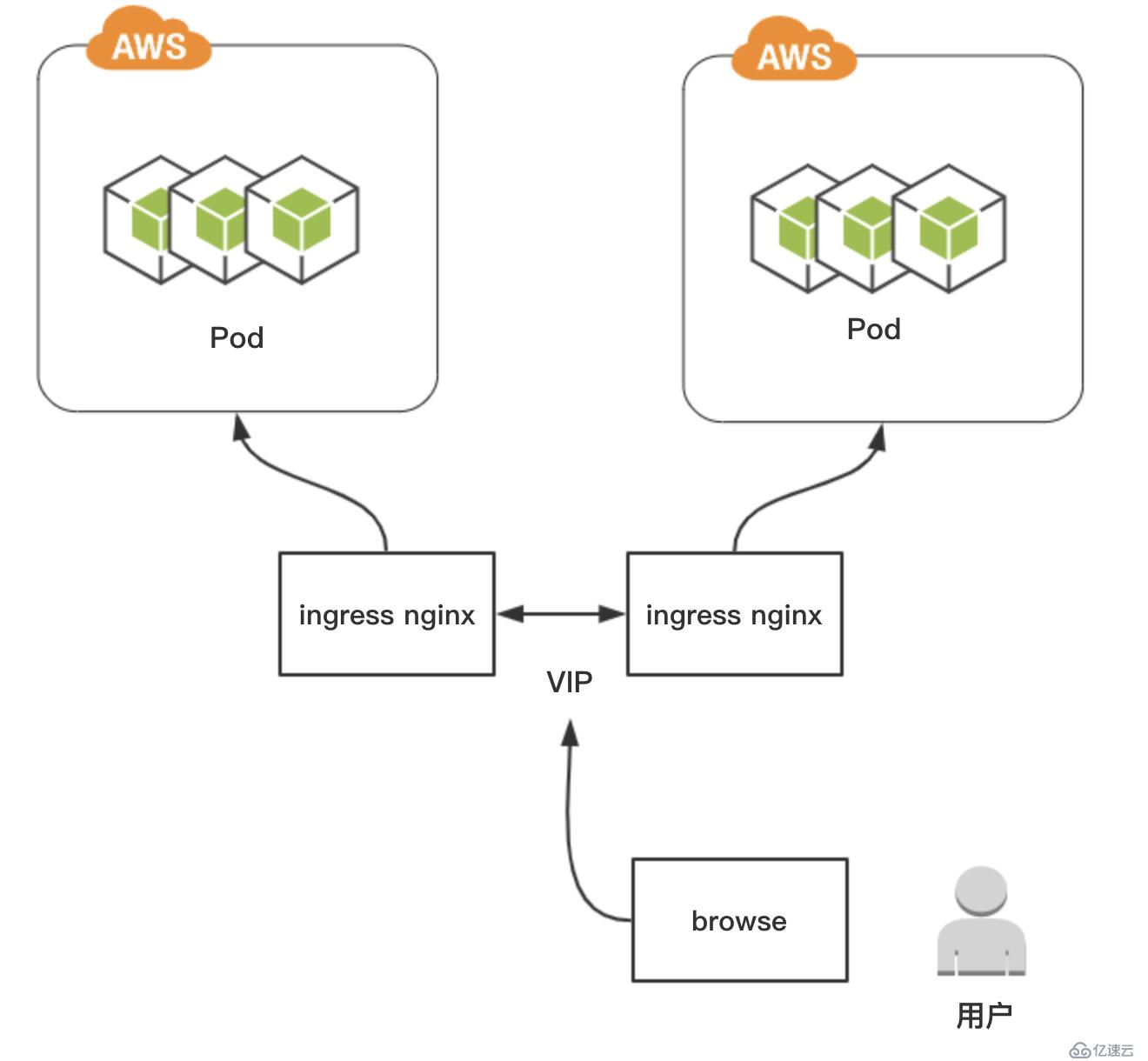
首先我们要先确保有两个worker节点部署了ingress nginx
在本实验中,环境如下:
| IP地址 | 主机名 | 描述 |
|---|---|---|
| 10.0.0.31 | k8s-master01 | |
| 10.0.0.34 | k8s-node02 | ingress nginx、keepalived |
| 10.0.0.35 | k8s-node03 | ingress nginx、keepalived |
1、查看ingress nginx状态
[root@k8s-master01 Ingress]# kubectl get pod -n ingress-nginx -o wide
NAME                                        READY   STATUS    RESTARTS   AGE     IP          NODE         NOMINATED NODE   READINESS GATES
nginx-ingress-controller-85bd8789cd-8c4xh   1/1     Running   0          62s     10.0.0.34   k8s-node02
nginx-ingress-controller-85bd8789cd-mhd8n   0/1     Pending   0          3s
nginx-ingress-controller-85ff8dfd88-vqkhx   1/1     Running   0          3m56s   10.0.0.35   k8s-node03
创建一个用于测试环境的namespace
kubectl create namespace test2、部署一个Deployment(用于测试)
apiVersion: apps/v1
kind: Deployment
metadata:
  name: myweb-deploy
  # 部署在测试环境
  namespace: test
spec:
  replicas: 3
  selector:
    matchLabels:
      name: myweb
      type: test
  template:
    metadata:
      labels:
        name: myweb
        type: test
    spec:
      containers:
      - name: nginx
        image: nginx:1.13
        imagePullPolicy: IfNotPresent
        ports:
          - containerPort: 80
---
# service
apiVersion: v1
kind: Service
metadata:
  name: myweb-svc
spec:
  selector:
    name: myweb
    type: test
  ports:
  - port: 80
    targetPort: 80
    protocol: TCP
---
# ingress
执行kubectl create 创建deployment
kubectl create -f myweb-demo.yaml查看deployment是否部署成功
[root@k8s-master01 Project]# kubectl get pods -n test -o wide | grep "myweb"
myweb-deploy-6d586d7db4-2g5ll   1/1     Running   0          23s     10.244.3.240   k8s-node02
myweb-deploy-6d586d7db4-cf7w7   1/1     Running   0          4m2s    10.244.1.132   k8s-node01
myweb-deploy-6d586d7db4-rp5zc   1/1     Running   0          3m59s   10.244.2.5     k8s-node03
3、在两个worker节点部署keepalived
VIP:10.0.0.130,接口:eth0
1.安装keepalived
yum -y install keepalived1.k8s-node03节点作为master配置keepalived
[root@k8s-node03 ~]# cat /etc/keepalived/keepalived.conf
! Configuration File for keepalived

global_defs {
   notification_email_from Alexandre.Cassen@firewall.loc
   router_id k8s-node03
   vrrp_skip_check_adv_addr
   vrrp_strict
   vrrp_garp_interval 0
   vrrp_gna_interval 0
}

vrrp_instance VI_1 {
    state MASTER
    interface eth0
    virtual_router_id 51
    priority 110
    advert_int 1
    authentication {
        auth_type PASS
        auth_pass 1111
    }
    virtual_ipaddress {
        10.0.0.130/24 dev eth0 label eth0:1
    }
}
2.k8s-node03节点作为配置keepalived
[root@k8s-node03 ~]# cat /etc/keepalived/keepalived.conf
! Configuration File for keepalived

global_defs {
   router_id k8s-node03
   vrrp_skip_check_adv_addr
   vrrp_strict
   vrrp_garp_interval 0
   vrrp_gna_interval 0
}

vrrp_instance VI_1 {
    state MASTER
    interface eth0
    virtual_router_id 51
    priority 110
    advert_int 1
    authentication {
        auth_type PASS
        auth_pass 1111
    }
    virtual_ipaddress {
        10.0.0.130/24 dev eth0 label eth0:1
    }
}
3.k8s-node02节点配置keeplived
[root@k8s-node02 ~]# cat /etc/keepalived/keepalived.conf
! Configuration File for keepalived

global_defs {
   router_id k8s-node02
   vrrp_skip_check_adv_addr
   vrrp_strict
   vrrp_garp_interval 0
   vrrp_gna_interval 0
}

vrrp_instance VI_1 {
    state BACKUP
    interface eth0
    virtual_router_id 51
    priority 100
    advert_int 1
    authentication {
        auth_type PASS
        auth_pass 1111
    }
    virtual_ipaddress {
      10.0.0.130/24 dev eth0 label eth0:1
    }
}
4.两个节点启动keepalived并加入开机启动
systemctl start keepalived.service
systemctl enable keepalived.service
启动完成后检查k8s-node03的IP地址是否已有VIP
[root@k8s-node03 ~]# ip add | grep "130"
    inet 10.0.0.130/24 scope global secondary eth0:1
5.在宿主机上配置hosts文件,实现IP和域名的解析
10.0.0.130 myweb.app.com6.浏览器测试访问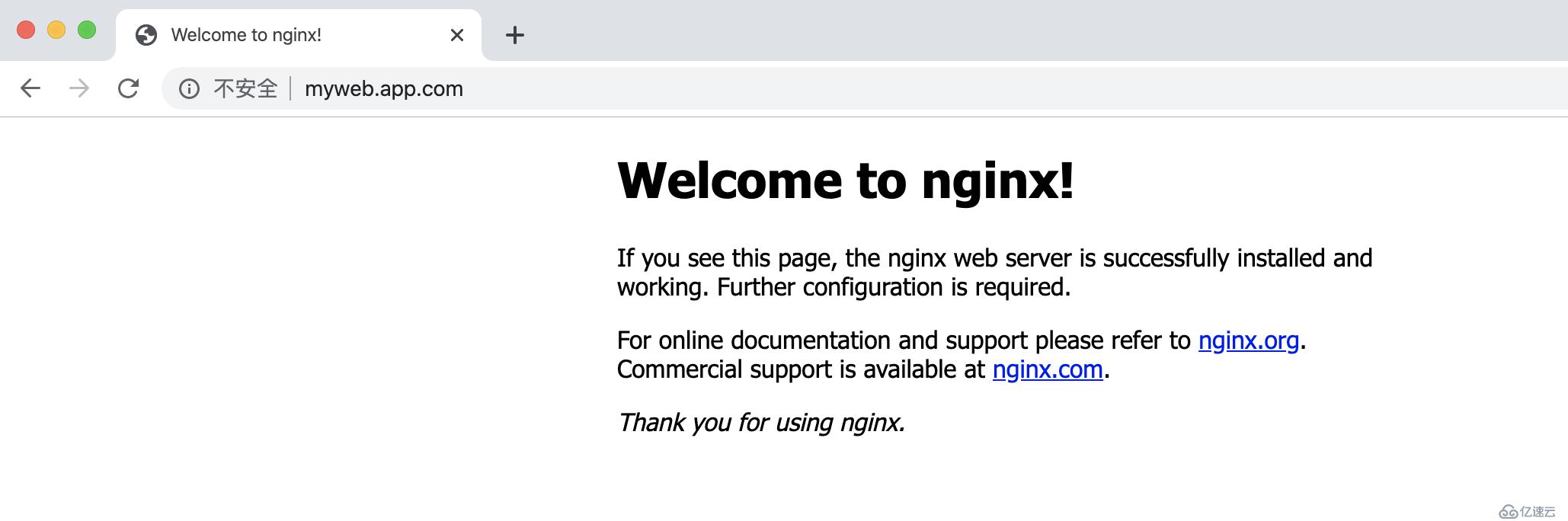
4.测试vip漂移
现在我将k8s-node03的keepalived进程关闭,那么vip就会漂移到k8s-node02
[root@k8s-node03 ~]# systemctl stop keepalived.service

// 在k8s-node02上查看VIP
[root@k8s-node02 ~]# ip add | grep "130"
    inet 10.0.0.130/24 scope global secondary eth0:1
再次访问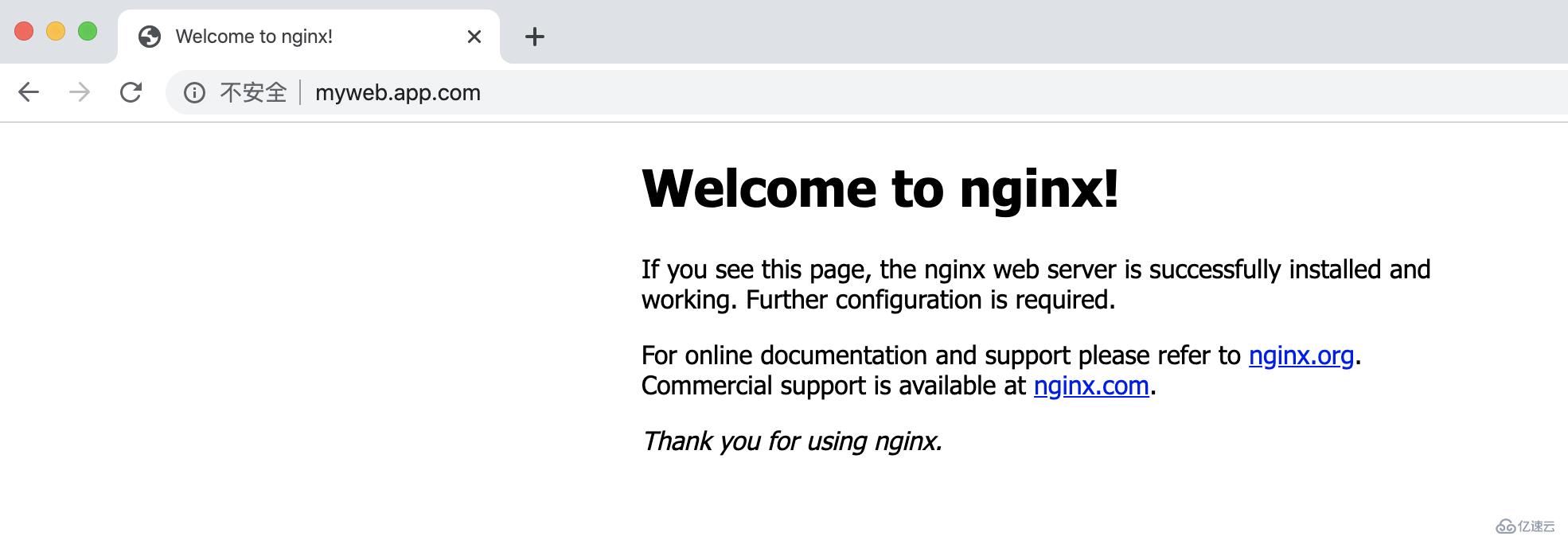
相关内容
热门资讯
空调连续工作多久需要停机休息
空调连续工作的时间取决于多个因素,包括空调的型号、功率、使用环境和维护情况等。一般来说,空调可以连续...
空调哪个符号是除湿的
空调除湿功能通常用一个水滴形状的符号表示。不同品牌和型号的空调遥控器可能会有所差异,但一般来说,除湿...
格力空调多长时间加一次氟利昂
1、一般情况下,空调对氟利昂的使用量是非常小的,所以在空调使用了四年左右的时候再考虑加也没问题。2、...
空调用多长时间需要加氟一次
一般情况下是五年。当出现以下这几种情况时,空调才需要加氟。1、空调的室内机和室外机各有两个接口,当接...
格调生活·C标思享荟:卡萨帝在...
9月12日的郑州龙湖金融岛,夜风轻拂,灯光璀璨。“C标时刻共传奇——卡萨帝思享荟暨20周年品牌盛典郑...
品牌价值破千亿、高端份额持续领...
9月12日,“C标时刻共传奇——卡萨帝思享荟暨20周年品牌盛典郑州站”在郑州龙湖金融岛举办。2026...
空调主板坏了修800还是换新的
空调主板坏了是修还是换新,需要考虑多个因素,以下是一些建议:1. 维修成本:如果维修费用较低,比如 ...
空调开多久需要休息多长时间
问题:空调开多久需要休息多长时间回答:1、在使用空调的过程中,一般空调开7~8个小时左右需要休息2~...
中央空调多长时间清洗一次
1、一般空调开机前清洗一次即可,空调开机中间时段再清洗一次,空调关机时清洗一次,这样比较合理。2、空...
中央空调氟利昂多久加一次
看空调制热和制冷程度,很多人的观点认为氟利昂必须一年放一次,其实这个观点是错误的,理解上面有点偏差,...